Upstream
Upstream
  • Product
  • Features
  • Platforms
  • Resources
  • Pricing
Login Sign up for free
YouTube radio station

Run a YouTube radio station 24/7

Keep a music station running from the cloud. Your background video or slideshow loops separately from the music, with the current track on screen.
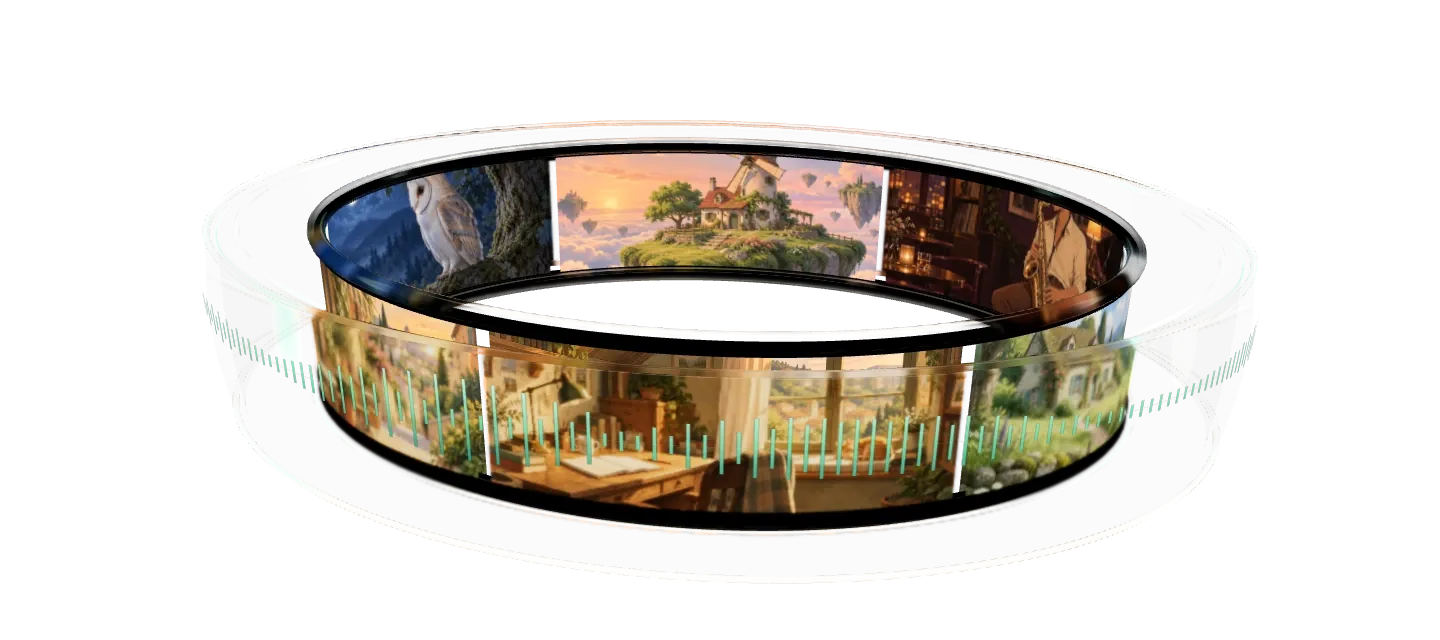

Start your radio station Audio and visuals loop separately.

Show the track on screen

Keep the station name and current track visible. Add the audio visualizer to the same layout.

mellow_fox-paper_lanterns_final.mp3Paper lanternsMellow FoxWarm teaMellow Fox
Track settings
File name Track metadata
Format track display{title}
{artist}

Give the music its own playlist

Play tracks in order or shuffle them. The audio playlist runs separately from your background video or image slideshow.

Manage audioMain channel2Secondary channel2
1 Mellow Fox - Paper lanterns03:12
2 Rain on the window09:40
3 Koji - Window seat02:48
4 Fireplace crackle08:30
1 Rain on the window09:40
2 Fireplace crackle08:30
2 selectedAll ANone DMain channelSecondary channel Main channelSecondary channelDequeue

Trusted by teams in broadcast and entertainment

Disney MS logo Disney MS logo Disney
Eurovision MS logo Eurovision MS logo Eurovision
NBCUniversal MS logo NBCUniversal MS logo NBCUniversal
Pinkfong MS logo Pinkfong MS logo Pinkfong
Red Bull Red Bull Red Bull
Disney MS logo Disney MS logo Disney
Eurovision MS logo Eurovision MS logo Eurovision
NBCUniversal MS logo NBCUniversal MS logo NBCUniversal
Pinkfong MS logo Pinkfong MS logo Pinkfong
Red Bull Red Bull Red Bull
Disney MS logo Disney MS logo Disney
Eurovision MS logo Eurovision MS logo Eurovision
NBCUniversal MS logo NBCUniversal MS logo NBCUniversal
Pinkfong MS logo Pinkfong MS logo Pinkfong
Red Bull Red Bull Red Bull
Disney MS logo Disney MS logo Disney
Eurovision MS logo Eurovision MS logo Eurovision
NBCUniversal MS logo NBCUniversal MS logo NBCUniversal
Pinkfong MS logo Pinkfong MS logo Pinkfong
Red Bull Red Bull Red Bull

Compare

Choose where the music comes from

Keeping an existing station or starting a new one? Compare desktop, server and cloud radio automation software before choosing your audio source.

DetailUploaded audio playlistExternal radio URL
Audio sourceTracks from your account library.The radio server you provide.
Source availabilityUpstream plays uploaded files from its servers.The source server must stay available.
Your computerCan be off during uploaded playback.The server providing the radio URL must remain online.
PictureSeparate background video or image slideshow.Separate background video or image slideshow.
On-screen detailsNow-playing overlay and audio visualizer.Add station text and an audio visualizer.
RightsYou need permission for each destination.You need permission for each destination.

Audio source

Uploaded audio playlist
Tracks from your account library.
External radio URL
The radio server you provide.

Source availability

Uploaded audio playlist
Upstream plays uploaded files from its servers.
External radio URL
The source server must stay available.

Your computer

Uploaded audio playlist
Can be off during uploaded playback.
External radio URL
The server providing the radio URL must remain online.

Picture

Uploaded audio playlist
Separate background video or image slideshow.
External radio URL
Separate background video or image slideshow.

On-screen details

Uploaded audio playlist
Now-playing overlay and audio visualizer.
External radio URL
Add station text and an audio visualizer.

Rights

Uploaded audio playlist
You need permission for each destination.
External radio URL
You need permission for each destination.

Loop the background separately

Use a background video or image slideshow while the music playlist keeps playing. Keep the station name and track text clear of busy artwork.

Manage backgroundLoop duration: 00:06:10
1 Rooftop flow06:00
2 Cottage window.jpg00:10
Background fade typeFade outSlide horizontally No fadeRandomFade outSlide horizontallyScale outSwipe awayControls the type of fade animation between background files.
Slide horizontally, from a video to an image

Set the station hours

Run 24/7 or set daily or weekly start and end times. Publish later Builder edits without stopping the broadcast.

Schedule livestream Scheduled
End date and time 10/04/2026, 12:0010/04/2026, 21:50
Set custom stream duration Set to just under 12 hours Set the stream duration to 11 hours and 50 minutes. YouTube automatically archives live streams that are less than 12 hours long under your channel's Live tab. Set end time to background duration Set end time to audio duration

The value you get per dollar is amazing. Many features are available at no cost when other similar services charge for them or do not have them available at all.

Trustpilot review

FAQ

YouTube radio station questions

Use music and visuals you have permission to broadcast. Connect YouTube in Upstream and add separate audio and background playlists. Set continuous looping, then check the picture and audio on YouTube before leaving the station running.

Yes. Set an external radio URL as the audio source and add a background video or image slideshow for YouTube. The source server needs to stay online.

Yes. The audio and background playlists have separate loops. A short video or image slideshow can repeat while the longer music playlist keeps playing.

Yes. Add the now-playing overlay and audio visualizer to your layout. Check the preview before you start the broadcast.

Your computer can be off while Upstream plays uploaded files from its servers. An external radio URL still depends on the source server staying online.

No. You need permission to broadcast your music and visuals on every destination. Copyright claims or restrictions can still affect a stream. Read the YouTube copyright claim and strike guide.

Yes. Send the same stream to up to 10 destinations, including Mixcloud. Check each destination's content and duration rules before adding it. For TikTok, check external streaming access before planning a simulcast.

Create a playlist stream and connect a YouTube channel that can go live. Upload tracks or set an external radio URL. Add a background video or image slideshow, then place your logo, now-playing overlay and audio visualizer.

Run continuously or set daily or weekly start and end times. Once live, listen through a track change on YouTube. You can publish later Builder edits without stopping the stream.

Yes. Use the audio visualizer tool to make a video for the playlist, or add the in-stream visualizer to your layout. Keep track text clear of busy artwork and check it at phone size. Publish graphics changes while on air.

Check that your music and visual licenses cover live streaming on every destination. Buying a track or accessing a music library does not by itself grant broadcast permission. Keep those permissions with your files.

Listeners arrive at the current track. Keep the station name and track text readable throughout the broadcast.

Upstream relaunches a failed encoder up to 5 times. It reloads stalled output and recreates an ended YouTube event. You get an email if a stream stops or a YouTube event ends or is replaced. Check the message and live broadcast.

If you use an external radio URL, its source server still needs to stay available.

Your account library has 100 GB per stream slot, or 150 GB on the 1-stream 4K plans. Over quota, new uploads are rejected. Any stream queue can reuse a file or folder from the library.

No. A backup uses a stream slot and covers only the main destination. On YouTube, it sends a 1:1 copy to the backup ingest so YouTube can switch over and back. Other platforms need backup ingest support.

More features

Related features

Set up your station's playlists and on-screen graphics, then choose its broadcast hours.

Playlists Separate music and visuals Keep the music and visuals on their own loops. See audio and video playlists Overlays Show the track and your logo Add your station artwork, now-playing text and a visualizer. See live stream overlays Scheduling Set hours for your station Set daily or weekly start and end times for regular shows. See live stream scheduling
More features and guides
  • YouTube stations
  • Start a lofi radio station
  • YouTube radio station setup guide
  • YouTube copyright claim and strike guide
  • Start an internet radio station
  • Music label streaming
  • Mixcloud streaming
  • Platform limits
  • 24/7 streaming
  • Plans for continuous broadcasting

Guides

Guides for your radio station

YouTube radio: No OBS. No PC.
Blog·Aug 3, 2026

Start a YouTube radio station

9 min read
LoFi radio: Start your station
Blog·Jan 13, 2026

Start a lofi radio station

9 min read
copyright claim list
Blog·Apr 3, 2025

YouTube copyright claims and strikes

5 min read

Start your YouTube radio station

Connect YouTube and add your music. Check the picture and audio, then start the station.
Separate playlists Radio URL input 24/7 playout Now playing
Start your radio station Talk to our team
24/7 Live Streaming Run cloud channels that stay live around the clock. Live Studio Invite guests, share screens, and add branded overlays in the browser. Multistreaming Send one live feed to YouTube, Twitch, Kick, and RTMP endpoints. Pre-recorded Live Streaming Upload pre-recorded videos & Go Live without the stress of live production. Free plan 24 hours a month with no watermark. Multi-channel streaming Separate live channels from one account. Enterprise Setups for teams, labels and agencies. About Upstream Who we are and how Upstream works.
Scheduling Streams that start and end on their own. Multichat Every platform's chat in one feed. Overlays Layers and widgets in Stream Designer. Stings, jingles and ads Inserts that play between your videos. Playback controls Skip or play any file while you stay live. Audio and video playlists Loop music and visuals separately. Media library & storage Organize files and cloud uploads. Team access Invite your team, each with their own role. RTMP server Stream in from OBS or any encoder. Live Streaming API Run streams, media and queues from code. MCP Server Manage streams from your AI assistant. All features Everything Upstream does, on one page.
YouTube live streaming Twitch live streaming Kick live streaming Facebook live streaming Instagram live streaming TikTok TikTok live streaming Rumble live streaming Mixcloud live streaming 30+ more Plus any custom RTMP or SRT destination.
Platform limits Bitrate and duration caps for each platform. Integrations Setup guides for OBS, vMix, cameras and more. VTuber Streaming Go live with your avatar on every platform.
Blog Guides, platform rules and news for anyone who goes live. Guides Setup guides for 24/7 streams, multistreaming and RTMP. Release Notes The new features in each Upstream update, in one place. Free Tools Video, audio, thumbnail and AI tools, plus camera and mic checks. Helpdesk Step by step setup help and troubleshooting for Upstream. Service status Current service health, uptime history and incident updates. Live Streaming FAQ Short answers to what people ask before they go live. Compare Upstream Upstream side by side with Restream, StreamYard and others. Latest post YouTube Dual Stream: What the Vertical Copy Does and How to Turn It Off
Always-on 24/7 Live Streaming Run cloud channels that stay live around the clock.
Explore
Real-time live Live Studio Invite guests, share screens, and add branded overlays in the browser.
Explore
One stream, 30+ platforms Multistreaming Send one live feed to YouTube, Twitch, Kick, and RTMP endpoints.
Explore
Schedule & Automate Pre-recorded Live Streaming Upload pre-recorded videos & Go Live without the stress of live production.
Explore
Free plan 24 hours a month with no watermark.
Multi-channel streaming Separate live channels from one account.
Enterprise Setups for teams, labels and agencies.
About Upstream Who we are and how Upstream works.
Scheduling Streams that start and end on their own. Multichat Every platform's chat in one feed. Overlays Layers and widgets in Stream Designer. Stings, jingles and ads Inserts that play between your videos. Playback controls Skip or play any file while you stay live. Audio and video playlists Loop music and visuals separately. Media library & storage Organize files and cloud uploads. Team access Invite your team, each with their own role. RTMP server Stream in from OBS or any encoder.
Live Streaming API Run streams, media and queues from code.
MCP Server Manage streams from your AI assistant.
All features Everything Upstream does, on one page.
YouTube live streaming. 24/7 channels with midroll ads. Twitch live streaming. Streams restart on their own at 48 hours. Kick live streaming. Stay live with your computer off. Facebook live streaming. Schedule lives that start on their own. Instagram live streaming. Go live from your browser or the cloud. TikTok TikTok live streaming. Go live on TikTok and Instagram at once. Rumble live streaming. Add Rumble to your YouTube or Kick stream. Mixcloud live streaming. DJ sets and radio shows from your browser. 30+ more Plus any custom RTMP or SRT destination.
Platform limits Bitrate and duration caps for each platform.
Integrations Setup guides for OBS, vMix, cameras and more.
VTuber Streaming Go live with your avatar on every platform.
Blog
Guides
Release Notes
Free Tools
Helpdesk
Service status
Live Streaming FAQ
Compare Upstream
YouTube Dual Stream: What the Vertical Copy Does and How to Turn It Off YouTube Dual Stream: What the Vertical Copy Does and How to Turn It Off
Upstream

Run your streams from the cloud

Free plan: 24 streaming hours a month, no card, no watermark.

4.6 · 245 reviews on Trustpilot
Legal entity
Zukunft d.o.o.
Registered address
Grožnjanska ulica 32, 10000 Zagreb, Croatia
Company VAT ID
Company VAT ID: HR62560895839
About | Contact us | Tools | Content standards | Security | Privacy Policy | Terms of Service | Affiliate terms | Legal notice |

Product

  • Pricing
  • Upstream Features Overview
    • Multistreaming
    • Media Library & Storage
    • Separate Audio and Video
    • Overlays: Stream Designer
    • Live Streaming Studio
    • Scheduling & Automation
    • Live Playback Controls
    • Play Stings, Jingles and Ads
    • Team Access
  • Enterprise Broadcasting Solutions

Resources

  • Helpdesk
  • Service status
  • Live Streaming FAQ
  • Blog
  • Release Notes
  • Live Streaming API
  • MCP Server
  • Free Live Streaming
  • YouTube Live Streaming
  • RTMP Server
  • Supported Platforms
  • Live Streaming Limits
  • Integrations

Compare Us

  • Compare Upstream
    • Upstream vs Runnel.live
    • Upstream vs OneStream
    • Upstream vs Live247
    • Upstream vs Gyre
    • Upstream vs Streaming Bots
    • Upstream vs Restream
    • Upstream vs StreamYard
    • Upstream vs LiveReacting
    • Upstream vs Playout.video

Free Tools

  • Design tools
  • Video tools
  • Audio tools
  • AI tools
  • Setup checks

Use cases

  • For Creators
  • For Music Labels
  • Church Streaming
  • VTuber Streaming
  • Multi-Channel Streaming

© 2026 Upstream. All rights reserved.