Live Streaming Software & Servers
Everything you need for 24/7 Live Streaming
Pre-recorded & 24/7 Live Streaming
Upload your files and start a YouTube Livestream. Go Live with pre-recorded videos and schedule recurring live streams. No server setup, no hassle. Forget OBS, laptop and VPS setups.
Stream Designer
Add stream overlays, interactive widgets, lower-thirds and live data to make your live streams rich interactive experiences. Design, build playlists and automate playback behavior.
Live Studio
Go live via Webcam or OBS anytime with our Live Studio. Host podcasts, webinars and conferences with up to 10 guests. Multistream to 10 Destinations.
Streaming Servers & Software
Upstream is an all-in-one cloud-based Streaming Solution for live streaming on YouTube, Twitch and up to 10 platforms at once, no OBS setup, no VPS servers required. Each streaming plan gives you access to all the tools and features:
24/7 Live Streaming App & RTMP Servers
Upstream makes it easy to maintain an always-on live stream using pre-recorded videos. A non-stop live stream keeps your content discoverable around the clock, attracting viewers from different time zones and appearing higher and more often in the feed.
- Significant increases in engagement: more watch hours, returning viewers, and faster subscriber gains
- Constantly rack up platform signals: consistent viewership, active chat, and steady session times
- Quietly boost your channel's growth while you focus on creating great content
One-Click, Cloud-Based Streaming
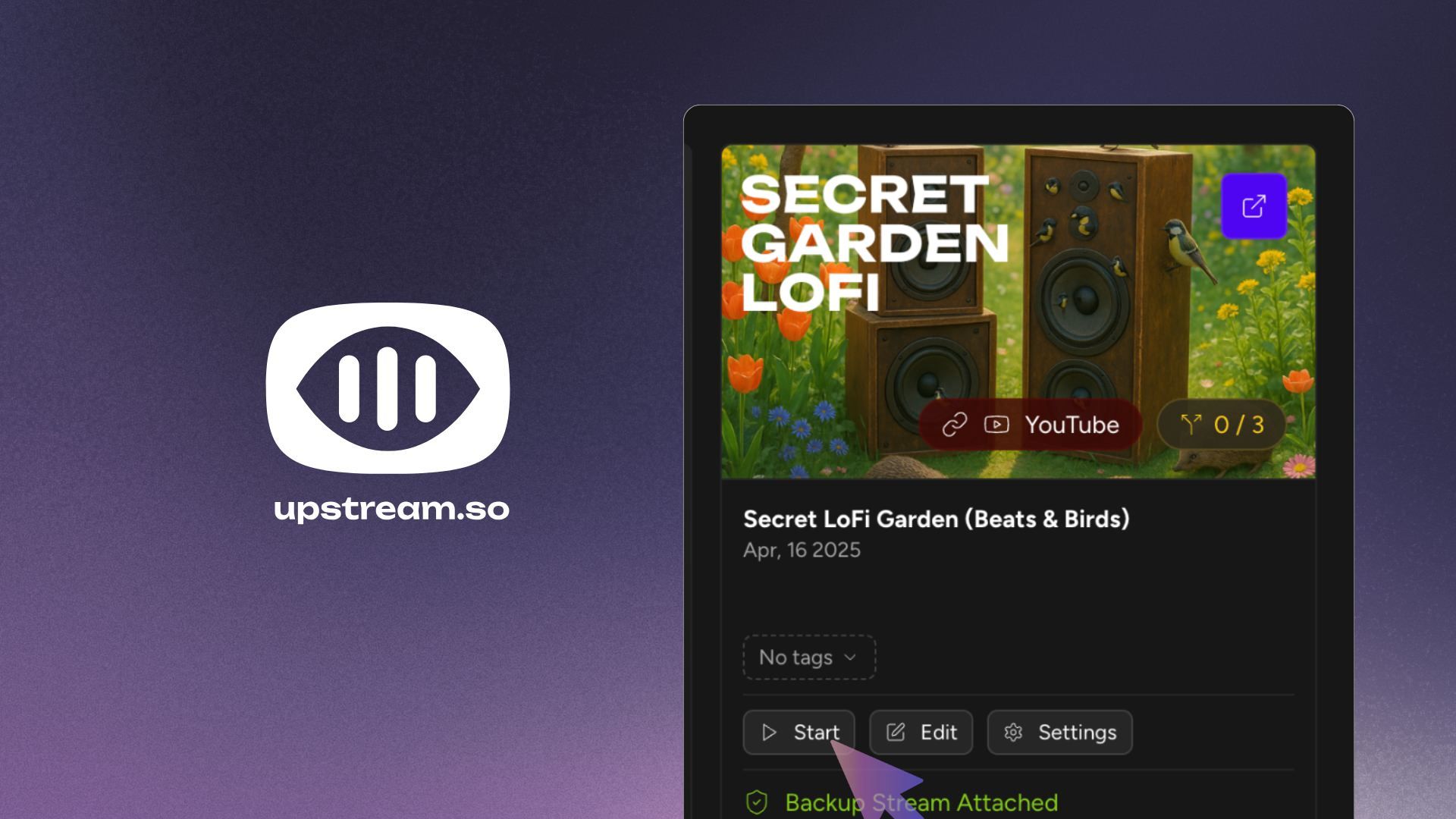
One-click integration with YouTube and cloud servers let you launch a 24/7 stream instantly. With Upstream, you can connect your YouTube account via API and go live with a single click. The stream runs from Upstream’s dedicated cloud servers directly to YouTube – so you can turn off your computer.
- Stream keeps running 24/7 reliably in the cloud after you turn off your device
- Official YouTube-Verified encoder meeting highest quality standards
- Control everything from Upstream's dashboard without opening YouTube Studio
Drag-and-Drop Stream Designer for Custom Overlays
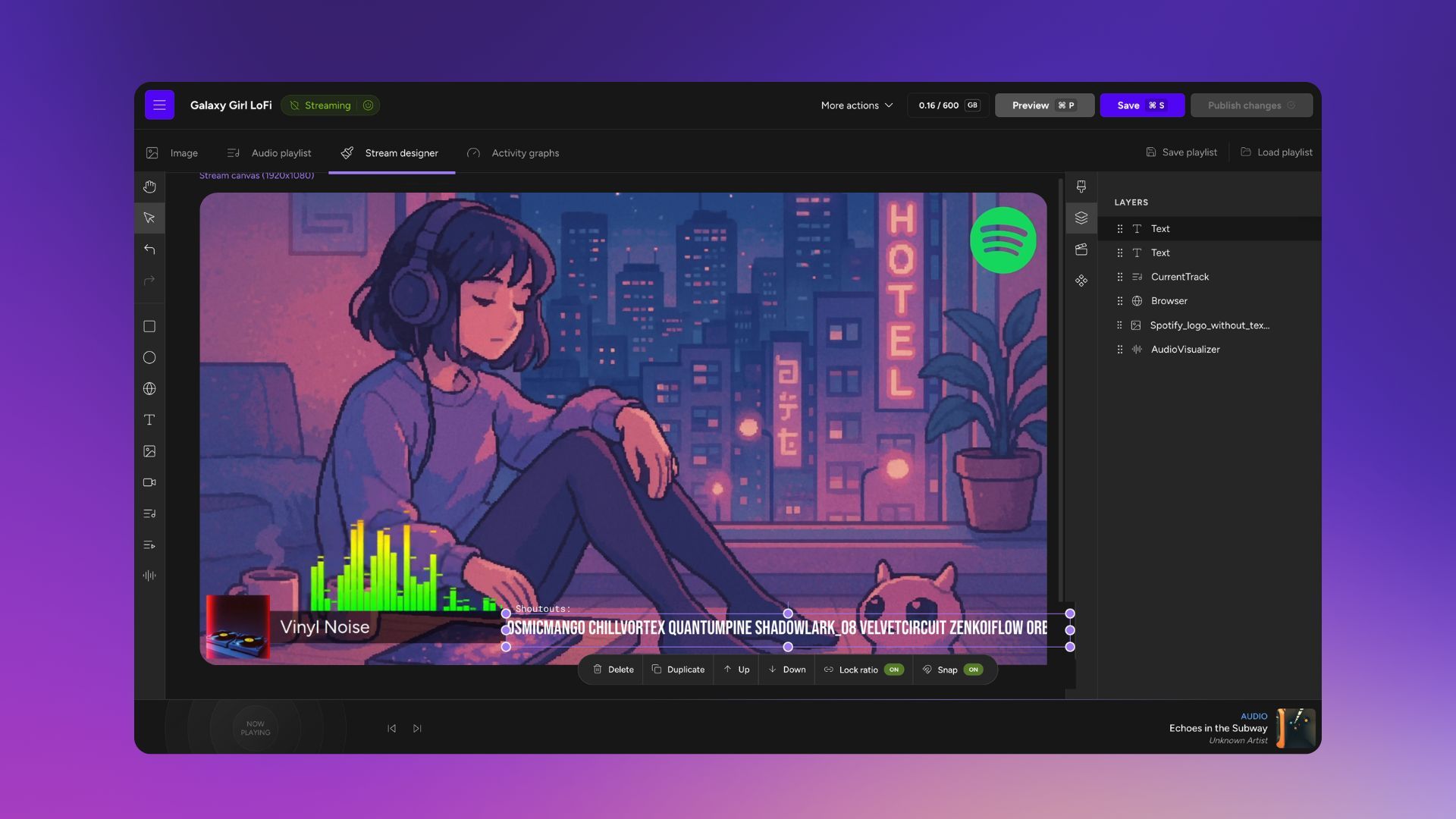
Make your stream look pro with ease. Upstream’s drag-and-drop Stream Designer lets you add overlays, visuals, and interactive widgets in seconds, no coding. Your 24/7 stream doesn’t have to be a static loop of videos. With the built-in Stream Designer, you can bring your content to life visually. It’s a Canva-or-Figma-style editor made for live streaming: simply drag and position elements on your stream. Reorder layers. You do you!
- Embed live websites, images, logos, track titles, and album art
- Add alerts for subscribers/donations with StreamElements integrations
- Customize fonts and colors to match your branding
- Stack layers
Multistream to 10 Platforms at Once
Why settle for one platform? Upstream’s multistream feature allows broadcasting each of your live streams to up to 10 different platforms simultaneously, expanding your reach without extra effort. Grow your audience by going live everywhere. Upstream allows you to stream your content to YouTube, Twitch, Facebook Live, TikTok, Kick, Rumble or any platform that accepts an RTMP feed – all at the same time.
- Stream to multiple platforms simultaneously at no extra cost
- 10 multistreaming destinations with perfectly synchronized streams

Vertical Stream Support
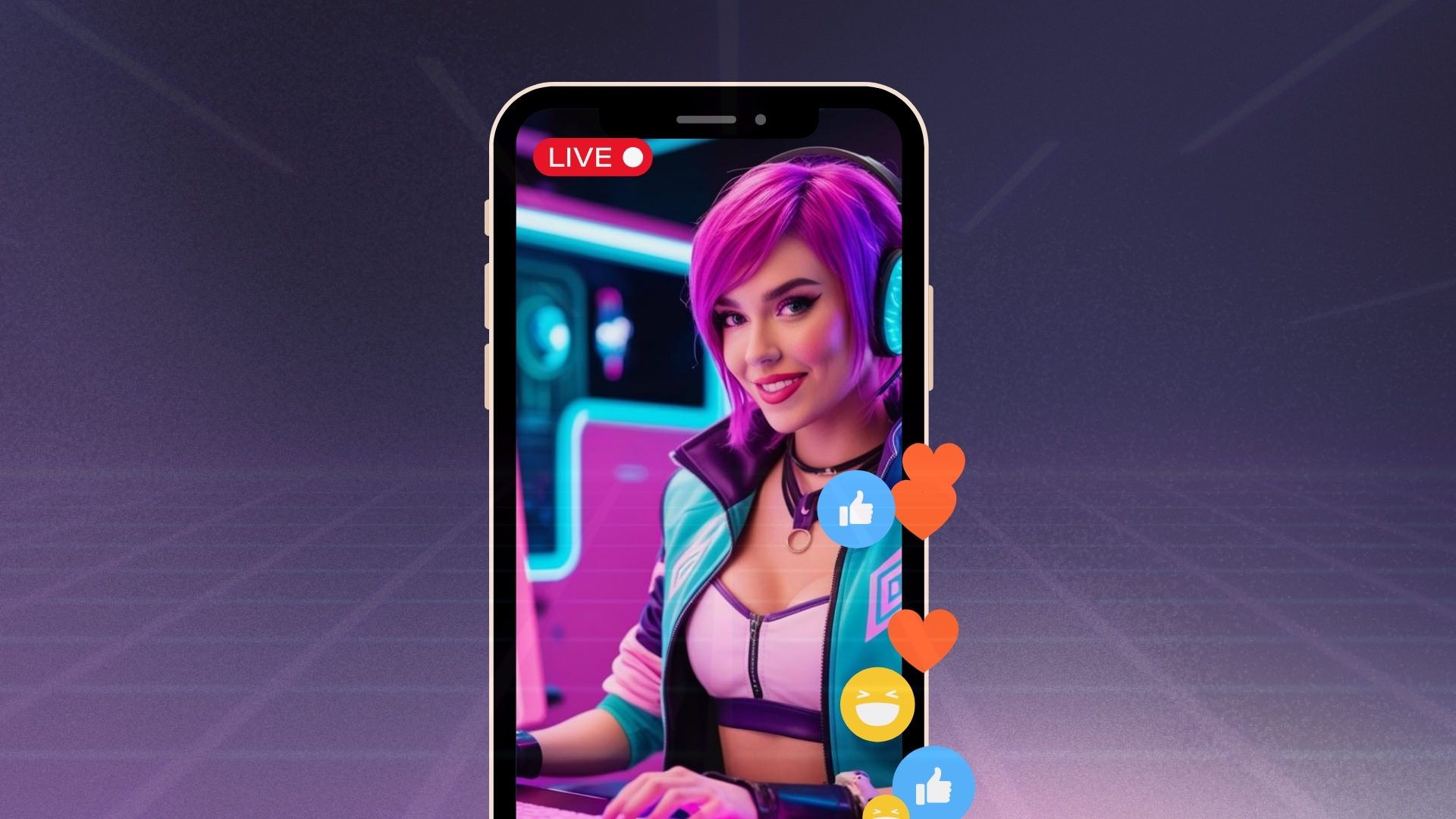
Go vertical for mobile audiences. Upstream lets you switch your stream orientation to vertical format, making your content perfect for YouTube Shorts and mobile-first viewers. The world watches content on their phones, and vertical video is king for mobile engagement. With Upstream’s vertical stream support, you can optimize your 24/7 stream for the way people actually consume content today.
- Appear in YouTube's Shorts feed, expanding reach to mobile scrollers
- Same 24/7 benefits tailored for the smartphone-oriented audiences
Schedule & Automate Your Livestream
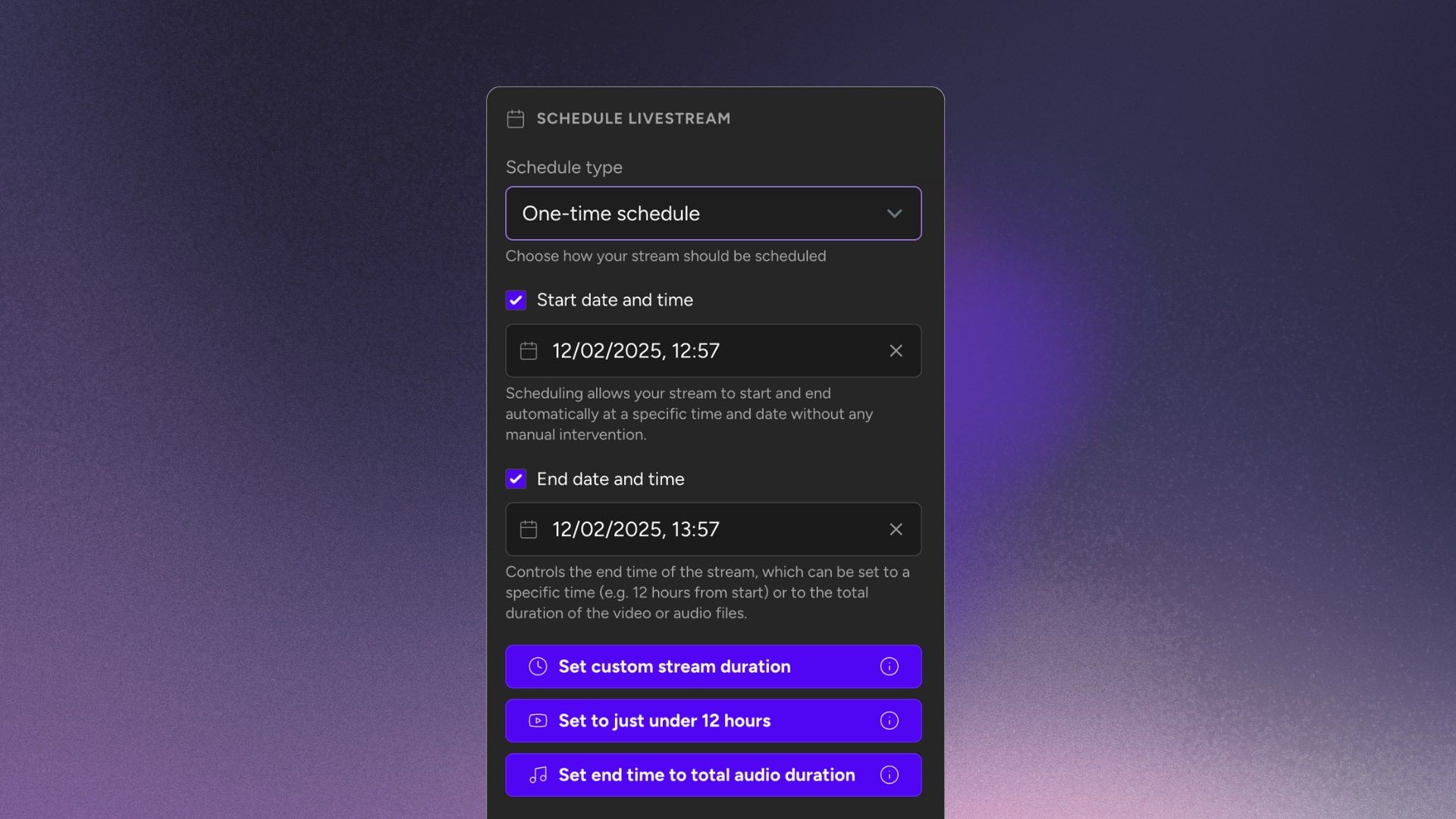
Stream on your own time. Schedule your live stream to start and stop whenever you want, set it to repeat daily and let Upstream handle it. You don’t have to be there 24/7, but your stream definitely can be! Consistency is key for building an audience, and the schedule feature can help your stream runs like clockwork, even when you are AFK.
- Set specific start/end times or configure repeating daily schedules
- Set length to just under 12 hours for YouTube VOD
- No babysitting required - full automation



Trustpilot Customer Review
"I would honestly say it's the best platform to use. Easy, very good and fast support."
Backup Streams for Uninterrupted Broadcasting
Never go offline again. Upstream’s backup stream feature keeps a synchronized secondary stream ready to take over instantly if your primary stream encounters any issues: true 24/7 reliability. Technical hiccups can happen, but with Upstream’s backup streams, your audience never has to know. This feature maintains a second stream running in perfect sync with your primary broadcast.
- Seamless takeover between YouTube A and B Channels
- Maintains watch time metrics and channel reliability reputation
- Silent background operation until needed

Live Playback Controls (Play, Skip, Rewind on the Fly)
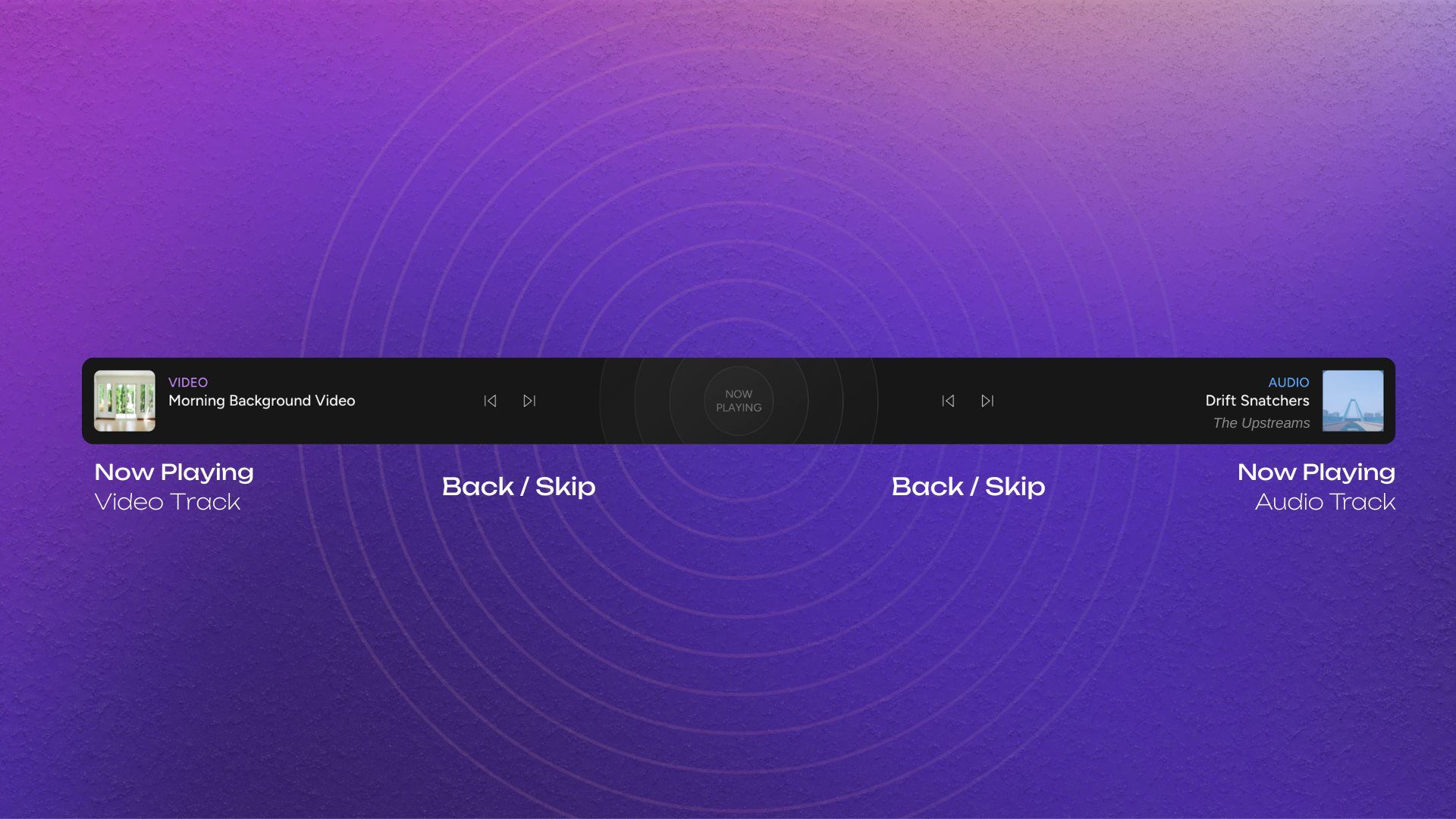
Be the DJ of your 24/7 stream. Upstream’s Live Stream Playback Controls let you skip tracks, rewind, or play any video in your playlist instantly, all without ever stopping the live stream. This feature puts you in real-time control of what’s playing. Say you have a playlist of videos and songs already looping, but you want to react to your community or change things up on the fly.
- Skip, rewind, or replay content with simple clicks
- "Play Now" option jumps to any track immediately
- Respond to viewer requests and your own whims
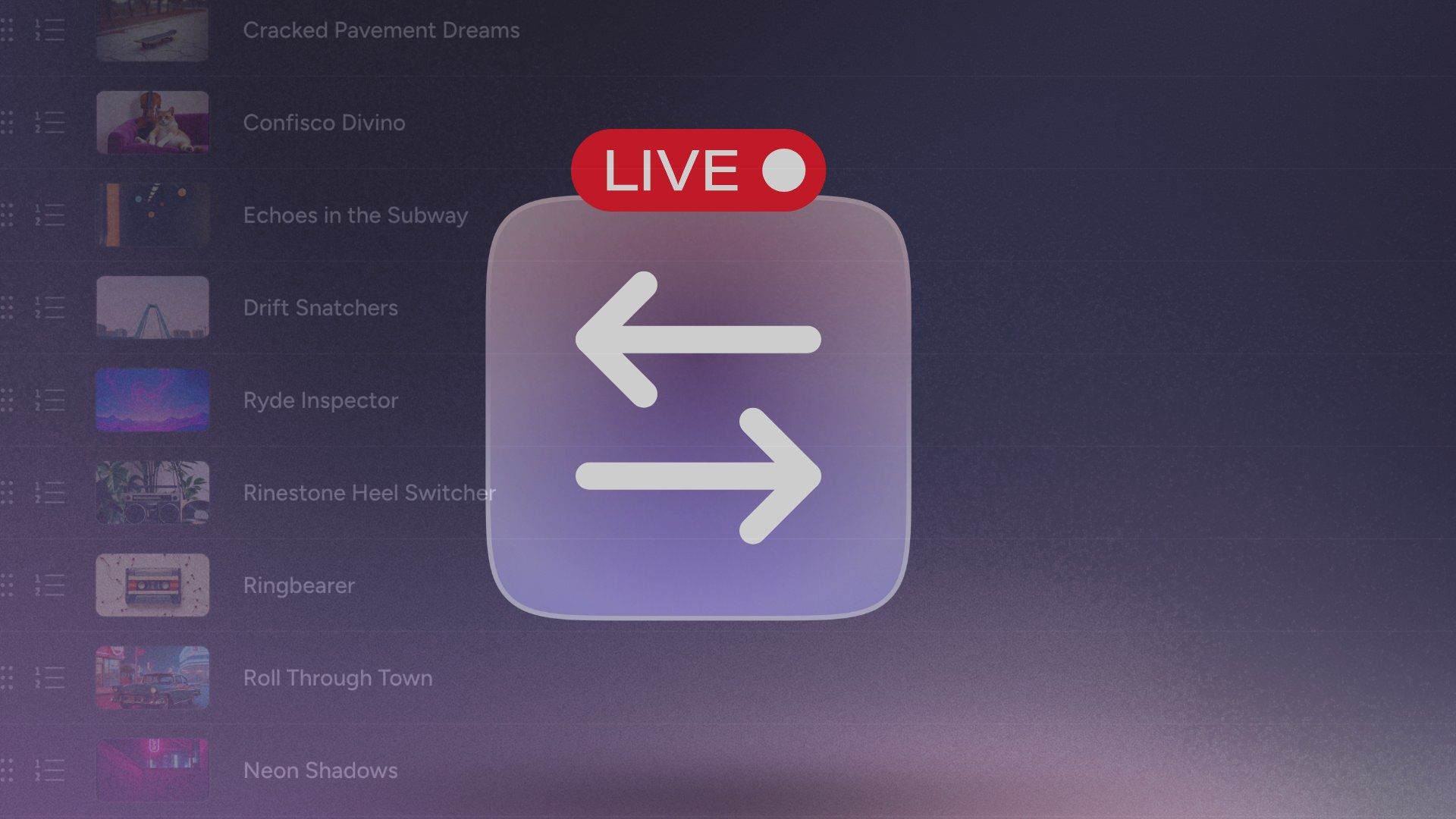
On-the-fly Live Stream Playlist Management
Keep your stream fresh without interruption. Add new videos or songs, change content, and reorder your playlist on the fly, while your stream stays live. Managing content shouldn’t mean stopping your broadcast. Upstream’s content queue management lets you modify your stream in real-time with complete flexibility, without stopping the stream.
- Upload and add new content instantly to the queue
- Remove underperforming videos with a click
- Drag and drop to reorder playlist without stopping the stream
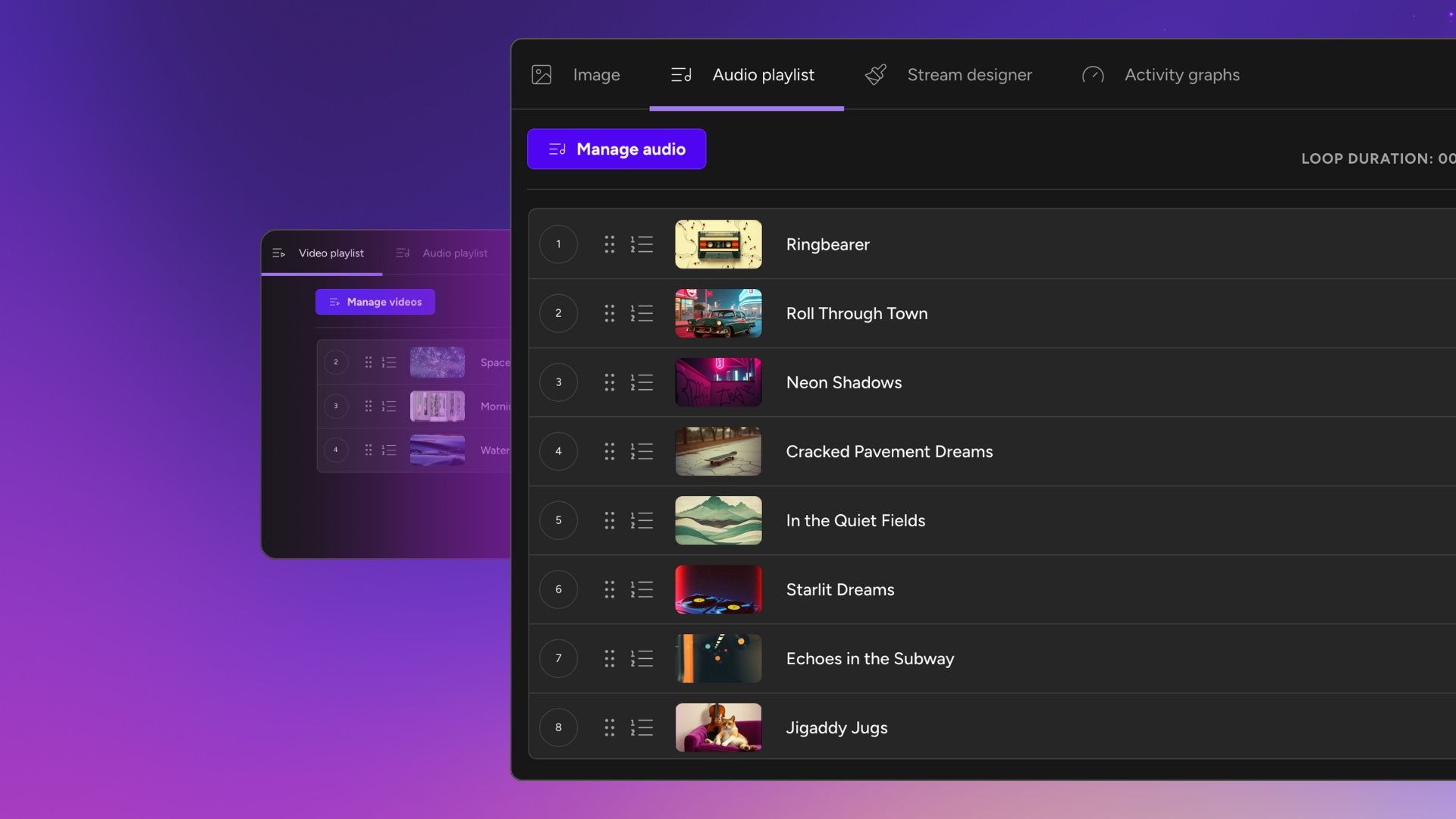
Separate Audio and Video Playlists
Mix and match your content. With Upstream, you can separate your audio and video playlists, shuffling songs independently from visuals and even adding a secondary audio track for atmospheric sounds like rain, fire, wind… No more editing hours of video just to swap burnt-in music. Some 24/7 setups require you to render one long video file with both the video and audio baked together. Upstream offers a smarter approach too: you manage your audio tracks and video clips in two independent playlists.
- Loop your music independently from the background video loops
- Add secondary audio channel for ambient sounds or effects
- Generate unique combinations, making your stream truly live
Audio Crossfade for Seamless Transitions
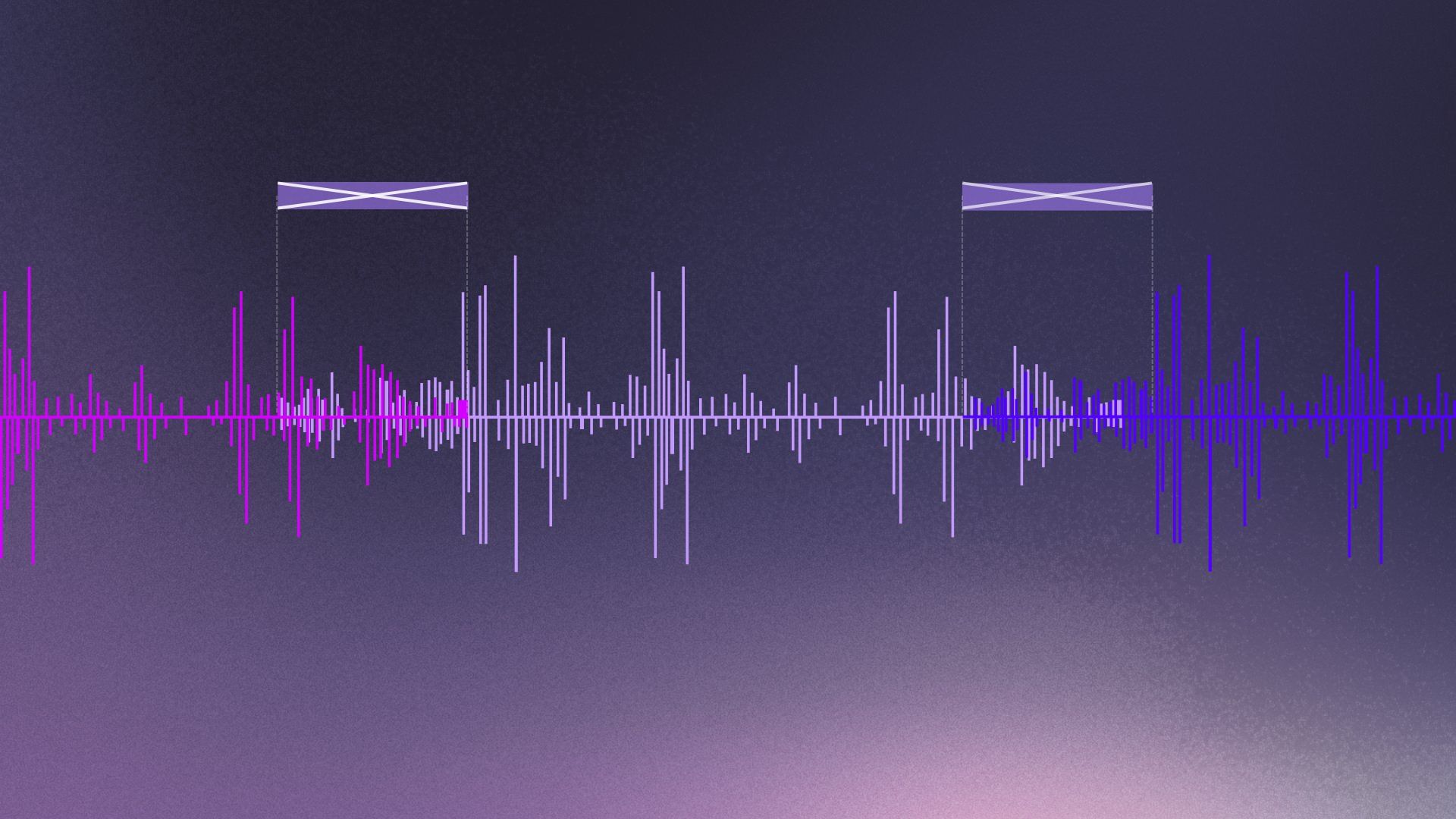
Keep the music flowing smoothly. Upstream’s built-in audio crossfade creates professional-sounding transitions between tracks, eliminating cuts and keeping the perfect atmosphere. Nothing breaks the mood of a carefully curated stream like an abrupt audio cut.
- Adjustable crossfade duration
- Radio-quality transitions without audio editing skills
- Encourages longer viewer sessions with seamless flow
Team Access & Collaboration
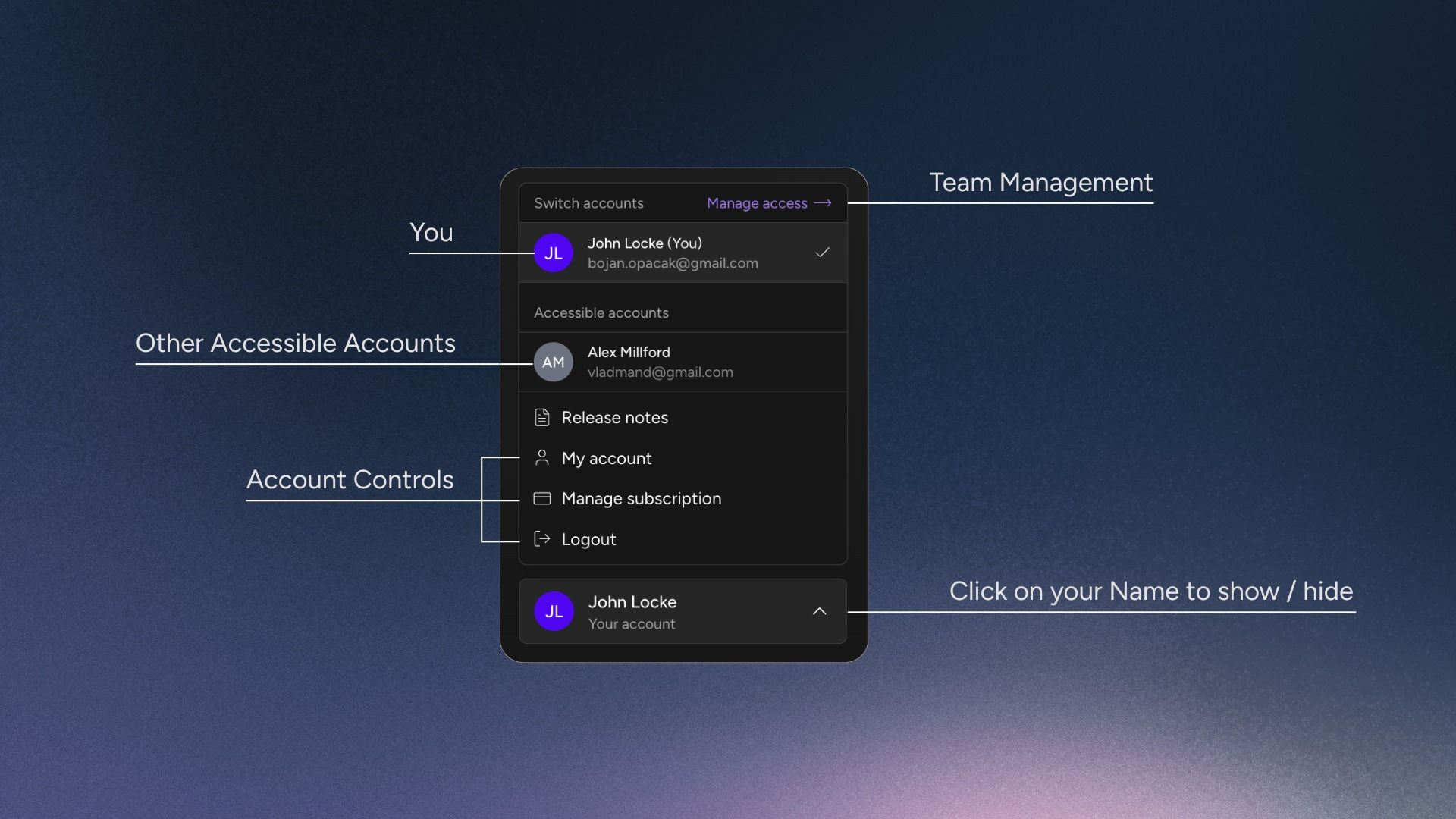
Work smarter together. Upstream’s Team Access features let you assign different roles and permissions to team members, making it easy for agencies, content teams, and collaborators to manage streams together. Running a successful 24/7 stream often requires a team, and Upstream makes collaboration seamless. No need to share accounts or passwords. And do not worry, no-one can see your invoices or billing info!
- Viewers: see everything but can't make changes
- Editors: full creative control on existing streams
- Managers: Full control except for billing / invoices
Why use the #1 Streaming Software?
There are so many reasons: Live streams have a greater chance to get discovered on YouTube so running a 24/7 YouTube live stream means constant exposure that can boost views, watch time, and subscriber growth. In a constantly buzzing world, why should your live stream sleep?
Monetization & Ad Insertion Control
Maximize revenue, minimize disruption. Upstream gives you control over mid-roll ads by letting you insert YouTube ad cue points at optimal times – so your 24/7 stream makes money without annoying your viewers. Monetizing a continuous stream can be tricky if ads randomly cut in at the wrong moment.
- Set strategic ad cue points at natural break points
- Maintain viewer engagement with well-timed ads
- Developed in partnership with YouTube for smooth compliance
YouTube Verified Software Encoder
Stream with confidence and quality. Upstream is officially recognized as a YouTube Verified Software Encoder, meeting the platform’s highest standards for quality, security, and reliability. When you stream with Upstream, you’re using software that YouTube has personally vetted and approved.
- Optimized encoding for best video and audio quality
- Highest security standards for data and account protection
- Stays current with YouTube's latest streaming capabilities

Live Studio
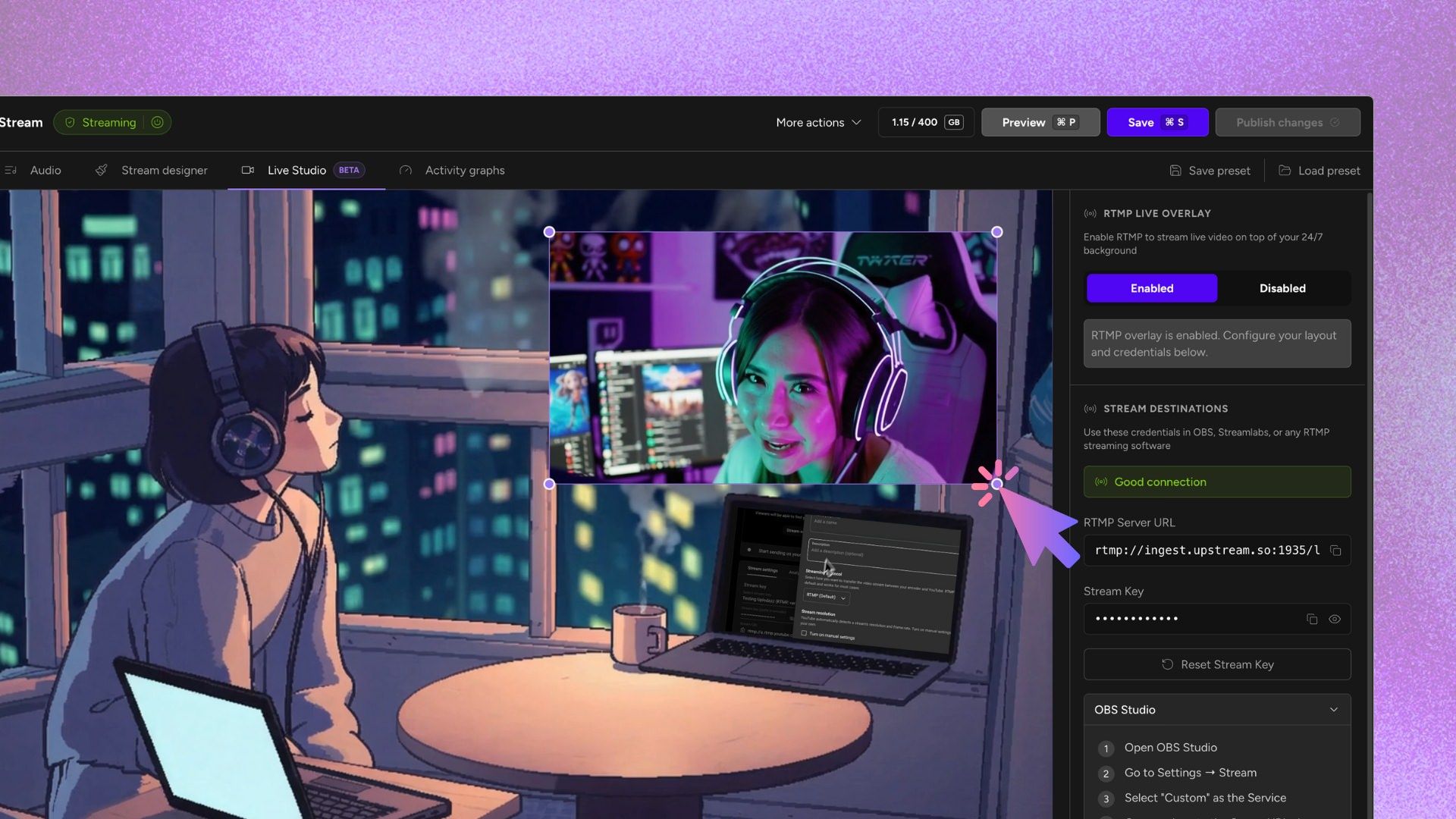
Appear live without interrupting your pre-recorded playlist. Create commentary style videos, or do a complete take-over from OBS or your webcam. Your stream, your way. Resize and reposition your ingress overlay freely.
- Appear live during your 24/7 stream
- Go live through your webcam
- RTMP / HLS Ingress from OBS
Insert Stings & Jingles
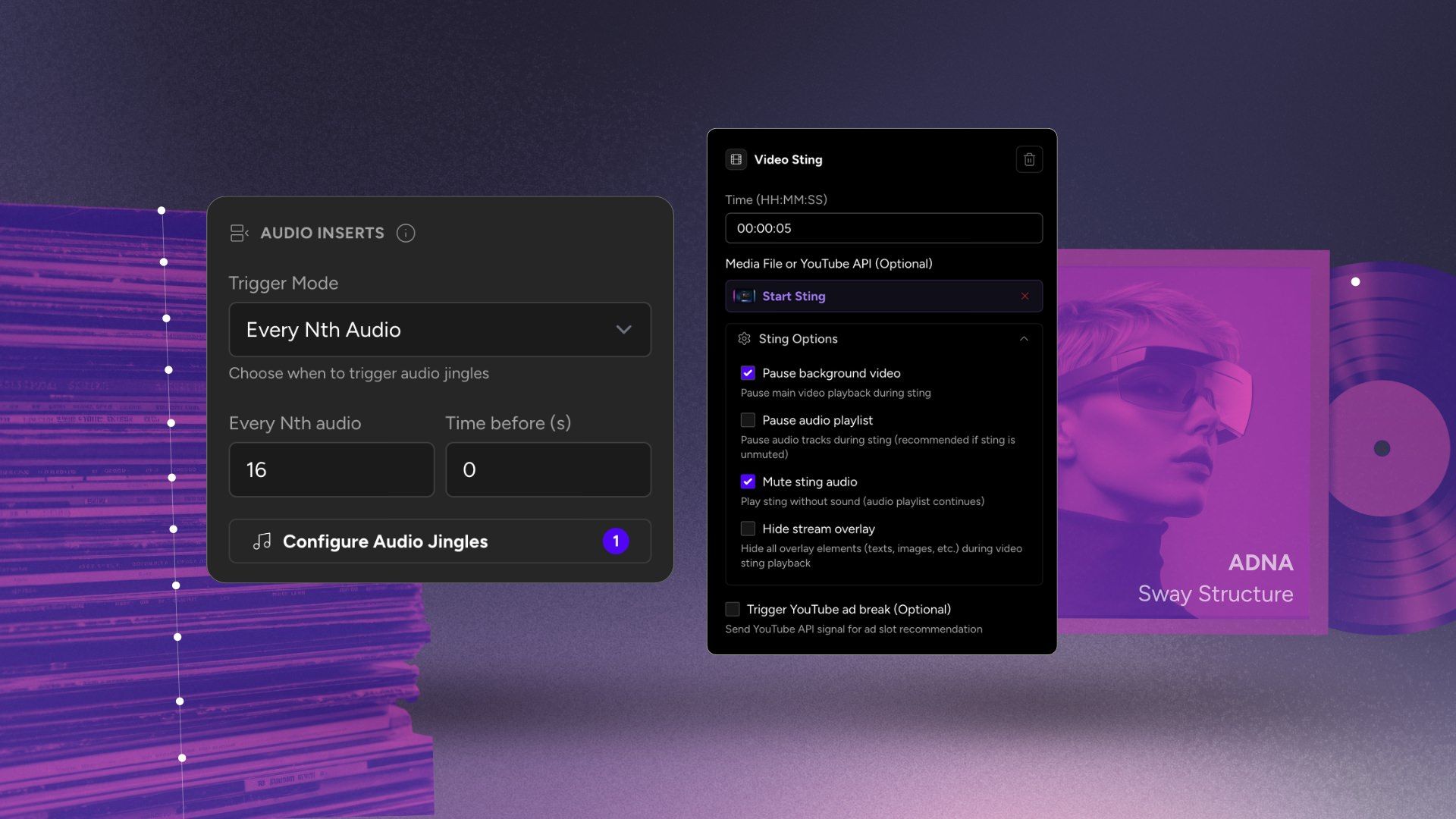
Insert repeating Stings / Jingles / VideoIDs. You can set rules for playlist based repeating video or audio inserts, or file-based inserts for interupting longer files at specific timecodes. Perfect for branding, transitions or ad insertion.
One free stream. Paid gets cheaper as you scale.
Start with 1 paid stream at $30/mo, scale to 1000+, and pay less as you add streams: 2 streams are $50/mo, 3 streams are $70/mo, then 4+ streams are $20/stream/mo or $16/stream/mo when billed yearly.
1 concurrent stream · 24 hr/month
1080p at 30 FPS
$30/stream/mo · 4+ volume rate is $20
* Free-plan capacity may be limited during unusual demand.