Upstream.so
Upstream.so
  • Product
  • Features
  • Platforms
  • Resources
  • Pricing
Login Sign up for free
Content Calendar

The content calendar that turns your stream into a TV channel

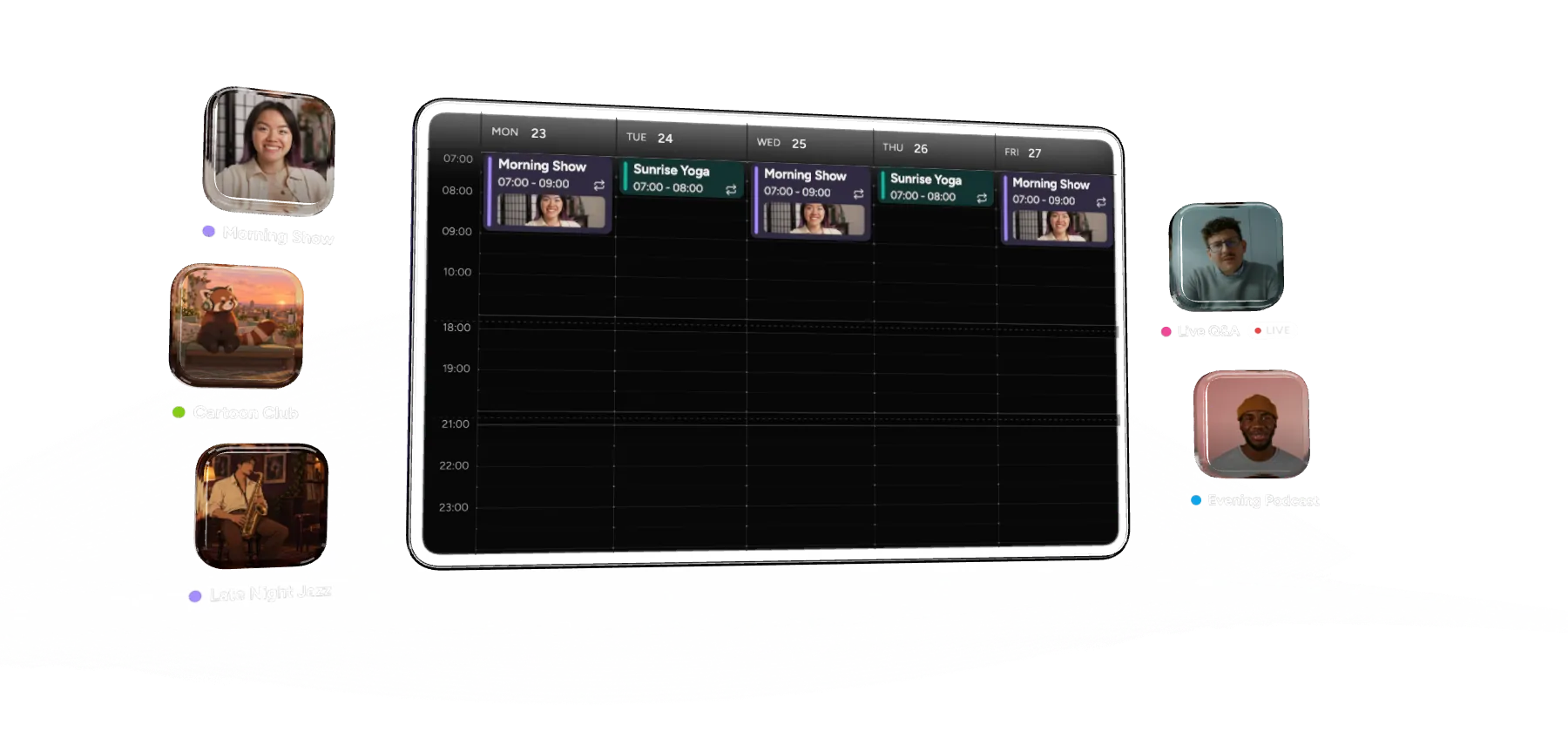
Program your 24/7 stream by the hour, cut to live shows on time and publish an XMLTV TV guide (EPG) for FAST platforms. Upstream.so runs it all from the cloud with your computer off. Restream and StreamYard have nothing like it, and Gyre’s scheduler can’t even repeat a show.
Start Streaming Free Content Calendar is on every plan, including the free one.

Daypart your week

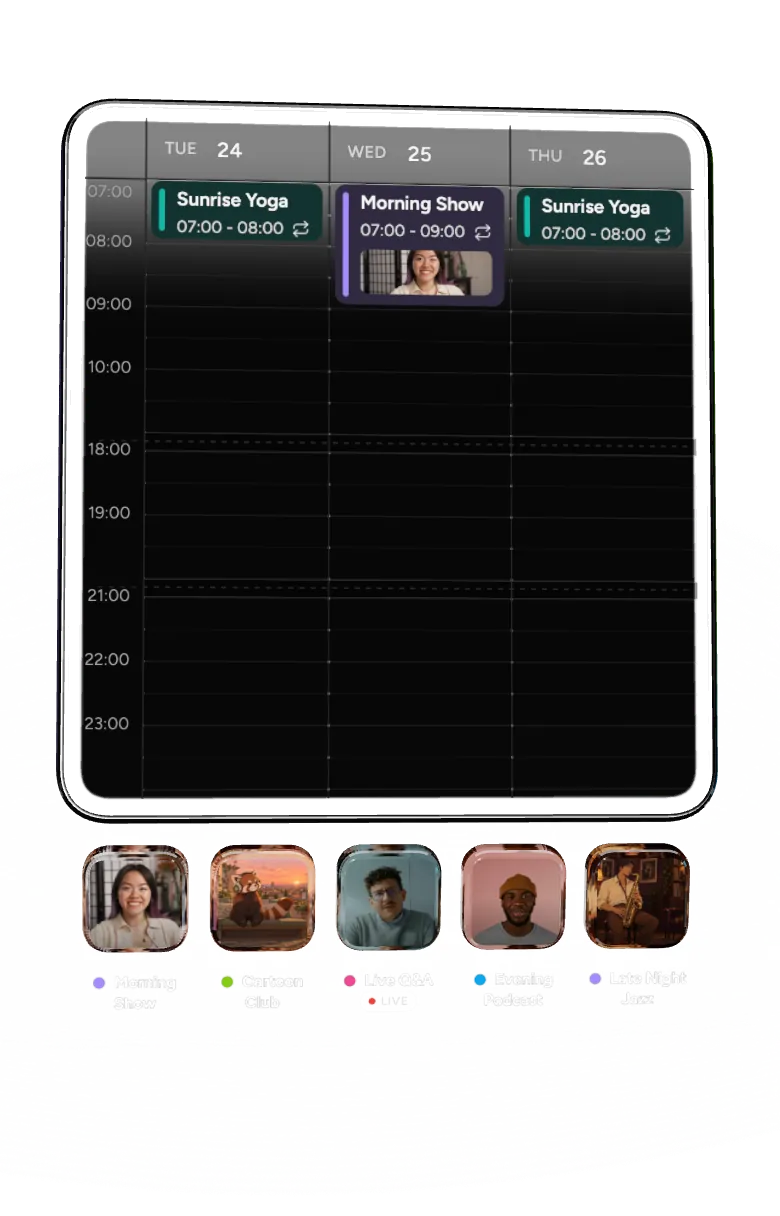
News in the morning, cartoons after, jazz at night. Drag shows onto the week and repeat them.

Live shows on the hour

A live slot takes over at its time, then your channel carries on by itself.

Your own EPG, published for you

Publish an XMLTV feed that Samsung TV Plus, Pluto TV and other FAST platforms read.

How it works

Plan a week in minutes

Drag your shows onto the week, repeat them daily or weekly, and publish. Upstream.so is TV scheduling software and playout in one, so it switches your stream to each one on time, around the clock.

studio.upstream.so
Upstream TVSchedule onPublishedChecks · 0DiscardPublish schedulePublish schedule
  • Background
  • Audio
  • Stream designer
  • Content calendar
  • Live Studio
  • Activity graphs
How it worksAs-run logTV guideStream settings
WeekMonthAgendaToday23 Nov – 29 Nov 2026Default contentNext · Morning Show Fri 07:00Copy…Import…Zagreb
BlocksNew Block
Cartoon Club30m loop · 7 this week
Evening Podcast1h loop · 3 this week
Friday House Party1h 30m loop · 2 this week
Late Night Jazz1h loop · 5 this week
Live Q&ALIVE9s loop · 0 this week
Lunch Beats1h loop · 3 this week
Morning Show1h loop · 3 this week
Nature Hour1h loop · 3 this week
Space Docs1h loop · 4 this week
Sunday ServiceLIVE20s loop · 1 this week
Sunrise Yoga30m loop · 2 this week
Tech Talk45m loop · 2 this week
Zagreb
Mon23
Tue24
Wed25
Thu26
Fri27
Sat28
Sun29
07:00
08:00
09:00
10:00
11:00
12:00
13:00
14:00
15:00
16:00
17:00
18:00
19:00
20:00
21:00
22:00
23:00
Default contentDefault content
Morning Show07:00 – 09:002×
Cartoon Club09:00 – 11:004×
Lunch Beats12:00 – 13:00
Nature Hour13:00 – 15:002×
Evening Podcast19:00 – 20:00
Late Night Jazz21:00 – 23:002×
Default contentDefault content
Sunrise Yoga07:00 – 08:00
Space Docs09:00 – 11:002×
Tech Talk12:00 – 14:002× + 30m
Cartoon Club15:00 – 17:004×
Evening Podcast19:00 – 20:00
Late Night Jazz21:00 – 23:002×
Default contentDefault content
Morning Show07:00 – 09:002×
Cartoon Club09:00 – 11:004×
Lunch Beats12:00 – 13:00
Space Docs14:00 – 16:002×
Live Q&ALIVEDraft18:00 – 19:00
Late Night Jazz21:00 – 23:002×
18:00 – 19:00
Default contentDefault contentDefault content
Sunrise Yoga07:00 – 08:00
Nature Hour09:00 – 11:002×
Tech Talk12:00 – 14:002× + 30m
Cartoon Club15:00 – 17:004×
Evening Podcast19:00 – 20:00
Late Night Jazz22:00 – 24:002×
Default contentDefault content
Morning Show07:00 – 09:002×
Cartoon Club09:00 – 11:004×
Lunch Beats12:00 – 13:00
Space Docs13:00 – 15:002×
Friday House Party21:00 – 24:002×
Default contentDefault contentDefault content
Cartoon Club08:00 – 11:006×
Nature Hour13:00 – 15:002×
Friday House Party20:00 – 24:002× + 1h
Default contentDefault contentDefault content
Cartoon Club08:00 – 10:004×
Sunday ServiceLIVE10:00 – 11:301 video
Space Docs13:00 – 15:002×
Late Night Jazz21:00 – 23:002×
Live Q&A

DraftWed 25 Nov · 18:00–19:00Repeats weeklyAdded to draft

BlockLive Q&A
DateWed 25 Nov
Starts18:00
Ends19:00
Length 1h · 9s loop · repeats throughout
RepeatOnceDailyWeekly
MoTuWeThFrSaSu
No end date

Handoff
Switch
Start on timeFinish current item
Show in “Next up”
Edit BlockDuplicateDone
1 Drag a Block onto the week 2 Repeat it daily or weekly 3 Publish schedule 4 On air on time Live Q&ALIVE9s loop

Dayparting for your 24/7 channel

Every show gets its slot, every day can look different, and your stream’s own videos fill the gaps.

Repeat daily or weekly

Set a show once and it comes back every day, or on the days you pick. Move one airing, or change every one of them in one go.

MON23

TUE24

WED25

THU26

Morning Show
07:00 - 09:00
Cartoon Club
09:00 - 11:00

Default content

Lunch Beats
12:00 - 13:00
Sunrise Yoga
07:00 - 08:00
Space Docs
09:00 - 11:00

Default content

Tech Talk
12:00 - 14:00
Morning Show
07:00 - 09:00
Cartoon Club
09:00 - 11:00

Default content

Lunch Beats
12:00 - 13:00
Sunrise Yoga
07:00 - 08:00
Nature Hour
09:00 - 11:00
Tech Talk
12:00 - 14:00
Morning Show

Mon 23 Nov · 07:00-09:00Repeats weekly

Starts
07:00
Ends
09:00
Repeat
OnceDailyWeekly
MoTuWeThFrSaSu

Every Mon, Wed, Fri from Mon 23 Nov until Fri 27 Nov

Live shows that never go black

Go live from Live Studio, OBS or an encoder at the booked time. If you are late, the show’s own videos play until you are on air.

Live

At its time this Block shows a live source. Its videos play as backup if the source is not live.

Live source

Studio

OBS, encoder or guests on stage

Live Feed

SRT, RTSP or RTMP address

The Studio takes over at this Block's time. Your videos play as backup until you go live.

On air · Live Q&A · Backup · LIVE · ends in 52m

WED25

Default content

18:00

19:00

20:00

Live Q&A
LIVE18:00 - 19:00
Default content

Run your own TV channel

Broadcast scheduling software, built into the app you already stream from.

Your own EPG for FAST platforms

Turn on the TV guide link and FAST platforms such as Samsung TV Plus and Pluto TV can show your programmes in their guide.

Stream settings

Upstream TV

GeneralMultistreamingWebsite playerAs-run logTV guide

TV guide

Share your schedule with FAST platforms.

Public TV guide link (XMLTV)

FAST platforms such as Samsung TV Plus or Pluto TV can read your schedule from this link and show it in their TV guide.

https://studio.upstream.so/epg/7Kq2mVx9Rb4TzL8w.xmlCopy linkCopiedReset link

Guide detail

One entry per Block

Each Block shows as one programme in the guide.

One entry per video

Each video in a Block that plays in order gets its own entry.

Import a week in one go

Bring your schedule from a spreadsheet or another playout system. Check every show in the preview, then put it in your draft.

Import schedule

36 rows make 12 Blocks with 18 placements, Mon 23 to Sun 29 Nov (Europe/Zagreb). From the start of the first day until the last row ends, the import replaces 2 one-time placements in your draft and skips 24 airings of repeating ones.

Rows (36)Blocks (12)
  • Morning ShowReuses

    Talk · The day ahead with studio guests

    PlacementMon, Wed, Fri 07:00-09:00, Mon 23 Nov to Fri 27 NovClips, first airing07:00:00Morning Show, live1:59:30
  • Space DocsReuses

    Documentary · Planets, stars and the people who study them

    PlacementFri, Sun 13:00-15:00, Mon 23 Nov to Sun 29 NovClips, first airing13:00:00Rings of the giants1:54:20
  • Nature HourNew

    Documentary · Wild places, slowly told

    PlacementMon, Sat 13:00-15:00, Mon 23 Nov to Sun 29 NovClips, first airing13:00:00Islands in the sky1:52:10
  • Cartoon ClubNew

    Kids · Cartoons for the morning

    PlacementMon, Wed, Fri 09:00-11:00, Mon 23 Nov to Fri 27 NovClips, first airing09:00:00Panda on the roof11:40
  • Live Q&ANew

    Talk · Your questions, answered live

    PlacementWed 25 Nov 18:00-19:00Clips, first airing18:00:00Q&A backup reel59:00
BackImport to draft

Draft, then publish

Plan next week without touching what is on air. Nothing changes until you publish.

Checks before air

Overlaps and empty shows are flagged before you publish, so nothing airs by mistake.

As-run log

See what aired, when and for how long, and download it as a CSV.

Now and next on screen

Show the current and next programme on your stream with an overlay that updates itself.

Your time zone

Every calendar keeps its own time zone, daylight saving included.

API and MCP

Build a schedule from your own system, or let your AI assistant plan it.

The value you get per dollar is amazing. Many features are available at no cost when other similar services charge for them or do not have them available at all.

Verified customer, United States Verified review on Trustpilot

FAQ

Content calendar questions

It is a weekly plan for your channel. You make a show once, with its own videos and music, and place it on the calendar at the times it should air. Upstream.so switches your stream to each show on time, every day or every week, and plays your normal content in between.

Scheduling starts and stops a stream. The content calendar decides what plays inside a stream that is already live, hour by hour, like a TV channel. Use both: schedule when the stream runs, and plan what is on with the calendar.

Yes. Mark a show as live and pick Live Studio or a live feed. At its time your live show goes out on the same channel, and the show’s own videos play until you are on air, so viewers never see a black screen.

Yes. Turn on the TV guide link and Upstream.so publishes your schedule as an XMLTV EPG. Give it to Samsung TV Plus, Pluto TV or any platform that reads XMLTV, and your programme names, times and descriptions show up in their guide. Change a show and the guide follows.

Yes. Upload your week as a CSV, M3U or XML file. You see every show before anything changes, then it goes into your draft, ready to publish.

Yes. The as-run log lists every show with its planned start, its actual start and how long it ran. Download it as a CSV for your reports or your sponsors.

Your stream’s normal background videos, music and design. The channel keeps going between shows.

The one you pick for the calendar, shown right in the toolbar. Shows keep their local time when the clocks change for daylight saving.

No. Everything runs on Upstream.so’s servers, so your channel stays on time with your laptop closed.

Yes. It is on every plan, including the free plan with 24 hours of streaming every month. No credit card needed.

Dayparting is planning a channel by time of day, the way TV stations do: news in the morning, kids shows after, music at night. In Upstream.so you daypart by placing shows on the week and repeating them daily or weekly.

Yes. Upload your videos, plan the week on the content calendar, add live shows and stream the channel 24/7 to YouTube, Twitch, Kick, your own website and up to 10 platforms at once. When a FAST platform carries your channel, give them your TV guide link and your schedule shows up in their guide.

XMLTV is the standard file format for TV guides. It lists your channel’s programmes with start and end times, titles, descriptions and categories. Upstream.so builds yours from your content calendar and keeps it up to date.

More features

Related features

All core streaming features are included on every plan, the free plan too. Website Player is an optional add-on.

Scheduling Streams that start and end on their own Put the whole stream on a timer, once, daily or weekly, with your computer off. See scheduling Cloud playout Run a TV or FAST channel from the cloud Playlists, live inserts and outputs for broadcast-style channels. See cloud playout Live Studio Go live with guests from your browser Bring guests on stage and go live in your calendar’s live slots. See Live Studio

Put your channel on a calendar

Plan a week of shows, add a live slot and share your TV guide. Content Calendar is included on the free plan with 24 hours of streaming every month.


No credit card 1 stream included 24 hours/month Core streaming features
Start Streaming Free See pricing

Guides

More on running a channel

Website Listing Thumbnails 2025 (13)
Blog·Dec 16, 2025

What Is Linear TV? Meaning, Examples and How to Create a Linear Channel

20 min read
FAST channels: Linear TV returns
Blog·Jan 12, 2026

What Is a FAST Channel? Meaning, Examples and How to Start One

8 min read
Live stream: automation
Blog·Aug 26, 2026

Live Stream Automation: How to Automate Your Streaming Workflow

14 min read
24/7 Live Streaming Run cloud channels that stay live around the clock. Live Studio Invite guests, share screens, and add branded overlays in the browser. Multistreaming Send one live feed to YouTube, Twitch, Kick, and RTMP endpoints. Pre-recorded Live Streaming Upload pre-recorded videos & Go Live without the stress of live production. Free plan 24 hours a month with no watermark. Multi-channel streaming Separate live channels from one account. Enterprise Setups for teams, labels and agencies. About Upstream.so Who we are and how Upstream.so works.
Content CalendarNew Plan your 24/7 stream like a TV channel. Overlays Layers and widgets in Stream Designer. RTMP server Stream in from OBS or any encoder. Multichat Every platform's chat in one feed. Stings, jingles and ads Inserts that play between your videos. Scheduling Streams that start and end on their own. Playback controls Skip or play any file while you stay live. Team access Invite your team, each with their own role. Backup streams A standby feed if your main one drops. Audio and video playlists Loop music and visuals separately. Media library & storage Organize files and cloud uploads. Live Streaming API Run streams, media and queues from code. MCP Server Manage streams from your AI assistant. Website player Embed your live stream on your site. All features Everything Upstream.so does, on one page.
YouTube live streaming Twitch live streaming Kick live streaming Facebook live streaming Instagram live streaming TikTok TikTok live streaming Rumble live streaming Mixcloud live streaming Up to 10 of 30+ Plus any custom RTMP or SRT destination.
Platform limits Bitrate and duration caps for each platform. Integrations Setup guides for OBS, vMix, cameras and more. VTuber Streaming Go live with your avatar on up to 10 of 30+ platforms.
Blog Guides, platform rules and news for anyone who goes live. Guides Setup guides for 24/7 streams, multistreaming and RTMP. Release Notes The new features in each Upstream.so update, in one place. Free Tools Video, audio, thumbnail and AI tools, plus camera and mic checks. Helpdesk Step by step setup help and troubleshooting for Upstream.so. Service status Current service health, uptime history and incident updates. Live Streaming FAQ Short answers to what people ask before they go live. Compare Upstream.so Upstream.so side by side with Restream, StreamYard and others. Latest post YouTube Dual Stream: What the Vertical Copy Does and How to Turn It Off
Always-on 24/7 Live Streaming Run cloud channels that stay live around the clock.
Explore
Real-time live Live Studio Invite guests, share screens, and add branded overlays in the browser.
Explore
One stream, up to 10 of 30+ platforms Multistreaming Send one live feed to YouTube, Twitch, Kick, and RTMP endpoints.
Explore
Schedule & Automate Pre-recorded Live Streaming Upload pre-recorded videos & Go Live without the stress of live production.
Explore
Free plan 24 hours a month with no watermark.
Multi-channel streaming Separate live channels from one account.
Enterprise Setups for teams, labels and agencies.
About Upstream.so Who we are and how Upstream.so works.
Content CalendarNewPlan your 24/7 stream like a TV channel. Overlays Layers and widgets in Stream Designer. Multichat Every platform's chat in one feed. Stings, jingles and ads Inserts that play between your videos. Scheduling Streams that start and end on their own. Playback controls Skip or play any file while you stay live. Team access Invite your team, each with their own role. Backup streams A standby feed if your main one drops. Audio and video playlists Loop music and visuals separately. Media library & storage Organize files and cloud uploads.
RTMP server Stream in from OBS or any encoder.
Live Streaming API Run streams, media and queues from code.
MCP Server Manage streams from your AI assistant.
Website player Embed your live stream on your site.
All features Everything Upstream.so does, on one page.
YouTube live streaming. 24/7 channels with midroll ads. Twitch live streaming. Streams restart on their own at 48 hours. Kick live streaming. Stay live with your computer off. Facebook live streaming. Schedule lives that start on their own. Instagram live streaming. Go live from your browser or the cloud. TikTok TikTok live streaming. Go live on TikTok and Instagram at once. Rumble live streaming. Add Rumble to your YouTube or Kick stream. Mixcloud live streaming. DJ sets and radio shows from your browser. Up to 10 of 30+ Plus any custom RTMP or SRT destination.
Platform limits Bitrate and duration caps for each platform.
Integrations Setup guides for OBS, vMix, cameras and more.
VTuber Streaming Go live with your avatar on up to 10 of 30+ platforms.
Blog
Guides
Release Notes
Free Tools
Helpdesk
Service status
Live Streaming FAQ
Compare Upstream.so
YouTube Dual Stream: What the Vertical Copy Does and How to Turn It Off YouTube Dual Stream: What the Vertical Copy Does and How to Turn It Off
Upstream.so

Run your streams from the cloud

Free plan: 24 streaming hours a month, no card, no watermark.

4.6 · 245 reviews on Trustpilot
Legal entity
Zukunft d.o.o.
Registered address
Grožnjanska ulica 32, 10000 Zagreb, Croatia
Company VAT ID
Company VAT ID: HR62560895839
About | Contact us | Tools | Content standards | Security | Privacy Policy | Terms of Service | Affiliate terms | Legal notice |

Product

  • Pricing
  • Upstream.so Features Overview
    • Multistreaming
    • Media Library & Storage
    • Website Player
    • Separate Audio and Video
    • Overlays: Stream Designer
    • Live Streaming Studio
    • Scheduling & Automation
    • Content Calendar
    • Live Playback Controls
    • Play Stings, Jingles and Ads
    • Team Access
  • Enterprise Broadcasting Solutions

Resources

  • Helpdesk
  • Service status
  • Live Streaming FAQ
  • Blog
  • Release Notes
  • Live Streaming API
  • MCP Server
  • Free Live Streaming
  • YouTube Live Streaming
  • RTMP Server
  • Supported Platforms
  • Live Streaming Limits
  • Integrations

Compare us

  • Compare Upstream.so
    • Upstream.so vs Runnel.live
    • Upstream.so vs OneStream
    • Upstream.so vs Live247
    • Upstream.so vs Gyre
    • Upstream.so vs Streaming Bots
    • Upstream.so vs Restream
    • Upstream.so vs StreamYard
    • Upstream.so vs LiveReacting
    • Upstream.so vs Playout.video

Free tools

  • Design tools
  • Video tools
  • Audio tools
  • AI tools
  • Setup checks

Use cases

  • For Creators
  • For Music Labels
  • Church Streaming
  • VTuber Streaming
  • Multi-Channel Streaming

© 2026 Upstream.so. All rights reserved.