Live Studio Apps put your chat in the show
Open the new Apps panel in Upstream.so Live Studio and an interactive game is on your stream. Viewers on YouTube, Twitch, Kick and Rumble play the same round by typing in chat, and you run it from the studio, next to your guests and scenes. No browser source, no second tab.
Friday Live, episode 12
- Background
- Audio
- Stream designer
- Live Studio
- Activity graphs
Preview. Start the stream to go live.



- Guests
- Encoders
- Style
- Chat
- Destinations
- Graphics
- Apps
- Collapse
 StreamArenaOn stream
 On your stream
Now playing
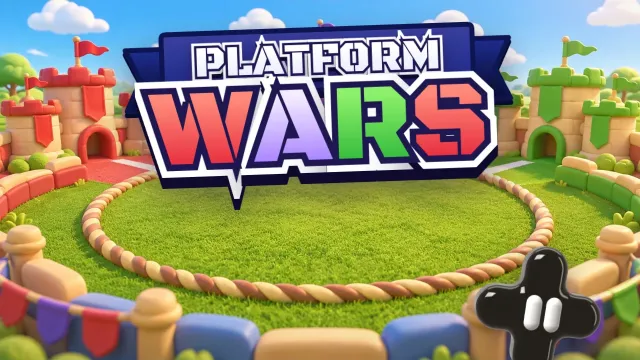
Platform Wars
Plays until you end it
Chat is playing. Skip ahead any time.
People
Invite guests and manage participants
Invite (2/12)
Share this link with guests to join your stream
Used: 2 times
Active & Waiting
Approve waiting participants and manage active guests
Active Participants (2)
Leo
On air
Mia (You)
Host · On air
Apps
Add more to your stream. Apps open here and can put a layer on your stream.
- ConnectStreamArena
Party games your chat plays
Connect StreamArena to Upstream.so
StreamArena will be able to:
- See your name and email
- Read your stream's chat
- Add and remove its own layer on your stream
It cannot change anything else in your stream. You can disconnect it at any time from its menu.
StreamArenaConnecting StreamArena...
StreamArenaPick a game
It goes on your stream right away, and chat plays by typing. Every game is free.
Search games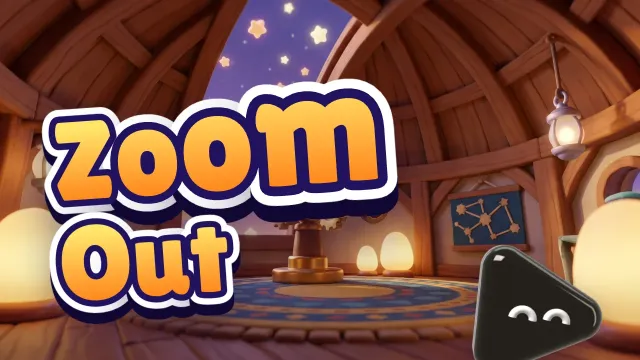

 StreamArenaOn streamOn your stream
Now playing
Platform Wars
Plays until you end it
In the lobby. Press Start when chat is ready.
StreamArenaOn streamOn your streamNow playing
Platform Wars
Plays until you end it
Chat is playing. Skip ahead any time.
A panel in your studio
Apps sits in the Live Studio sidebar with Guests, Chat and Graphics. There is nothing to install and no browser source to set up.
Your Upstream.so account signs you in
An app opens already signed in, with no form and no password. You approve what it can do once.
Every platform plays together
Chat from YouTube, Twitch, Kick and Rumble plays in one round, on the stream you send to up to 10 platforms at once, of 30+.
Trusted by teams in broadcast and entertainment


One more panel in the studio you already run
Apps works like the rest of Live Studio. Open the panel, approve the app once, and it is part of your show.
You decide what an app can do
The first time you connect an app, Live Studio lists exactly what it gets. It cannot change anything else in your stream, and you can disconnect it at any time.
- Guests
- Encoders
- Style
- Chat
- Destinations
- Graphics
- Apps
Connect StreamArena to Upstream.so
StreamArena will be able to:
- See your name and email
- Read your stream's chat
- Add and remove its own layer on your stream
It cannot change anything else in your stream. You can disconnect it at any time from its menu.
Pick a game and it is on your stream
The app opens already signed in with your Upstream.so account. Pick a game and it goes on your stream as a layer, with no URL to paste and no browser source.
- Guests
- Encoders
- Style
- Chat
- Destinations
- Graphics
- Apps
StreamArenaPick a game
It goes on your stream right away, and chat plays by typing. Every game is free.
Search gamesEvery platform plays the same round
The game is a layer on your stream, so every platform gets the same picture and every chat plays together.
YouTube, Twitch, Kick and Rumble in one round
Apps read the same chat feed as your Chat panel. A viewer on YouTube and a viewer on Kick type the same word and both count, on the one stream you send to every platform.
Viewer messages from every destination, in one feed.
Run every round from the sidebar
Start, reveal, go to the next round or end the game without leaving Live Studio. The game plays until you end it.
- Guests
- Encoders
- Style
- Chat
- Destinations
- Graphics
- Apps
StreamArenaOn streamOn your streamNow playing
Platform Wars
Plays until you end it
Chat is playing. Skip ahead any time.
YouTube latency, set for you
Leave Stream latency on Automatic and Upstream.so uses ultra low latency on YouTube when a game from Apps is on the stream, so answers land while the round is open.
Automatic uses ultra low latency when a game from Apps is on the stream, normal otherwise. Low and ultra low don't support 4K, and live auto captions need normal.
Stays on through scene changes
An app layer is not part of a scene. Switch scenes or go live and the game stays where you put it.
Hide it for a moment
Take the game off screen for a segment and bring it back with one click when you want it.
Change game mid-show
Pick another game from the panel and it takes over on your stream right away.
Phones can join too
A short code on screen lets viewers play from their phone, on top of everyone typing in chat.
Disconnect in one click
Disconnect from the app menu or from Connected apps in your profile. The app leaves your stream and stops getting your details and chat.
Light and dark
App panels follow the theme you use in Live Studio, so they look like part of the studio.
The first of many apps
StreamArena: games built for multistreams
StreamArena is our sister product, a library of party games that a live chat plays by typing. In Platform Wars your YouTube, Twitch and Kick viewers race each other, which only works when you stream to all three at once. That is what Upstream.so does. More apps are on the way, and they plug into the same panel.
Platform Wars
YouTube vs Twitch vs Kick. Your platform is your team.
Zoom Out
A photo starts zoomed in and pulls back. Name it first.
Tug of War
Two teams, one rope. Type your team word to pull.
More ideas for your show: games to play on stream with viewers.
Coming from LiveReacting?
Interactive games, without player tiers
LiveReacting sells interactive games by plan, with a cap on how many people can play. On Upstream.so the games come with Live Studio, every platform you stream to plays together, and no plan decides how many viewers join in.
Players in a game
Upstream.so: No player tiers on any plan
LiveReacting: 25 on Free, 150 on the $16 plan, 500 on the $33 plan
Free plan
Upstream.so: 24 streaming hours a month in 1080p, no watermark, up to 10 platforms at once
LiveReacting: 3 streams a month, 30 minutes each, 720p, with the LiveReacting watermark, one destination
1080p plan
Upstream.so: $24 a month billed yearly ($30 month to month) per stream, no hour cap
LiveReacting: $33 a month billed yearly ($39.99 month to month), streams up to 3 hours
| Upstream.so | LiveReacting | |
|---|---|---|
| Players in a game | No player tiers on any plan | 25 on Free, 150 on the $16 plan, 500 on the $33 plan |
| Free plan | 24 streaming hours a month in 1080p, no watermark, up to 10 platforms at once | 3 streams a month, 30 minutes each, 720p, with the LiveReacting watermark, one destination |
| 1080p plan | $24 a month billed yearly ($30 month to month) per stream, no hour cap | $33 a month billed yearly ($39.99 month to month), streams up to 3 hours |
LiveReacting prices and limits from its pricing page on November 20, 2026. See the full Upstream.so vs LiveReacting comparison.
The value you get per dollar is amazing. Many features are available at no cost when other similar services charge for them or do not have them available at all.
Verified customer, United States Verified review on Trustpilot
FAQ
Live Studio Apps questions
Related features
The Upstream.so features your live show runs on.
Put your chat in your next show
Create a free account, open Live Studio and go live. Apps is one more panel in the studio you already run your show from.