If you feel like 24/7 livestreams keep popping up at the top of feeds and browse pages, you’re not imagining it. Always-on channels quietly rack up the signals most platforms reward: consistent watch time, frequent session starts, steady concurrent viewers, and active chat. The result is simple: more chances to be recommended whenever audiences open the app. We’ve looked into YouTube, Twitch and Kick algorithms below:
TLDR:
- 24/7 streams are always “fresh” and “available,” so they capture more entry points from Home, Explore, category pages, and notifications.
- Longer viewing sessions and regular streaming cadence often increases watch time and satisfaction signals, the exact things these algorithms try to maximize.
- Platforms differ in how they show livestreams, but the common thread is engagement and relevance at the moment a viewer opens the app.
YouTube: Livestreams are easy to find
What the YouTube algorithm optimizes for
YouTube has said for years that recommendations aim to maximize long-term viewer satisfaction, not just raw clicks. That includes signals from watch history, watch time, and user feedback like satisfaction surveys. In other words, if a live channel keeps people around and they report liking it, it tends to get shown more.
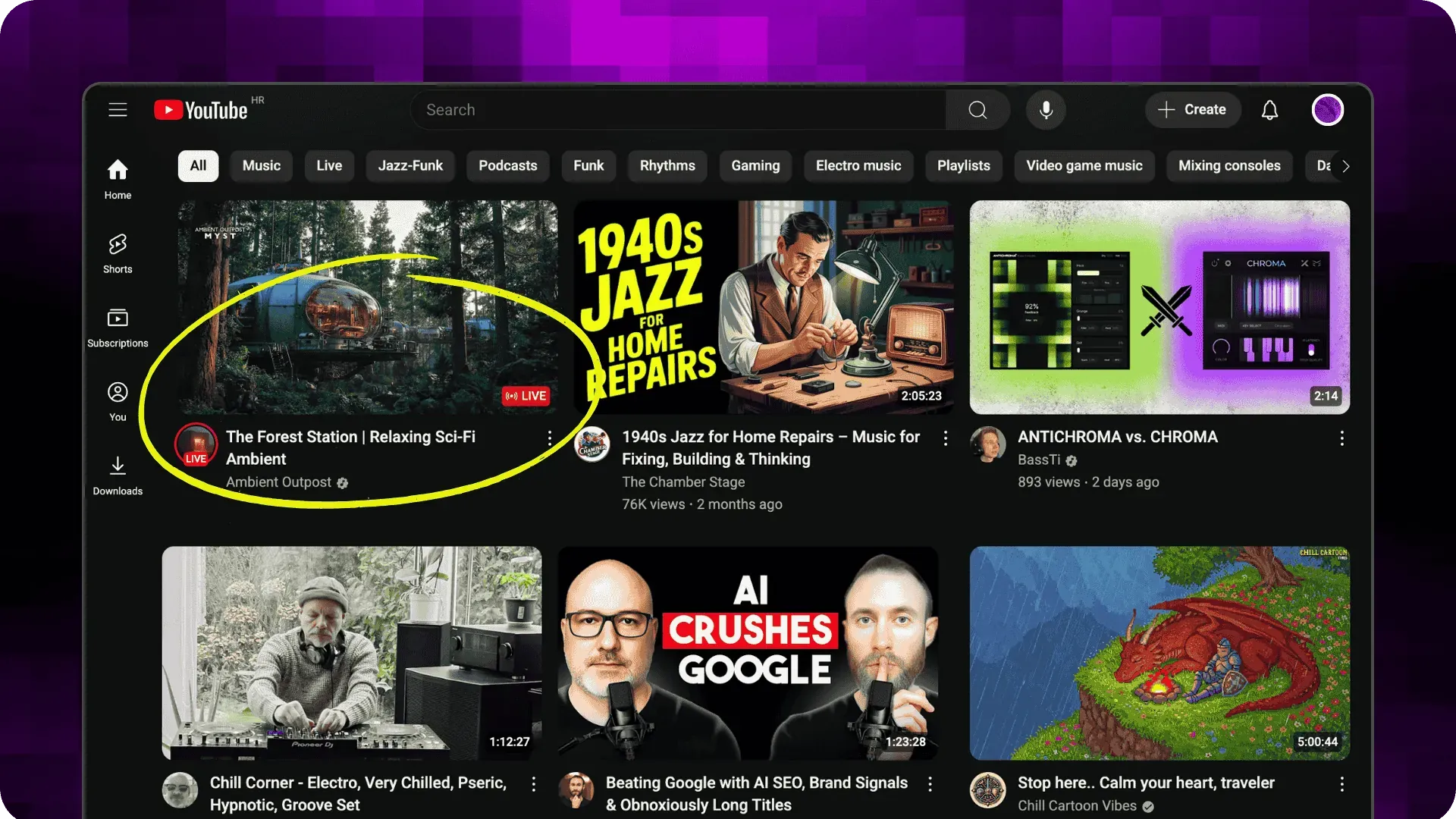
Where live gets discovered
Live rings on channel avatars, a dedicated Live tab on channels, the Live destination page, and standard Home and Suggested slots, all pushing viewers into streams that match their interests. If you’re live more often, you simply have more “doors” for viewers to walk through.
Why 24 7 live streaming helps
A continuous stream increases the odds that any given viewer finds you live. This, over time can accumulate long sessions and recurring watch time, strong satisfaction indicators. Popular 24/7 formats like lofi music radios are a good example of this always-on pull.
Important policy note
YouTube updated monetization language in July 2025 to clarify that “inauthentic” or mass-produced, repetitive content is ineligible for the YouTube Partner Program. If your 24/7 stream is just low-effort looping spam, expect limited monetization and discoverability. Also, fake engagement is prohibited. Build genuine programming, not loops for loops’ sake. Upstream is a great tool to help you do that: having your audio and background playlists separate, mixing it up with shuffled playlists, and embedding real-time interactive widgets and websites through the Upstream Stream Designer. Your content will stay unique and fresh each time your loops play.
YouTube quick tips
- Program your 24/7 stream into blocks and rotate segments so the experience changes across time zones.
- Use clean, accurate titles and thumbnails, and update them for new blocks or events.
- Keep chat healthy with mods and pinned prompts. Engagement helps.
Twitch
What the Twitch algorithm optimizes for
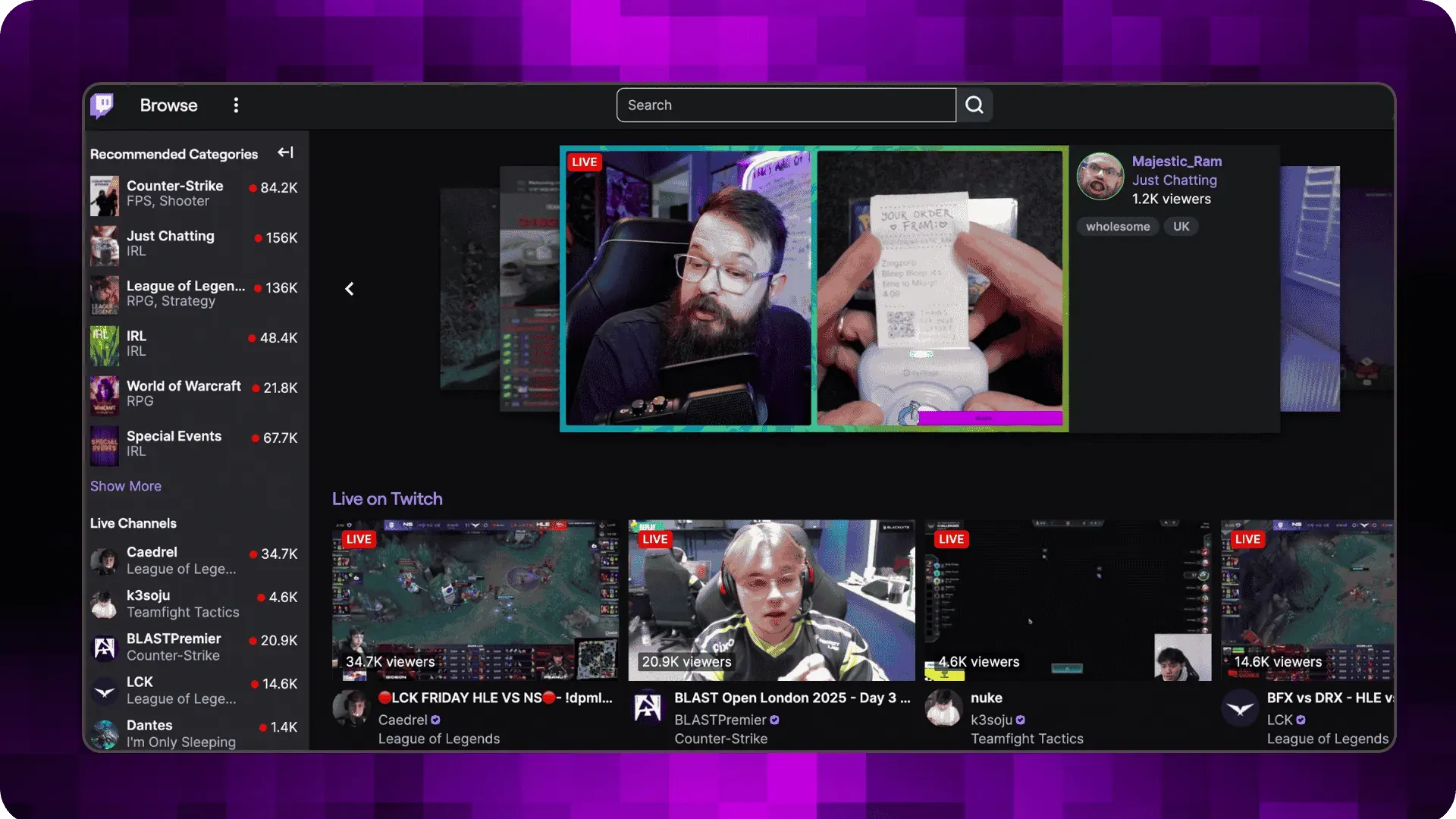
With twitch being a livestream-only platform, Live streams do not have “special slots” like on YouTube. Rather, twitch has multiple places it can recommend your stream, so make sure you name and tag it right! The twitch algorithm will favor active chats, high watch times, consistent streaming, precise tagging, and compelling thumbnails and titles, to figure out who to show your stream to. Since Twitch publicly says it personalizes recommendations using many signals across the site and lets viewers tune recommendations, each user will have a unique feed. The legal explainer and help docs confirm Twitch adjusts what shows up based on behavior, region, language, and more.
Where livestreams gets discovered
Beyond the Browse directory, Twitch has developed discovery surfaces that can pull viewers into your channel even when they are just scrolling: Discovery Feed experiments, and Featured Clips that Twitch explicitly uses in recommendation surfaces. These functions mean your best moments and live channel can now show up on multiple places across the platform.
Why 24/7 helps here
If you are live around the clock, you are eligible for more homepage and browse shelf impressions across time zones. Always-on channels also tend to keep concurrent viewers and chat active, which are the kinds of engagement signals recommendation systems can use for ranking live channels. Note too that certain Content Classification Labels can affect homepage eligibility, so label and tag everything super-correctly.
Twitch quick tips
- Keep a steady on-screen schedule and rotate segments so regulars return.
- Create Featured Clips of peak moments to feed the Discovery surfaces and bring people back when you are live.
X (ex Twitter): engagement-driven feed, live plugged into Explore and Media Studio
What the system optimizes for
X opened up a lot about its For You pipeline when it open-sourced major parts of the recommendation system in 2023. The Home Mixer blends candidates, ranks them, and filters them based on engagement and relevance. X also documents that recommendations rely on a variety of signals across Home, Explore, Notifications, and more.
Where live gets discovered
Live video can surface in Explore’s For You tab and elsewhere. Media Studio’s analytics define a video view as 2 seconds with at least 50 percent of the player in view, which applies to uploads and live. That definition means long, continuous broadcasts can rack up many chances to be seen as users scroll.
Why 24/7 Livestreaming helps here
Being live more often increases your odds of entering the candidate pool every time followers and lookalikes open X. Frequent starts, replies, and retweets around your broadcast post help the algorithm gods favor you repeatedly.
X quick tips
- Schedule live posts at key moments and quote-tweet highlights during the day to re-enter the feed.
- Keep the broadcast thread active with polls and replies to bump up signals the algorithm / ranker likes.
Kick: Rewarding busy and active streams
What the system optimizes for
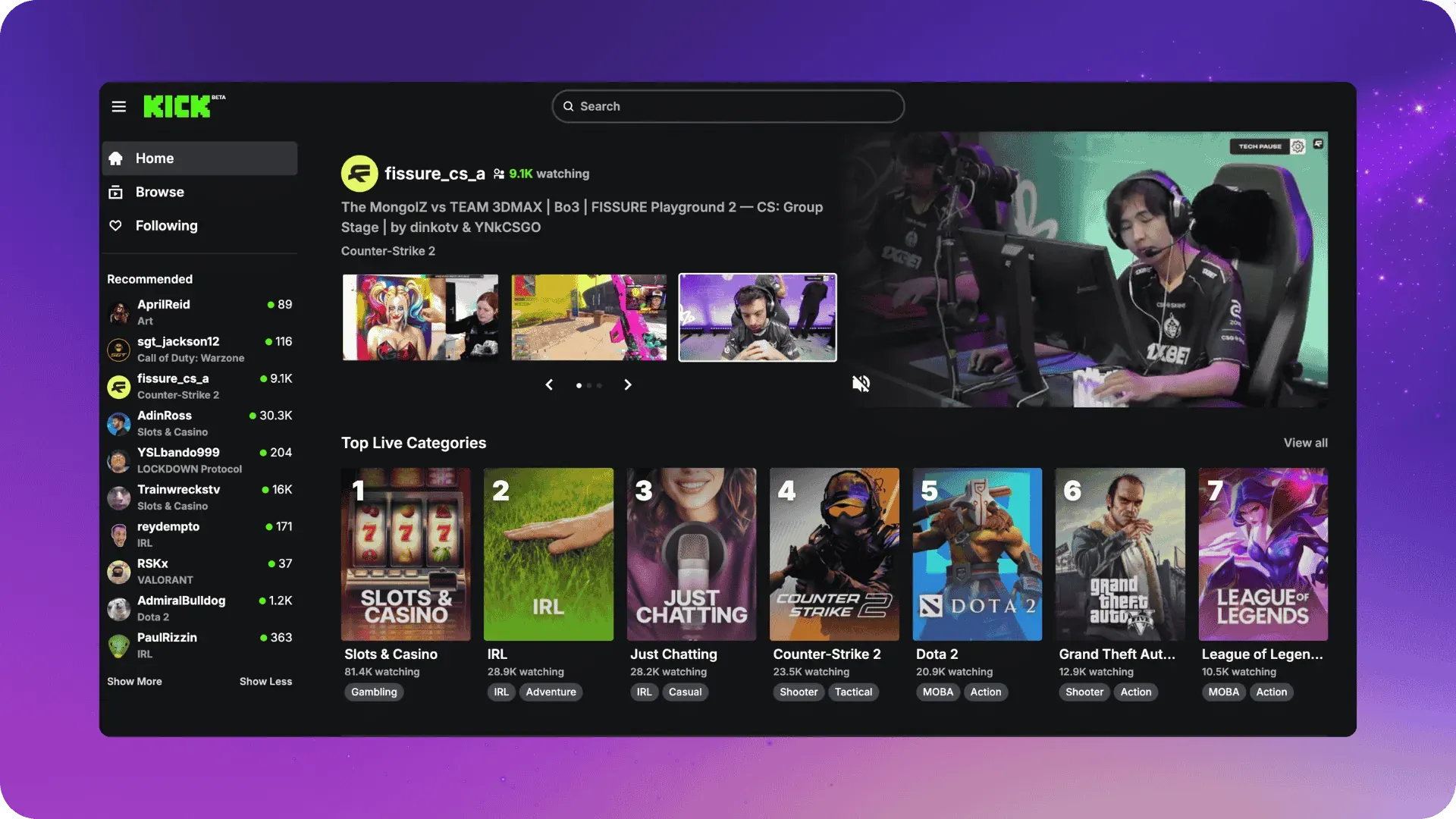
Kick’s public docs are lighter on ranking details, but its homepage explains that Top Live Categories show categories with the most viewers and streamers. That crowds in attention where activity is highest.
Where live gets discovered
Homepage sections, category pages, and sitewide features like Predictions and Channel Points drive interaction and return visits, which help streams hold attention in busy categories.
Why 24/7 helps here
Always-on streams stay pinned inside a busy category whenever someone opens the app, and they are more likely to accumulate steady chat and concurrent viewers that lift visibility inside those sections.
Keep a live channel running 24/7.
Upload files, build a playlist, and let Upstream run continuous live playout from the cloud without OBS, a VPS, or an always-on computer.





Kick quick tips
- Pick a category that naturally supports long sessions, then schedule recurring formats.
- Use Predictions to create micro-events every hour and keep chat moving.
Does the market data back this up?
Industry data shows live is still growing, which raises the value of always-on programming that can catch viewers at any hour. Stream Hatchet’s 2025 reports show roughly 8.9 to 9.1 billion hours watched in Q1 and Q2 2025 across platforms, the highest levels since 2021. That growth was helped by alternatives like Kick gaining share while Twitch and YouTube Gaming remain massive.
What 24/7 streams do right
- They multiply discovery windows: you are live whenever a person checks the app, so Home and browse surfaces can slot you in more often.
- They generate long sessions: continuous ambient formats like music, radio, webcams, and “always on” cams can rack up hours of satisfied viewing. YouTube’s system listens for that.
- They keep social proof visible: steady concurrent viewers and chat activity create a virtuous cycle where more people click and stick.
Pitfalls to avoid
- Low-effort loops can get limited monetization on YouTube and may hurt trust signals across platforms. Keep it authentic and add clear viewer value.
- Artificial engagement is against policy. Don’t inflate viewers or chat. Platforms actively detect it.
- Category or content labels matter on Twitch. Mislabeling or using certain labels can change homepage eligibility.
A simple programming blueprint you can copy
- Design a 24-hour grid
Create 2 to 4 repeatable blocks that add variety across the day, for example: “Morning Deep Focus,” “Midday Live Q and A,” “Afternoon Tutorials,” “Evening Chill.” Rotate and shuffle up your playlists so returning viewers get something new each time they visit. - Build engagement, do not wait for it
Schedule polls, predictions, chat prompts, and giveaways at the top of every hour. Promote top fans to moderators to keep things friendly and on-topic. - Feed discovery surfaces
On Twitch, mark Featured Clips.On YouTube, publish shorts with highlighted cuts linking back to the live stream. On X, post a highlight thread while the stream runs. - Keep metadata honest and fresh if you change your content
Update titles, thumbnails, and descriptions as your content changes. - Monitor stream health as well as uptime
Track concurrent viewers, average watch time, chat activity, and returns by time of day. If some content underperforms for a week, swap it.
Hacking the algorithm with 24/7 streaming?
24/7 streaming doesn’t “hack” any algorithm. It just maximizes opportunities to earn the signals those algorithms are already built to reward: viewer satisfaction, relevance, and engagement in the moment. If viewers stay on your stream for a long time, it’s a win both for you and for the platform. For the platforms, the longer viewers stay, the greater their income, so it’s only logical they are making livestreams appear everywhere. If you can deliver real value around the clock, the platforms will meet you halfway.
Check how Upstream can help you set up your 24/7 livestream in minutes and sign up today!