Upstream
Upstream
  • Product
  • Features
  • Platforms
  • Resources
  • Pricing
Login Sign up for free
Blog

Twitch Recaps Spotlight, Discord Search: Streamer News, Oct 23 to 30

Written by Mario Jankovic October 30, 2026 · 5 min read
  1. Twitch
    1. Partners' Recap clips go to Instagram and YouTube
    2. Collectible emotes test
    3. No new accounts under 15 in Turkey
    4. Codex x TwitchCon hackathon closes November 2
  2. YouTube
    1. Some spam terminations become a 30 day lock
    2. $20 payouts for some creators
  3. Discord
  4. Kick
  5. Instagram, Rumble and OBS
  6. Keep your Twitch channel live for Recap viewers

Twitch will start posting Partners' best Recap clips on Instagram and YouTube through its distribution partners, with credit and a link back to the channel. Discord is putting its biggest public servers on the open web. They get web pages on November 16, and their public messages can turn up in search from mid December.

Twitch

Partners' Recap clips go to Instagram and YouTube

Recaps Spotlight launched on October 27, one week after Stream Recaps. Twitch works with distribution partners who run social accounts on Instagram, YouTube and other platforms. They pick clips from streamers' Recaps and post them, credited to the streamer, with a pointer back to the Twitch channel.

You opt in under Clip Settings on the web. It's free, and for now only Partners can join. Affiliates may get it later. Opting in doesn't mean a clip will be picked, and partners only pick from clips in your Recap. Next, Twitch plans to try this around big game launches and events.
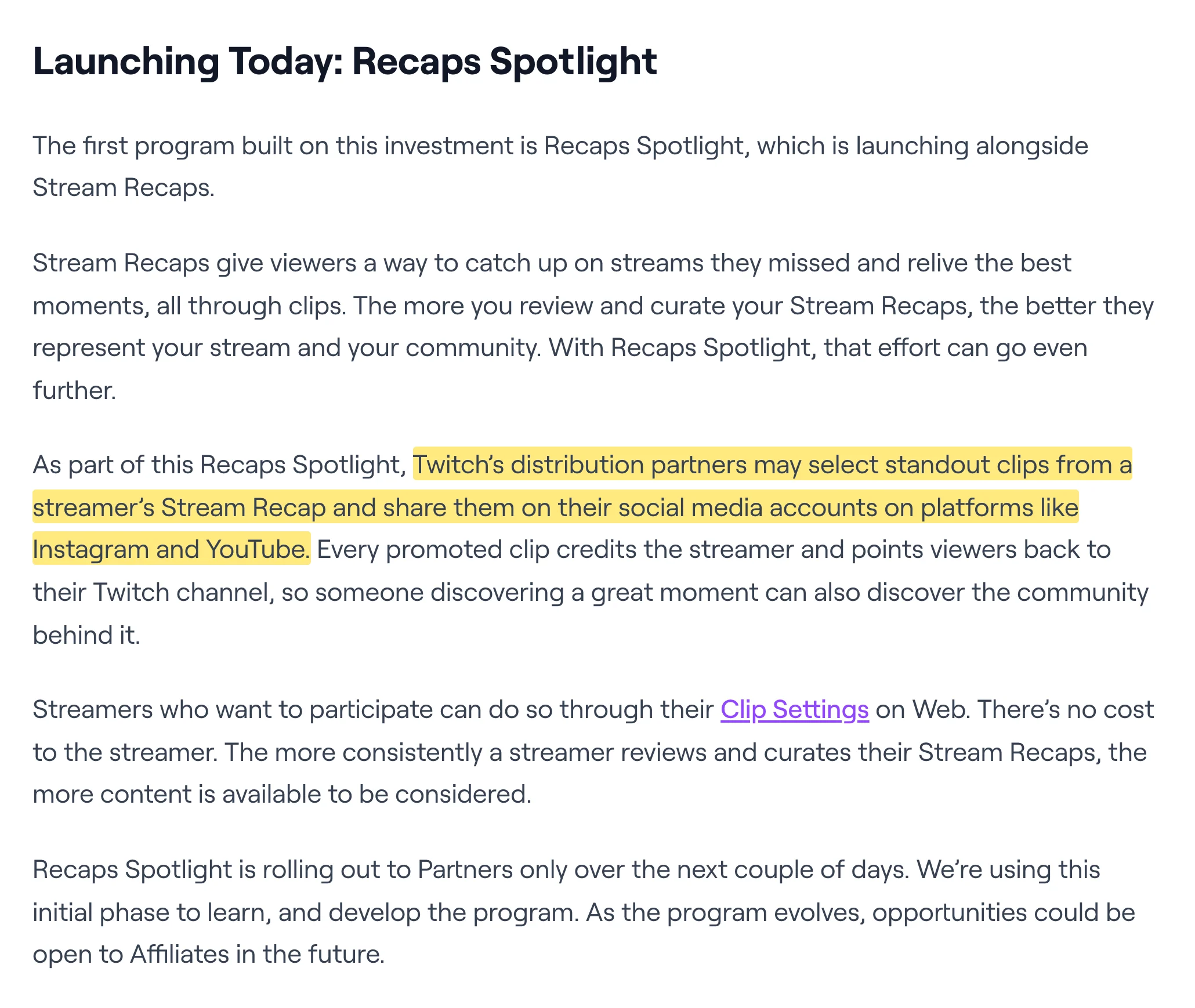
Twitch blog post on Recaps Spotlight, with the sentence about partners sharing clips on Instagram and YouTube highlighted
Twitch's post Investing in Streamer Growth Through Clip Promotion, October 27, 2026. Highlight ours.

Collectible emotes test

Since October 27, a small group of streamers who signed up for it has been testing collectible emotes. Viewers get an emote chest when they subscribe or hit a watch streak, and a gift sub buyer gets one chest per gift. A chest has a 2% chance of holding a Divine emote, and Twitch guarantees one within 50 chests. The test runs in the US and Germany only.

Sources: Twitch Help: Legendary Emotes, Twitch Support on X.

No new accounts under 15 in Turkey

To comply with Turkish law, Twitch stopped people in Turkey under 15 from creating accounts on October 29. Accounts that Turkish users under 15 already have will be shut off in February 2027. (Twitch Support on X)

Codex x TwitchCon hackathon closes November 2

OpenAI and Twitch are running a hackathon for tools built with Codex on top of Twitch's chat, EventSub, Extensions and API. Prizes add up to $25k. Entries close on November 2, and the top five builds get shown at TwitchCon San Diego, November 13 to 15. (Devpost)

Build in the cloud

Build the stream in the cloud.

Schedule videos, produce browser-based live shows, or send one feed to multiple platforms from the same Upstream workflow.

Sign up for free See the platform
2 / 10 guests
MiaLeo
GuestsEncodersStyleChatDestinationsGraphics
Destinations

Where this stream goes when it is live.Streaming to 5 destinations.

  • Lofi HoursPrimary destination ChatReadyStartingStreaming
  • lofihoursMultistream destination ChatReadyStartingStreaming
  • lofihoursMultistream destination ChatReadyStartingStreaming
  • Lofi HoursMultistream destinationReadyStartingStreaming
  • TikTokMultistream destinationReadyStartingStreaming
Manage destinations

YouTube

Some spam terminations become a 30 day lock

Channels that YouTube would normally terminate on the spot for certain Spam policy violations may now get 30 days to fix things. It's a test, and only eligible channels get it. The owner hears about it by email and in YouTube Studio on desktop. While the channel is locked, you can't upload videos or post comments.

To get out, edit or delete the videos that broke the rules, delete all your videos to unlock the channel at once, or appeal. If you do nothing for 30 days, the channel is terminated. If YouTube rejects your cleanup, you can still delete all your videos before the 30 days run out. That way you start over but keep your subscribers, your handle and your YPP status.
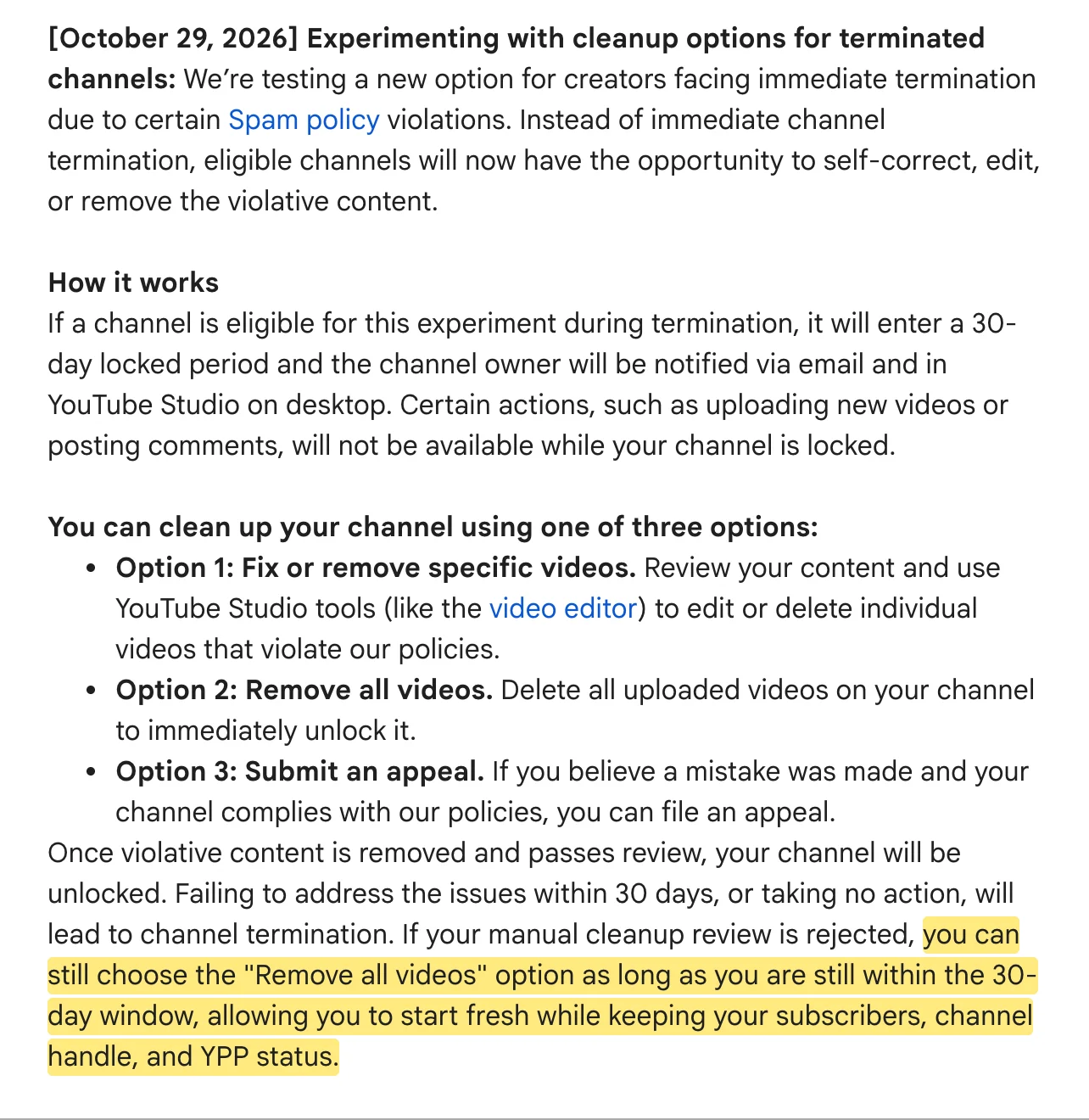
TeamYouTube's October 29 experiment entry, with the option to remove all videos and keep subscribers, handle and YPP highlighted
TeamYouTube's YouTube test features and experiments thread, October 29, 2026. Highlight ours.

$20 payouts for some creators

A second test lowers the payout threshold from $100 to $20. A random group of creators in the US, India and Indonesia gets it, starting with October 2026 payments. They get a notification first. Anyone who would rather wait for bigger payments can raise the threshold again in AdSense for YouTube.

Discord

Discoverable Servers are the public servers listed in Server Discovery, open to anyone without an invite. To be listed, a server needs at least 1000 members and has to be at least eight weeks old.

From November 16 each of them gets a Server Web Page. It describes the server and can show summaries of what its public channels talk about. Starting in mid December, some messages from public channels can also show up on that page and in web search. The first ones may take a few weeks to appear.

Admins pick the channels that take part in Server Settings > Web Presence, or switch them all off. If they change nothing, public channels are included. Members can hide their own messages in User Settings > Data and Privacy. Channel summaries still appear unless an admin turns them off. Discord doesn't show usernames or avatars next to the messages, and private servers and DMs aren't affected.

If you run a big Discord, pick which public channels you want on Google before November 16.
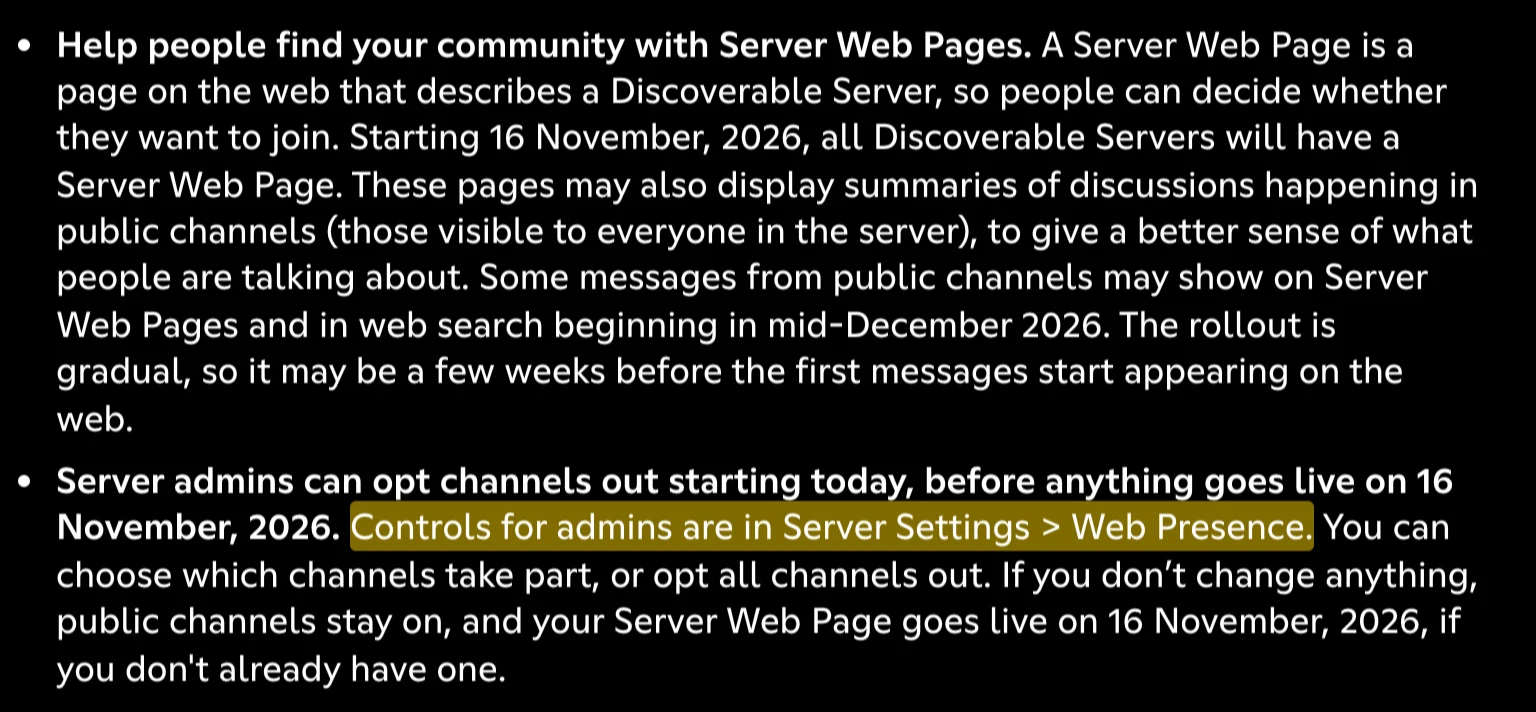
Discord's blog post on Server Web Pages, with the admin controls in Server Settings, Web Presence highlighted
From Discord's post Making Content from Discoverable Servers Easier to Discover, October 27, 2026. Highlight ours.

Kick

Kick updated its help page on reserved accounts on October 26. Kick sets up channels in advance under the usernames of creators who are big on other platforms, marked Reserved by KICK. People can follow those channels before the creator has joined. The creator claims the channel by email and gets a faster route into the Partner program. We checked about 10 big Twitch and YouTube names through Kick's API. Their reserved channels had 90 to 1500 followers. (Kick Help: Reserved accounts for creators)

Instagram, Rumble and OBS

Instagram is testing long horizontal videos under the name Features. Adam Mosseri, who runs Instagram, says it isn't fully out yet and access is growing slowly. According to Zach Bussey, videos can run up to 90 minutes, and so far only select creators in the US have it.

Adam Mosseri avatarAdam@mosseriX postI'm getting a lot of inbound about Instagram starting to work on longer-form video. A few things to clarify in case it's helpful: - This is going to take time to get right, but we're excited and committed - Features is not fully launched yet, we're testing and ramping up access slowly - We understand the economics matter a ton, and are exploring multiple options to help long-form creators get paid As always, we'll communicate about progress as we go, and I'm happy to answer any questions.October 27, 2026View on X ↗
Mosseri on X, October 27, 2026.

Rumble CEO Chris Pavlovski says Rumble will give creators 90% of video ad revenue from November 1. YouTube gives creators 55% on long videos. (Chris Pavlovski on X)

OBS Studio 33 became the stable release on October 23. Our OBS 33 guide covers what changed for plugins and browser sources.

Keep your Twitch channel live for Recap viewers

Recaps Spotlight sends people from Instagram and YouTube to your Twitch channel. If they arrive while you're offline, there's nothing live to watch. Upstream keeps that channel live. 24/7 and scheduled streams run from our servers, so the channel stays up between your own streams. When Twitch cuts a broadcast at 48 hours, Upstream reconnects it on its own.

For your own live shows, Live Studio runs in the browser with up to 10 guests and screen share. One stream goes out to up to 10 of 30+ platforms at once. YouTube, Twitch, Kick and Rumble chat come into one feed.

You can try all of it on the free plan, which includes 24 streaming hours a month at 1080p30. Start streaming for free.
Published October 30, 2026
Mario Jankovic

About the author

Mario Jankovic

Product and Engineering

Mario Jankovic co-founded Upstream and runs product and engineering. He writes about running live streams from the cloud: 24/7 channels, multistreaming and Live Studio, and what we learn building them.

Keep exploring

Further reading

Browse all articles
How to Run a 24/7 Twitch Stream in 2026: Rules, Limits and Setup
Oct 10, 2026 Guides

How to Run a 24/7 Twitch Stream in 2026: Rules, Limits and Setup

Read article
How to Become a VTuber in 2026: Setup, Costs and Going Live
Oct 8, 2026 Blog

How to Become a VTuber in 2026: Setup, Costs and Going Live

Read article
YouTube Live Feed, Twitch Stream Recaps: Streamer News, Oct 16 to 23
Oct 26, 2026 Blog

YouTube Live Feed, Twitch Stream Recaps: Streamer News, Oct 16 to 23

Read article

Start streaming today

Go live to every platform, run a 24/7 channel, and produce live shows in your browser, with no software or server setup.

No credit card 24 hours/month free Full functionality
Start Streaming Free
24/7 Live Streaming Run cloud channels that stay live around the clock. Live Studio Invite guests, share screens, and add branded overlays in the browser. Multistreaming Send one live feed to YouTube, Twitch, Kick, and RTMP endpoints. Pre-recorded Live Streaming Upload pre-recorded videos & Go Live without the stress of live production. Free plan 24 hours a month with no watermark. Multi-channel streaming Separate live channels from one account. Enterprise Setups for teams, labels and agencies. About Upstream Who we are and how Upstream works.
Scheduling Streams that start and end on their own. Multichat Every platform's chat in one feed. Overlays Layers and widgets in Stream Designer. Stings, jingles and ads Inserts that play between your videos. Playback controls Skip or play any file while you stay live. Audio and video playlists Loop music and visuals separately. Team access Invite your team, each with their own role. RTMP server Stream in from OBS or any encoder. Live Streaming API Run streams, media and queues from code. MCP Server Manage streams from your AI assistant. All features Everything Upstream does, on one page.
YouTube live streaming Twitch live streaming Kick live streaming Facebook live streaming Instagram live streaming TikTok TikTok live streaming Rumble live streaming Mixcloud live streaming 30+ more Plus any custom RTMP or SRT destination.
Platform limits Bitrate and duration caps for each platform. Integrations Setup guides for OBS, vMix, cameras and more. VTuber Streaming Go live with your avatar on every platform.
Blog Guides, platform rules and news for anyone who goes live. Guides Setup guides for 24/7 streams, multistreaming and RTMP. Release Notes The new features in each Upstream update, in one place. Free Tools Video, audio, thumbnail and AI tools, plus camera and mic checks. Helpdesk Step by step setup help and troubleshooting for Upstream. Service status Current service health, uptime history and incident updates. Live Streaming FAQ Short answers to what people ask before they go live. Compare Upstream Upstream side by side with Restream, StreamYard and others. Latest post YouTube Dual Stream: What the Vertical Copy Does and How to Turn It Off
Always-on 24/7 Live Streaming Run cloud channels that stay live around the clock.
Explore
Real-time live Live Studio Invite guests, share screens, and add branded overlays in the browser.
Explore
One stream, 30+ platforms Multistreaming Send one live feed to YouTube, Twitch, Kick, and RTMP endpoints.
Explore
Schedule & Automate Pre-recorded Live Streaming Upload pre-recorded videos & Go Live without the stress of live production.
Explore
Free plan 24 hours a month with no watermark.
Multi-channel streaming Separate live channels from one account.
Enterprise Setups for teams, labels and agencies.
About Upstream Who we are and how Upstream works.
Scheduling Streams that start and end on their own. Multichat Every platform's chat in one feed. Overlays Layers and widgets in Stream Designer. Stings, jingles and ads Inserts that play between your videos. Playback controls Skip or play any file while you stay live. Audio and video playlists Loop music and visuals separately. Team access Invite your team, each with their own role. RTMP server Stream in from OBS or any encoder.
Live Streaming API Run streams, media and queues from code.
MCP Server Manage streams from your AI assistant.
All features Everything Upstream does, on one page.
YouTube live streaming. 24/7 channels with midroll ads. Twitch live streaming. Streams restart on their own at 48 hours. Kick live streaming. Stay live with your computer off. Facebook live streaming. Schedule lives that start on their own. Instagram live streaming. Go live from your browser or the cloud. TikTok TikTok live streaming. Go live on TikTok and Instagram at once. Rumble live streaming. Add Rumble to your YouTube or Kick stream. Mixcloud live streaming. DJ sets and radio shows from your browser. 30+ more Plus any custom RTMP or SRT destination.
Platform limits Bitrate and duration caps for each platform.
Integrations Setup guides for OBS, vMix, cameras and more.
VTuber Streaming Go live with your avatar on every platform.
Blog
Guides
Release Notes
Free Tools
Helpdesk
Service status
Live Streaming FAQ
Compare Upstream
YouTube Dual Stream: What the Vertical Copy Does and How to Turn It Off YouTube Dual Stream: What the Vertical Copy Does and How to Turn It Off
Upstream

Run your streams from the cloud

Free plan: 24 streaming hours a month, no card, no watermark.

4.6 · 245 reviews on Trustpilot
Legal entity
Zukunft d.o.o.
Registered address
Grožnjanska ulica 32, 10000 Zagreb, Croatia
Company VAT ID
Company VAT ID: HR62560895839
About | Contact us | Tools | Content standards | Security | Privacy Policy | Terms of Service | Affiliate terms | Legal notice |

Product

  • Pricing
  • Upstream Features Overview
    • Multistreaming
    • Separate Audio and Video
    • Overlays: Stream Designer
    • Live Streaming Studio
    • Scheduling & Automation
    • Live Playback Controls
    • Play Stings, Jingles and Ads
    • Team Access
  • Enterprise Broadcasting Solutions

Resources

  • Helpdesk
  • Service status
  • Live Streaming FAQ
  • Blog
  • Release Notes
  • Live Streaming API
  • MCP Server
  • Free Live Streaming
  • YouTube Live Streaming
  • RTMP Server
  • Supported Platforms
  • Live Streaming Limits
  • Integrations

Compare Us

  • Compare Upstream
    • Upstream vs Runnel.live
    • Upstream vs OneStream
    • Upstream vs Live247
    • Upstream vs Gyre
    • Upstream vs Streaming Bots
    • Upstream vs Restream
    • Upstream vs StreamYard
    • Upstream vs LiveReacting
    • Upstream vs Playout.video

Free Tools

  • Design tools
  • Video tools
  • Audio tools
  • AI tools
  • Setup checks

Use cases

  • For Creators
  • For Music Labels
  • Church Streaming
  • VTuber Streaming
  • Multi-Channel Streaming

© 2026 Upstream. All rights reserved.