YouTube is adding a Live feed to the top of the Home tab in its mobile app, next to Music, Movies & TV and Subs. Twitch launched Stream Recaps on October 20, a reel of clips from your last stream that sits at the top of your followers' mobile feed.
YouTube
A Live feed on Home, and custom feeds you write yourself
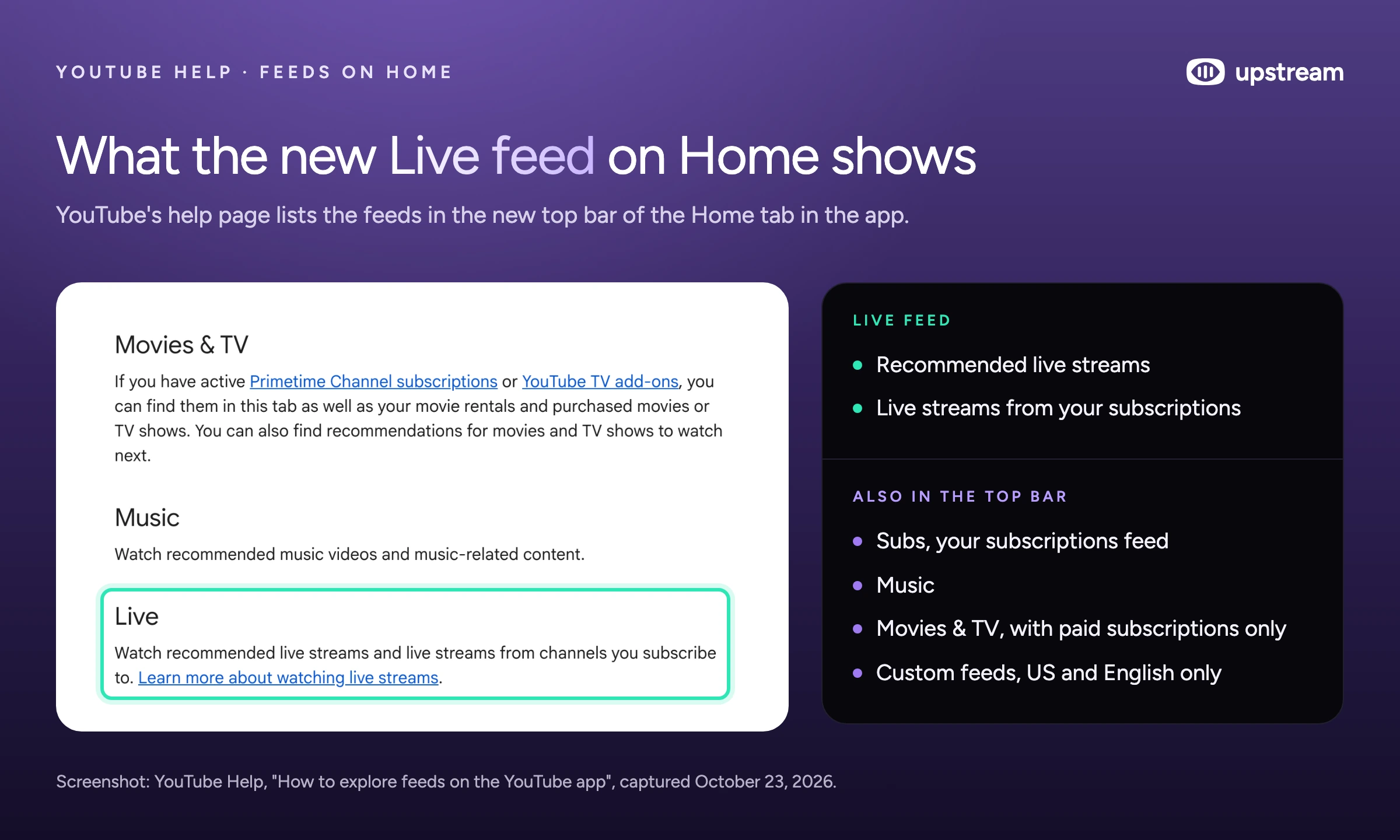
On October 22 TeamYouTube announced a redesigned top bar for Home in the mobile app. It has dedicated feeds for Live, Music and Movies & TV (that one only shows up for viewers with paid subscriptions such as Primetime Channels), and the Subscriptions feed moves into the same bar as Subs.
YouTube's help page describes the Live feed in one line: "Watch recommended live streams and live streams from channels you subscribe to." A channel can only show up there while it is live.
The same post adds custom feeds. Viewers tap + at the top of Home and describe what they want (YouTube's example is "help me unwind after work with guided meditations under 10 minutes"), and YouTube builds a feed from it. Free accounts can keep 3 custom feeds, Premium members 8. A prompt expires after 30 days without use.
For now custom feeds are only for signed in US viewers using YouTube in English, aged 13 or older, with watch and search history on, and not on tablets. The help page also says feeds and the new top bar don't show at all when watch history is paused or off.
YouTube's Creator Insider channel covered both changes in a Short:
Sources: TeamYouTube announcement, How to explore feeds on the YouTube app, Create and manage your custom feeds.Hacked channels get paused while YouTube checks them
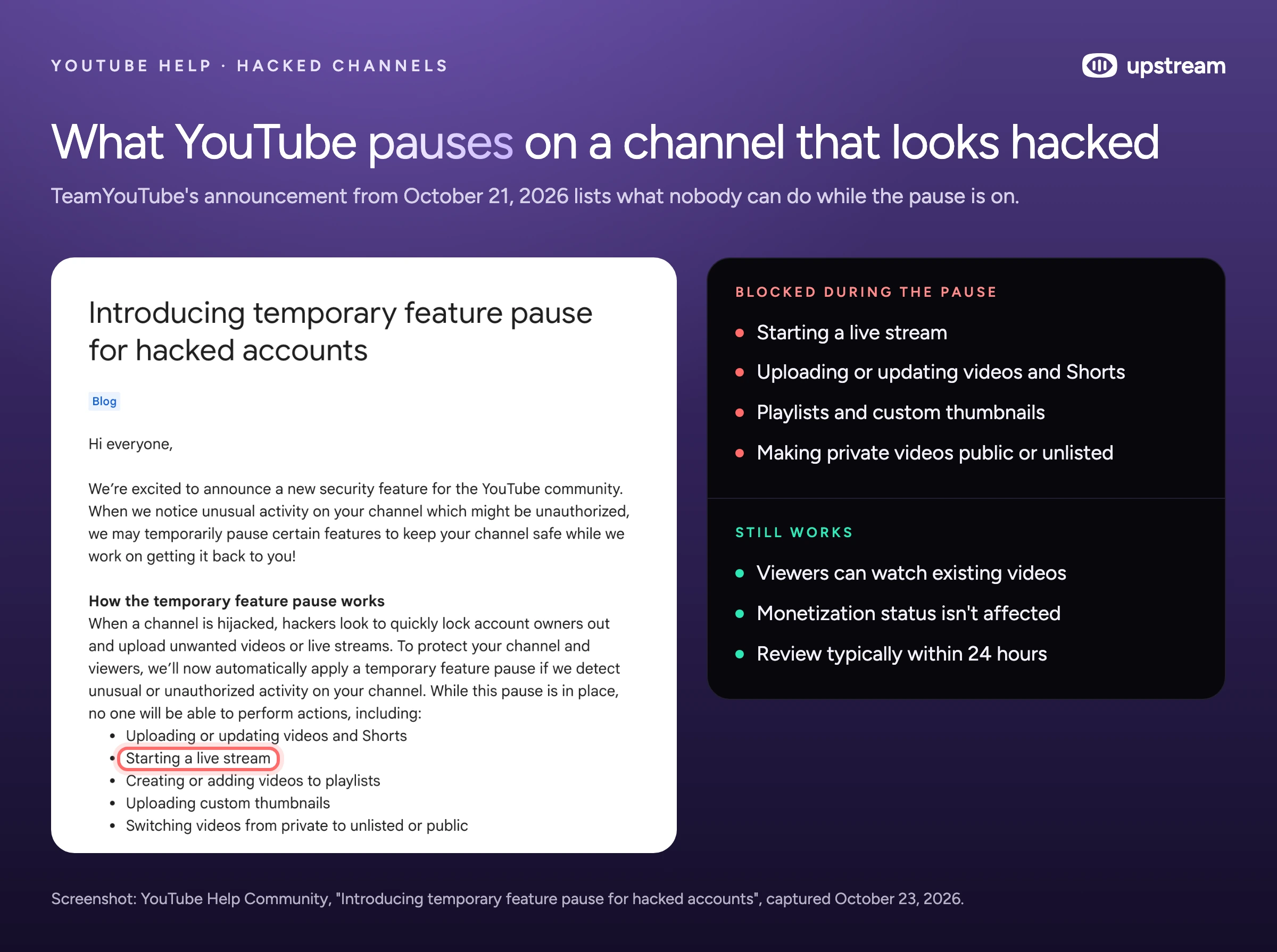
Since October 21 YouTube applies a temporary feature pause when it sees unusual or unauthorized activity on a channel. While it is on, nobody can upload or edit videos and Shorts, start a live stream, edit playlists, upload custom thumbnails or switch private videos to unlisted or public.
YouTube says hijackers try to lock owners out and upload videos or live streams that break its rules, which can quickly get a channel terminated. Its security team reviews the channel "typically within 24 hours". Existing videos stay watchable and monetization isn't affected. Creators see a banner in YouTube Studio with an estimate of the review time.
Dual stream is now on by default
Streams started from YouTube's Live Control Room now go out in horizontal and vertical at the same time unless you turn Dual stream off. The vertical version is a center crop by default, and it has no midrolls or prerolls, no clickable links, no 4K and no live redirect. We tested what this means for streams sent through an encoder or an API in our dual stream guide.
Source: Get started with live streaming.
Build the stream in the cloud.
Schedule videos, produce browser-based live shows, or send one feed to multiple platforms from the same Upstream workflow.
Twitch
Stream Recaps
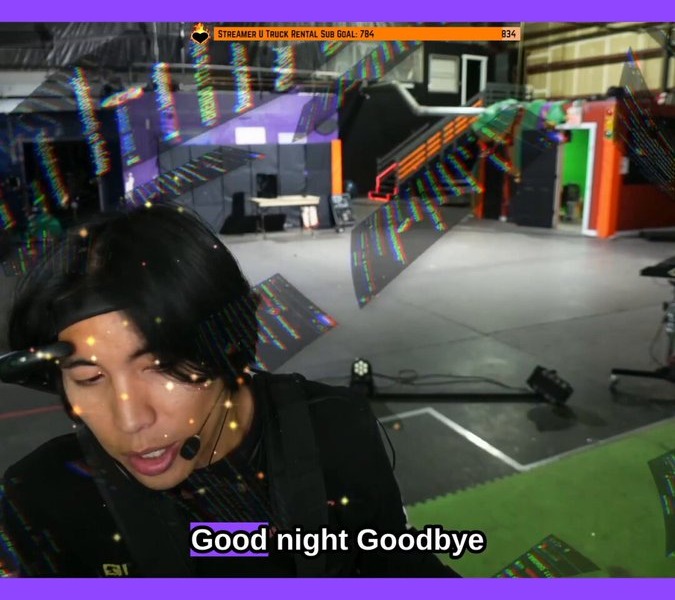
Twitch's Stream Recaps (blog post, October 20) collect clips from a broadcast into one reel. After each stream it shows up in a Recaps shelf at the top of your followers' mobile feed and on your channel page.
Clips made by you and your editors go in by default. You can add, remove or edit clips from the Stream Summary or the plus button in the mobile app, and saying "Twitch Clip That" while live clips the moment and adds it to the Recap. Twitch says comments and reactions on Recap clips help it pick clips to recommend to new viewers in the Clips and Live feeds, and that a promotion of Recap clips on third party social media is coming later this month.

Source: Introducing Stream Recaps.
Piñata
Twitch is testing Piñatas: a 5 minute event where chat breaks a virtual piñata with Bits, subs and gift subs. If it breaks, everyone in chat gets the channel's Piñata emote for 24 hours, usable in any channel. If it doesn't, everyone who chipped in gets a gloatgoat emote instead. Streamers upload their own reward emote and can turn Piñatas off in the Creator Dashboard. It is an experiment, so not every channel has it.
Source: Twitch Help: Piñata.
Kick
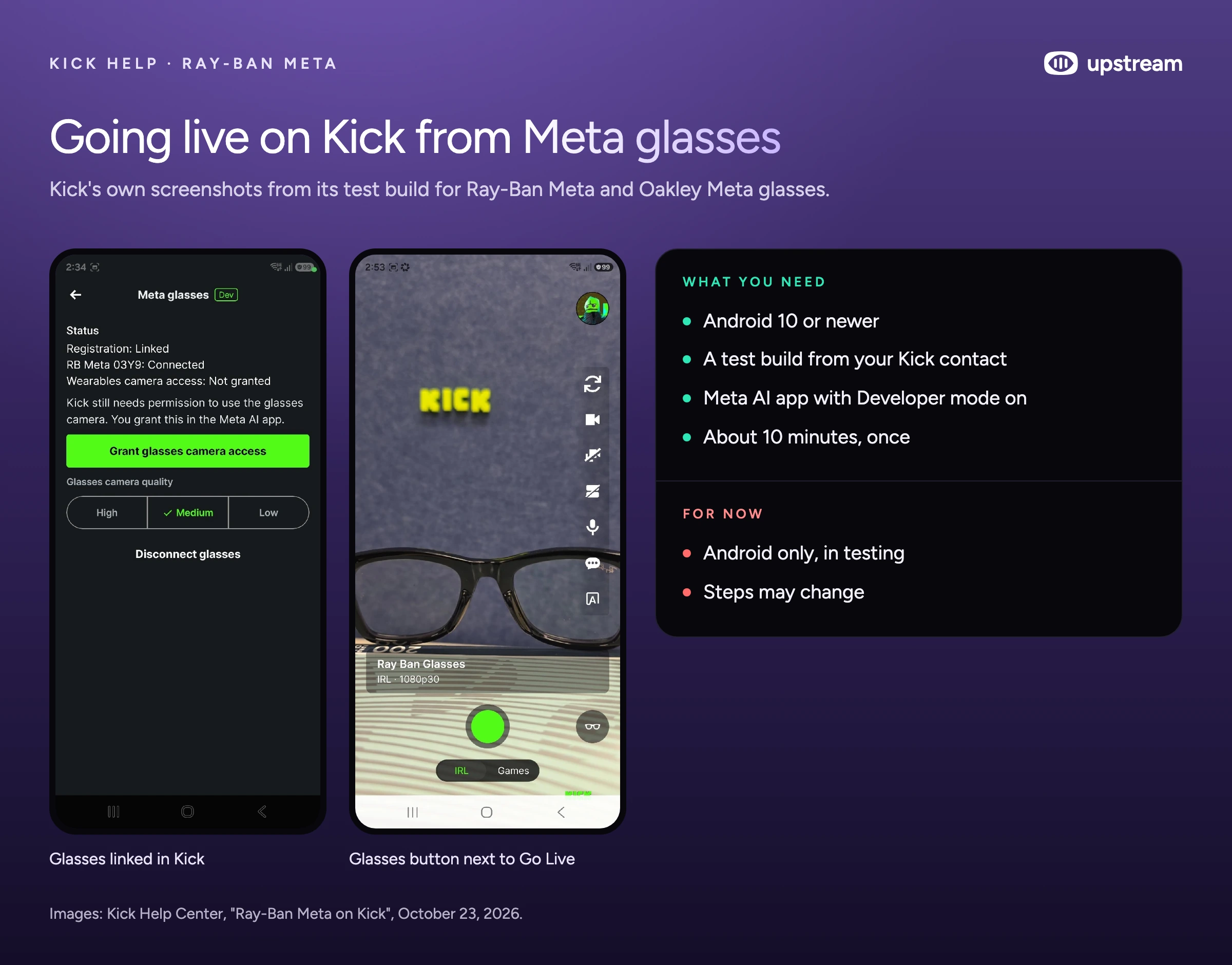
Kick published a guide for streaming from Ray-Ban Meta and Oakley Meta glasses on October 23. It is a test: Android only (Android 10 or newer), it runs on a separate Kick build installed from an APK that your Kick contact sends you, and it connects through the Meta AI app with Developer mode turned on. Kick says setup takes about 10 minutes, and after that switching to the glasses is one button.
Discord and OBS
Discord's October 22 update raises Nitro uploads to 1 GB and adds 6 months of 20% off YouTube Premium for Nitro members. Discord also says it rewrote its image and video engine in Rust for better colors and reliability. (Discord Update: October 22, 2026)
OBS Studio 33.0.0 went up on GitHub as the stable release on October 23, after three release candidates. The download page on obsproject.com still offered 32.2.2 on October 26. Parts of the OBS website went offline on October 21 while the team waited on disclosure of a PHP vulnerability, and OBS said streaming through connected accounts wasn't affected. The site is back. (OBS on X, OBS 33.0.0 on GitHub)
Where Upstream fits
A channel can only show up in the Live feed while it is live. Upstream runs 24/7 and scheduled streams from the cloud, so a channel stays live while your computer is off, and back to back cycles just under 12 hours keep every broadcast saved as a YouTube VOD. When you go live yourself, Live Studio runs in the browser with up to 10 guests and screen share, and one stream goes out to up to 10 of 30+ platforms at once, with YouTube, Twitch, Kick and Rumble chat in one feed.
The free plan gives you 24 streaming hours a month at 1080p30, with no credit card and no watermark. Start streaming for free.