Yes, 24/7 live streaming is allowed on YouTube. YouTube does not publish a rule that limits how long a live stream can be. However, an always-on stream must still follow YouTube’s Community Guidelines, copyright rules, spam policies, and YouTube Partner Program monetization policies.
The important distinction is that allowed, monetizable, and automatically archived do not mean the same thing. A continuous stream can be allowed to stay live and then fail monetization review or exceeding YouTube’s 12-hour automatic archive window.
The short answer: YouTube allows 24/7 streams
YouTube supports encoder-based live streams and currently allows up to 10 active streams per channel and three active streams per stream key. Its live-streaming guidance does not impose a general maximum broadcast duration. That is why music channels, webcams, worship channels, newsrooms, educational streams, and other creators can operate continuous live channels.
To use live streaming, your channel must be verified, have no live-streaming restrictions in the previous 90 days, and meet YouTube’s age requirements. YouTube says creators must be at least 16 years old to live stream. Activation can also take up to 24 hours the first time you enable the feature.
Once live, the content, not the duration, determines whether the stream remains online.
If you prefer check out the video version of this post:
Allowed does not automatically mean monetizable
This is the part that causes most confusion. YouTube can allow a stream to run while deciding that the channel does not qualify for the YouTube Partner Program.
YouTube’s monetization policies apply to live streams as well as uploaded videos and Shorts. Monetized content must be original and authentic, not generic, mass-produced, repetitive, or manipulative. A repeating format is not automatically disqualified, but the substance must provide meaningful entertainment, education, or other viewer value.
| Question | What YouTube evaluates |
|---|---|
| Can the stream remain live? | Community Guidelines, copyright, spam, safety, and account restrictions |
| Can it earn ad revenue? | YPP eligibility, originality, authenticity, advertiser suitability, and channel-level review |
| Will it be saved as a replay? | Whether the stream stays within YouTube’s archive limits (12 hours) |
| Do its hours help with YPP eligibility / 4000 hours? | Whether the livestream is public and archived (under 12 hours) |
Treat these as separate compliance checks. “I see other channels doing it” proves neither monetization eligibility nor copyright clearance.
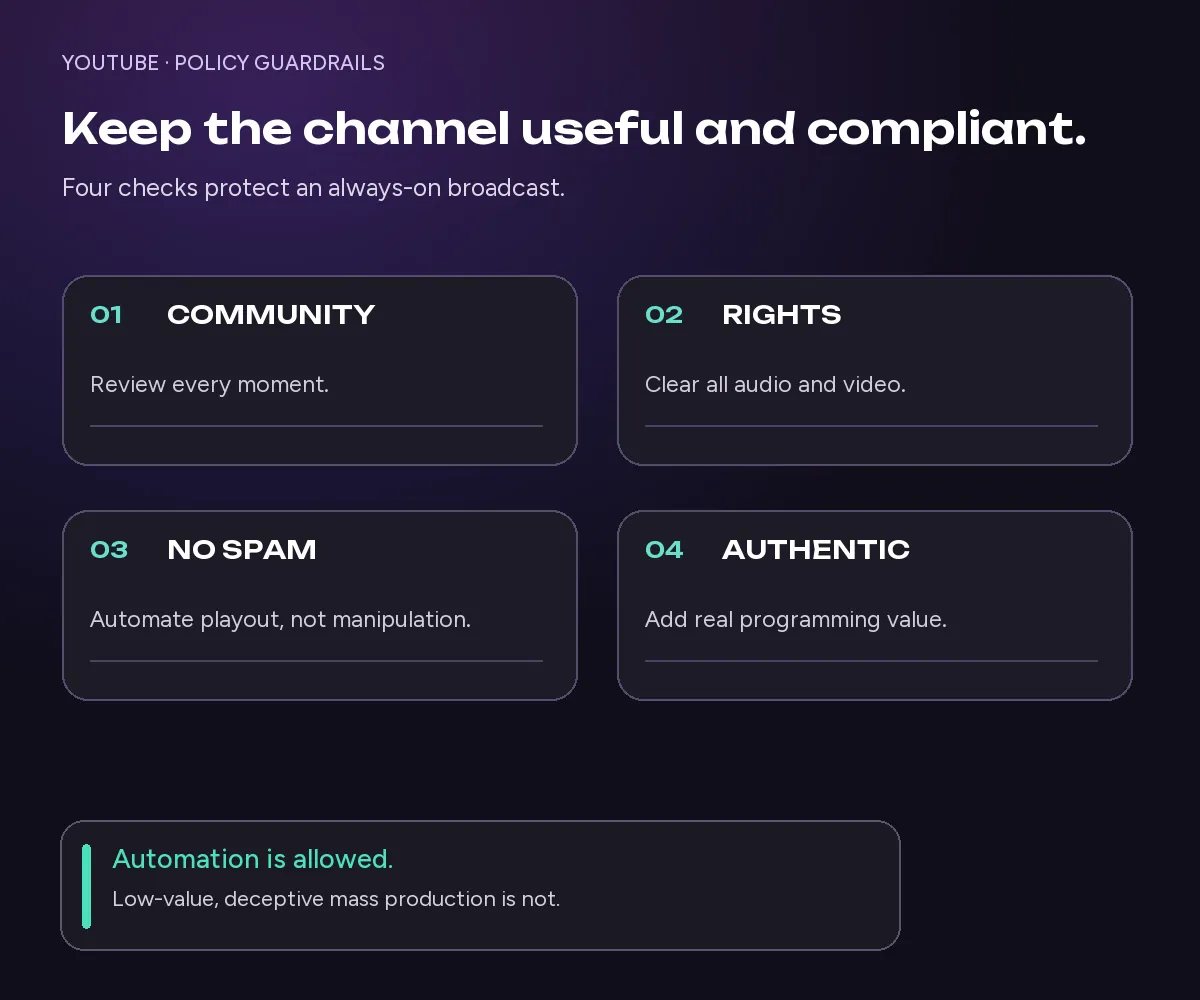
YouTube rules every 24/7 channel must follow
1. Follow the Community Guidelines for the entire broadcast
Every moment of a continuous stream must comply with YouTube’s Community Guidelines and Terms of Service. A long runtime does not create an exception for harmful, deceptive, dangerous, or otherwise prohibited material.
The operational risk is larger with an unattended channel because a problematic clip, overlay, chat message, or external RTMP can appear while nobody is watching the control room. Review the complete playlist before launch and monitor the live output after it starts.
If YouTube restricts your live-streaming access, you cannot switch to another channel to avoid the restriction. YouTube treats that as circumvention.
2. Own or license every visual and audio element
YouTube scans live streams for third-party copyrighted material, including other live broadcasts. If it detects a match, YouTube may replace the stream with a placeholder and warn you to stop the material. If the content continues, the broadcast may be interrupted or terminated.
This includes more than the main video. Check:
- music, sound effects, and background ambience;
- stock footage, films, television, sports, and news clips;
- artwork, photographs, animations, and visualizers;
- guest contributions and syndicated programming;
- material embedded through websites or external sources.
A commercial subscription or download does not always include livestreaming and monetization rights. Keep licenses and written permissions. If licensed material is managed through Content ID, YouTube recommends asking the rights holder to allowlist your channel.
3. Do not use automation to create spam
Automation itself is not prohibited. The problem is using automation to flood YouTube with high-volume, minimally changed, deceptive, or scraped content.
A carefully programmed channel built from content you own is different from launching many near-identical streams purely to manipulate views. Use honest titles and thumbnails, avoid duplicate streams with no audience purpose, and do not use automated chat or metadata to manufacture engagement.
4. Make repetitive programming useful and authentic
A 24/7 channel naturally repeats formats, branding, and sometimes media. That does not automatically make it inauthentic. YouTube’s monetization guidance says similar formats can qualify when the substance is materially varied and provides value.
Safer programming practices include:
- using a sufficiently deep, curated catalog;
- grouping content around a clear viewer need;
- refreshing playlists and removing weak segments;
- adding original commentary, teaching, curation, or context where appropriate;
- maintaining accurate metadata for the programming that is actually live;
- avoiding dozens of template streams with only superficial differences.
The goal is a channel people would deliberately watch, not a loop built only to accumulate hours.
What happens after 12 hours?
The often-mentioned “12-hour limit” is an archive rule, not a universal stop timer.
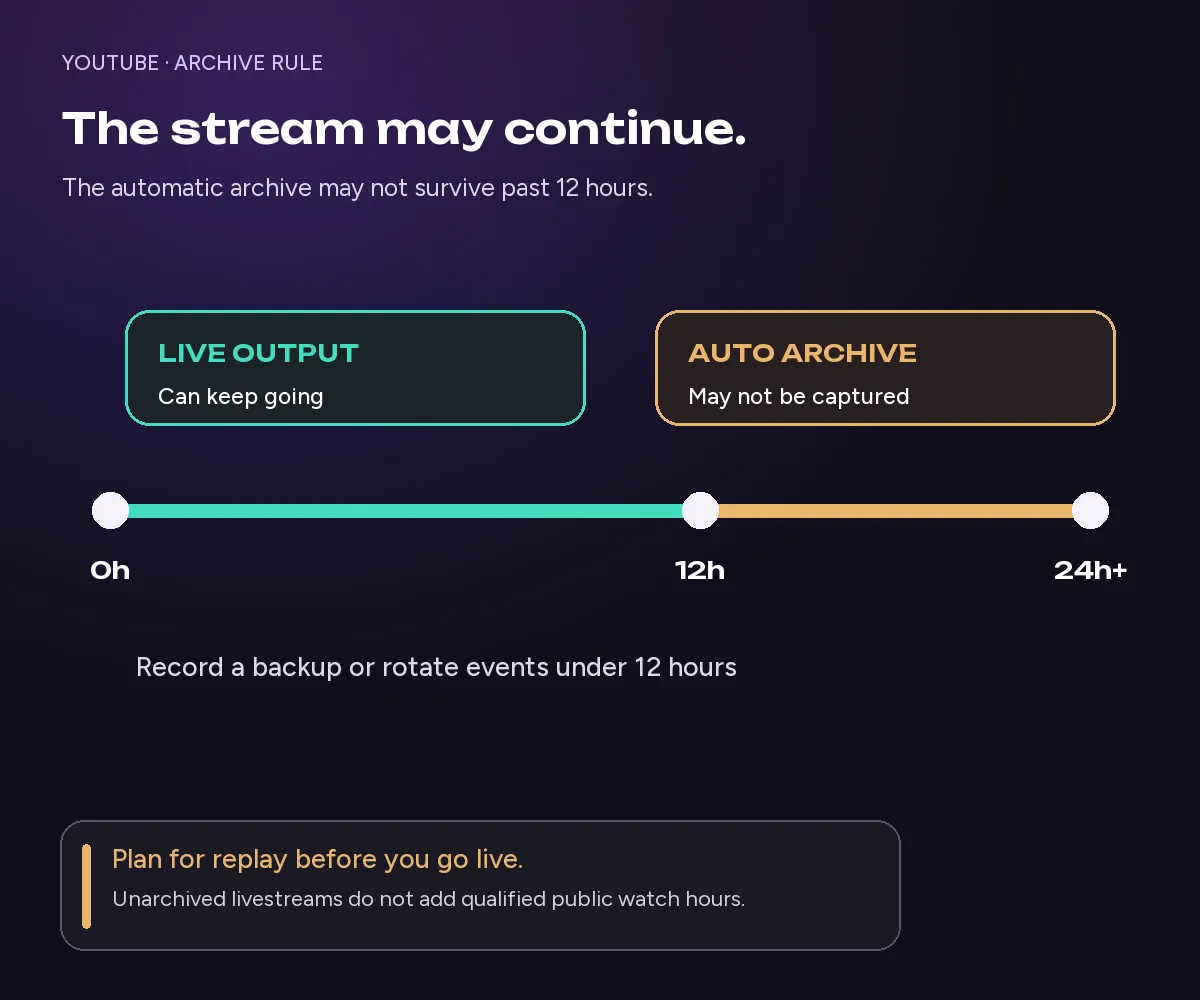
YouTube says streams shorter than 12 hours can be automatically archived. If a stream exceeds 12 hours, it may not be captured at all. In other words, the broadcast can continue while YouTube is not going to record the whole thing to create a complete replay.
That matters for preservation and monetization eligibility. YouTube’s current explanation of qualified public watch hours says watch time can come from archived livestreams, while livestreams that are not archived do not count. This means that pre-monetized channels would be better off doing 12 hour live streams, so that their backcatalogue stays online and archived and public during monetization review.
If the replay matters choose one of these approaches:
- Keep each broadcast comfortably under 12 hours and start a new event.
- Record the stream separately as a backup.
- Save important segments as standalone videos or highlights.
- Use scheduled stream cycles rather than one never-ending event.
Check the live streaming limits for YouTube and other platforms if archiving and replay behavior are your main concern.
Can a 24/7 YouTube stream be monetized?
Yes, a 24/7 stream can be monetized when the channel is accepted into YPP and the stream follows YouTube’s monetization and advertiser-friendly content policies. Duration alone is not a disqualifier.
The bigger questions are whether the channel owns the necessary rights and whether its overall output is original, authentic, and useful. YouTube reviewers may examine the channel’s main theme, most-viewed and newest videos, largest sources of watch time, metadata, and About section.
Do not build the business case around the assumption that being live creates automatic qualified watch hours. Public, archived livestreams can contribute qualified watch hours; unarchived streams do not. Revenue and recommendations also depend on actual audience behavior and ad suitability.
Keep a live channel running 24/7.
Upload files, build a playlist, and let Upstream run continuous live playout from the cloud without OBS, a VPS, or an always-on computer.





A practical compliance checklist before going live
Use this checklist before launching an always-on channel:
- Channel access: Verify the channel and confirm there are no active live-streaming restrictions.
- Age: Ensure the person responsible for the stream meets YouTube’s minimum age requirement.
- Rights: Document permission for every audio, video, image, and file in the playlist.
- Content review: Watch or audit every asset before adding it to an unattended queue.
- Honest metadata: Make the title, thumbnail, description, and category match the live programming.
- Original value: Add meaningful selection, variation, education, commentary, or entertainment.
- Archive plan: Decide whether you need replay copies and plan around the 12-hour archive threshold.
- Moderation: Configure live-chat moderation, blocked words, moderators, and escalation procedures.
- Monitoring: Use alerts and periodically check the public output, audio, and connection health.
- Backup: Keep local or cloud copies of content that cannot be recreated.
How to run a compliant 24/7 stream without leaving a computer on
OBS and a local computer can be used for always-on streaming, but the machine, encoder, electricity, and upload connection all become points of failure. A cloud streaming service (like Upstream) moves that workload away from your desk. Our guide to the best 24/7 live streaming software compares the main options.
With Upstream, you can upload videos & audio, build a playlist, connect YouTube, and run the stream 100% from cloud infrastructure. Your computer can be off after the stream starts. You can also schedule programming, update the files mid-stream, and use our Stream Designer to add overlays or dynamic info. YouTube is also testing YouTube Stations, which loop a playlist of videos already on your channel, but without overlays.
The tool does not make noncompliant content compliant. You remain responsible for rights, programming, metadata, and YouTube policy. What it does provide is a more reliable way to run a thoughtfully programmed channel and stream rich live events with guests.
If you are ready to test the workflow, follow the guide to start a 24/7 YouTube live stream without OBS. Upstream’s free plan currently includes one stream and 24 streaming hours per month with no credit card, which is enough for an unlisted setup test and a focused public experiment.
Create a free Upstream account, connect YouTube, and test your programming with the 24 streaming hours included in the free plan.
Frequently asked questions
Does YouTube stop live streams after 24 hours?
No, it can go on forever! The more important threshold is 12 hours: streams longer than 12 hours will not be automatically recorded / archived on your Live tab as VODs.
Is looping prerecorded content allowed on YouTube Live?
Yes, if you do it right! You must own or license the content, describe it honestly, and follow all Community Guidelines and spam policies. Monetization is a separate review: a low-value or mass-produced repetitive channel may be ineligible even when its stream remains live.
Are 24/7 music streams allowed?
Yes, provided you have the rights for the music, artwork, and other elements! YouTube scans live broadcasts for copyrighted content. Music licensed only for personal listening or ordinary video use may not include continuous livestreaming rights.
Do 24/7 livestream watch hours count toward monetization?
Yes, but only qualified “public watch hours” count. YouTube says archived public livestreams can contribute, but livestreams that are not archived do not. Because streams over 12 hours will not be archived, it is safer to run 12 hour streams before monetizing. After monetization, you can stream 24/7 and all watch hours get recorded.
How many live streams can one YouTube channel run?
10 active streams, with a limit of three active streams per stream key. Reaching either limit prevents additional streams from starting.
The bottom line
24/7 live streaming is allowed on YouTube, but duration is only one part of the decision. A sustainable always-on channel uses rights-cleared material, honest metadata, useful programming, active monitoring, and an archive plan. If monetization matters, it also needs enough originality and variation to satisfy both viewers and YouTube’s channel-level policies.
Start with one focused stream, test it unlisted, then run a limited public experiment. Once the programming and
compliance process are solid, cloud streaming can keep the channel live without keeping your computer awake.
Keep a live channel running 24/7.
Upload files, build a playlist, and let Upstream run continuous live playout from the cloud without OBS, a VPS, or an always-on computer.