Kick added a download button for your own VODs on September 25, 2026. Open Creator dashboard, go to Studio, then VODs, and click the download icon on the stream you want. Do it within 7 days, or 30 days if your channel is verified, because Kick deletes older VODs automatically and can’t bring them back.
Kick’s own help article on downloading VODs was last updated in May and still only points to third party tools. Below is the official way, how long Kick keeps your VODs, how pinning works, and how to keep a copy of every stream without downloading anything.
How to download your Kick VODs
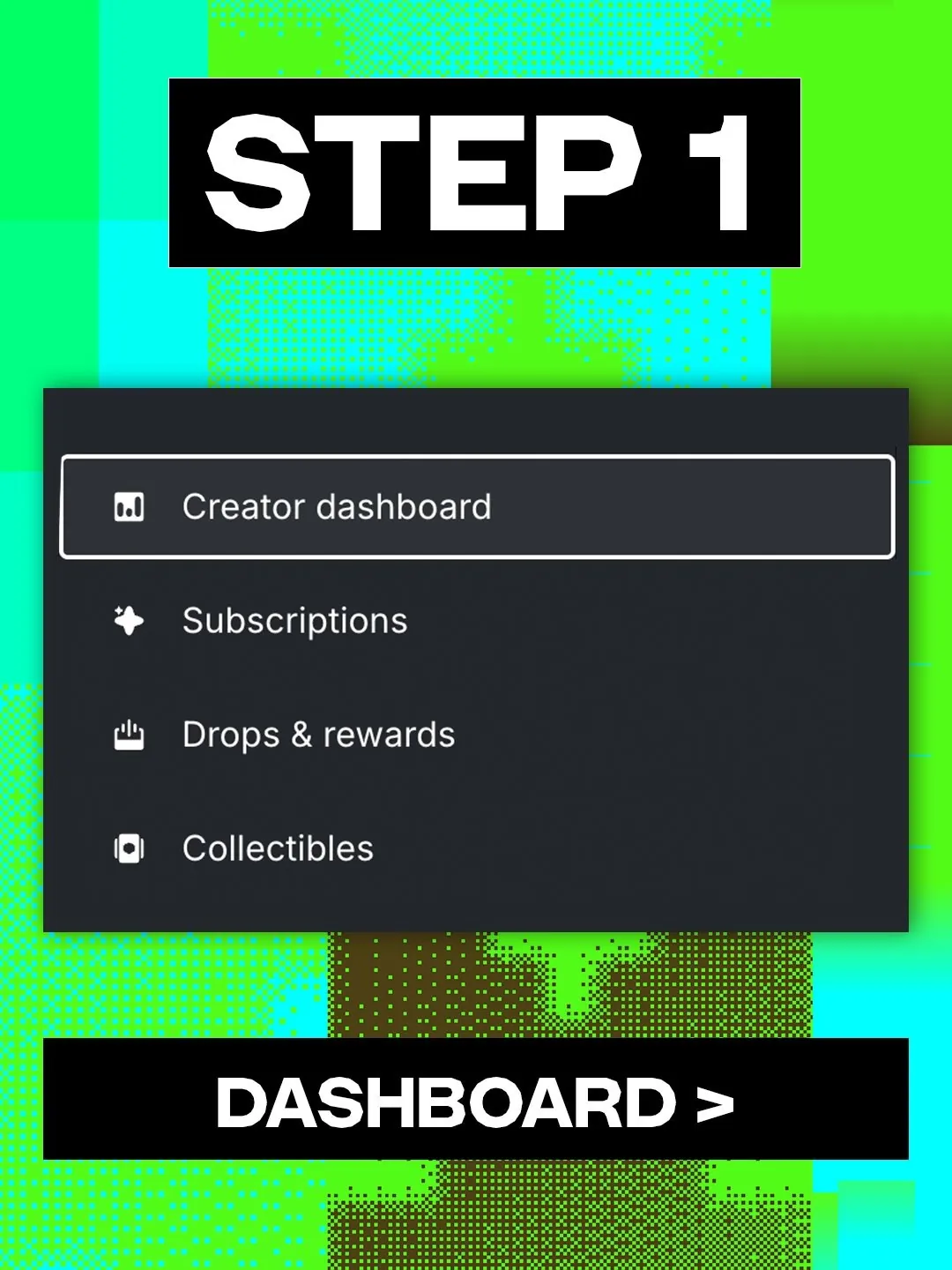
- Open Creator dashboard from your account menu on kick.com.
- Go to Studio, then VODs. This is the list of every saved stream on your channel.
- Click the download icon on the VOD you want. It sits right next to the red delete button, so check which one you’re clicking.

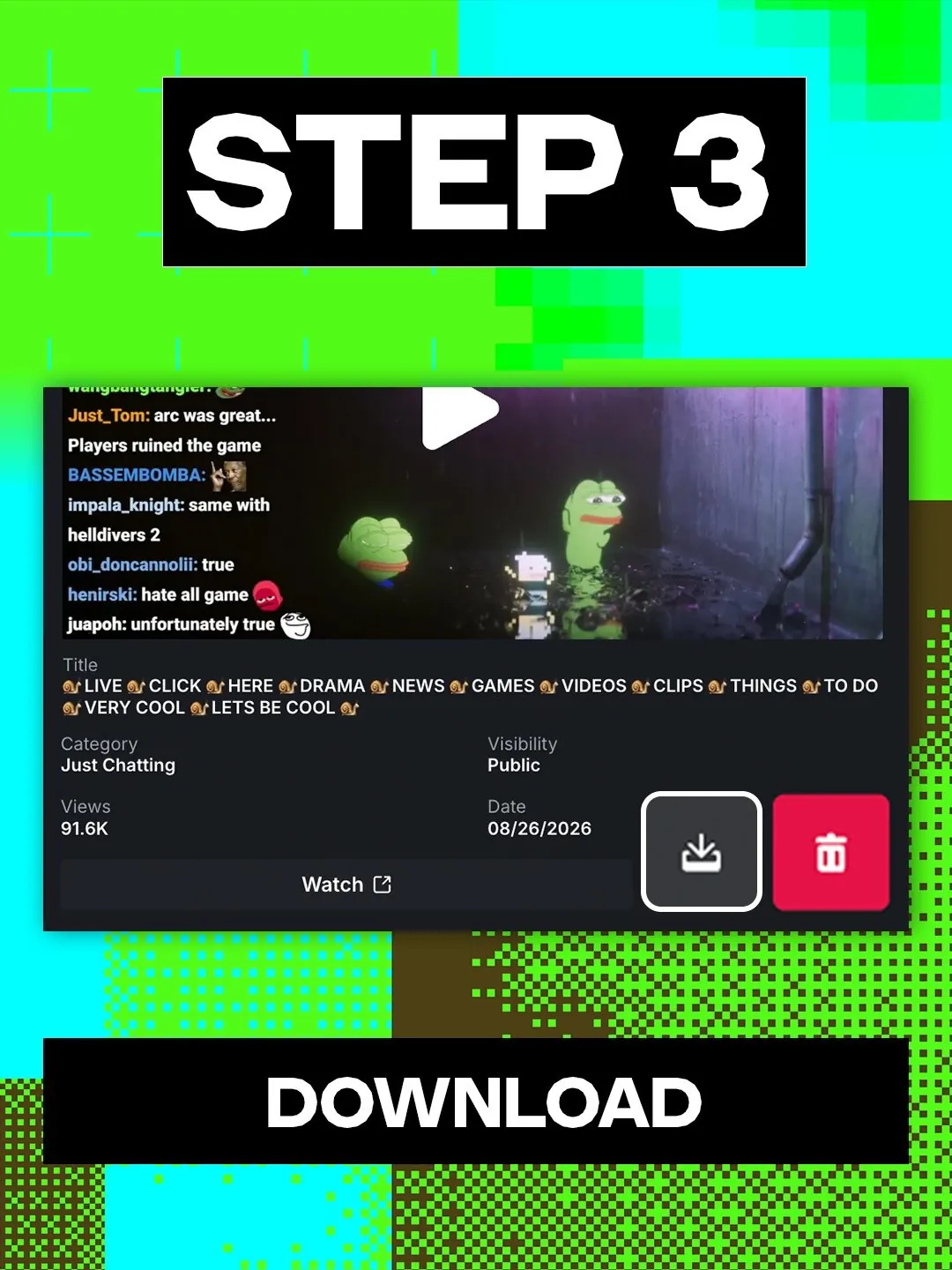
The button lives in your own Creator dashboard, so it covers your channel’s VODs. If a stream isn’t in the list yet, it’s probably still processing (more on that below).
Stream everywhere from one feed.
Send one live feed to Upstream. The cloud delivers it to YouTube, Twitch, Kick, Facebook, and custom RTMP without making your upload connection carry every copy.
How long does Kick keep VODs?
Not long. Kick keeps a VOD for 7 days on a regular channel and 30 days on a verified one. A verified channel can hold up to 30 VODs at once, a regular one up to 16.
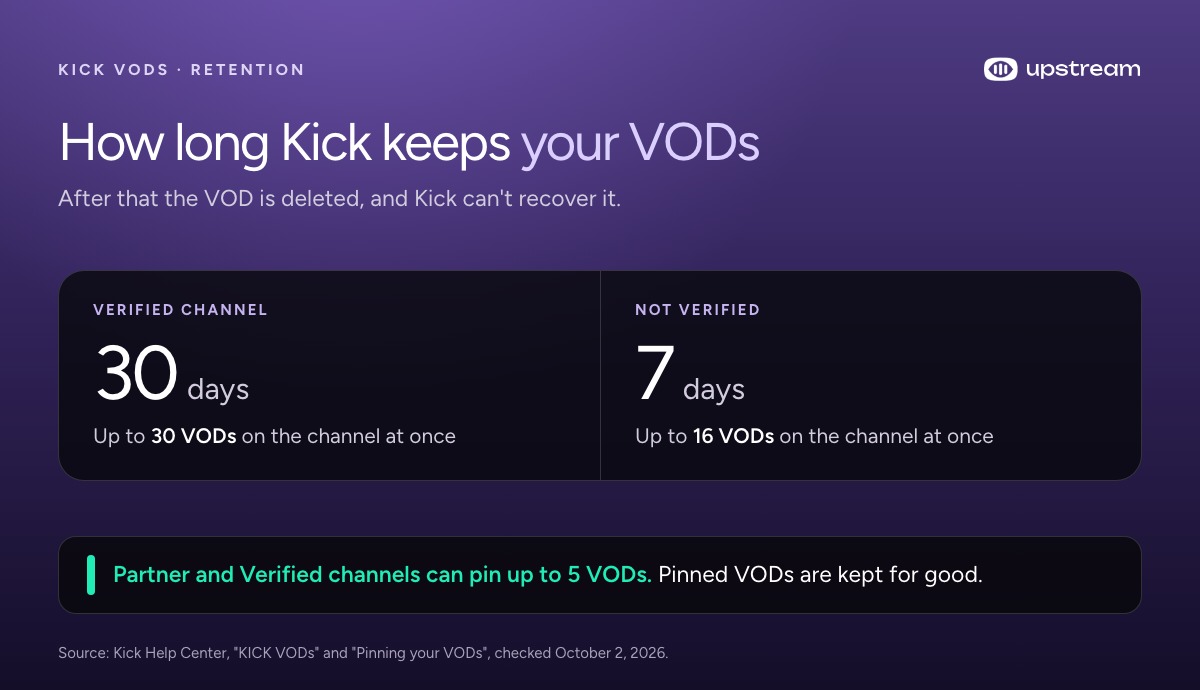
When the time runs out, the VOD is deleted. Kick says it can’t recover a VOD after that and suggests making downloads of important streams part of your routine. (Kick Help: KICK VODs)
Pin a VOD to keep it on Kick
Partner and Verified channels can pin up to 5 VODs. A pinned VOD is kept for good and moves to the top of your channel, under your live stream if you’re live. You can pin from your channel’s Home or Videos tab, or from Creator dashboard, Studio, VODs.
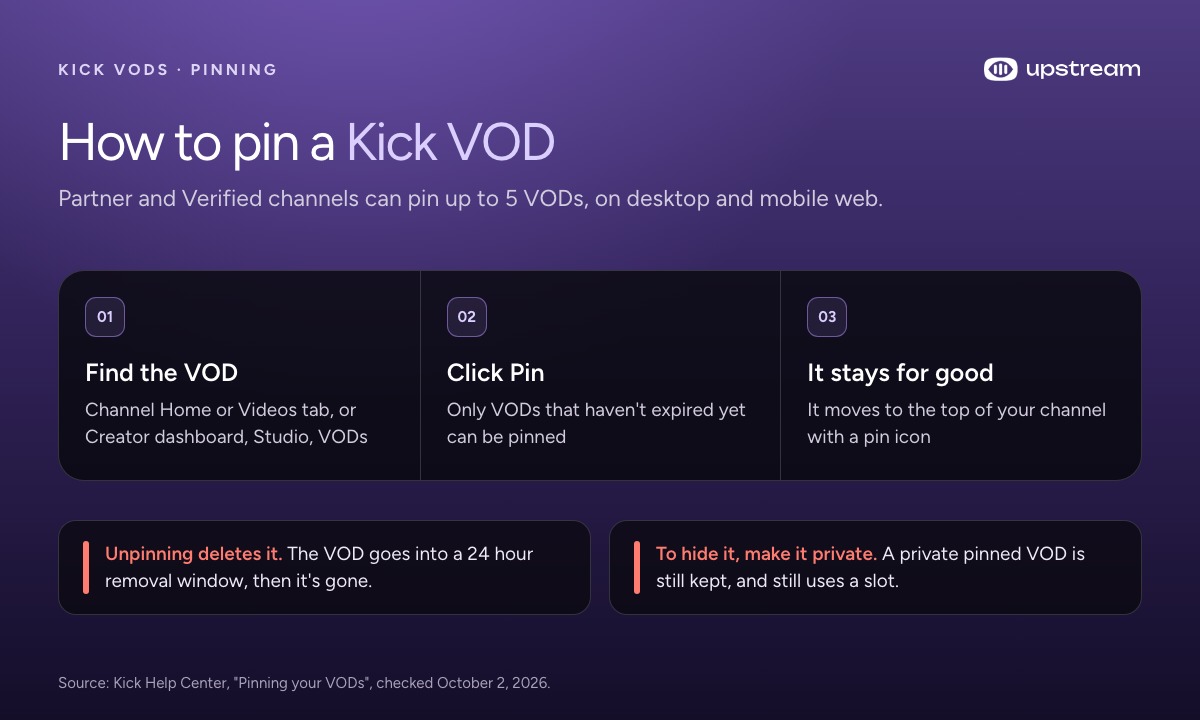
Two catches. You can only pin a VOD that hasn’t expired yet. And unpinning doesn’t put the VOD back on its old timer: it goes into a 24 hour removal window and is then deleted for good. To hide a pinned VOD without losing it, make it private instead. (Kick Help: Pinning your VODs)
Why is my Kick VOD missing or cut short?
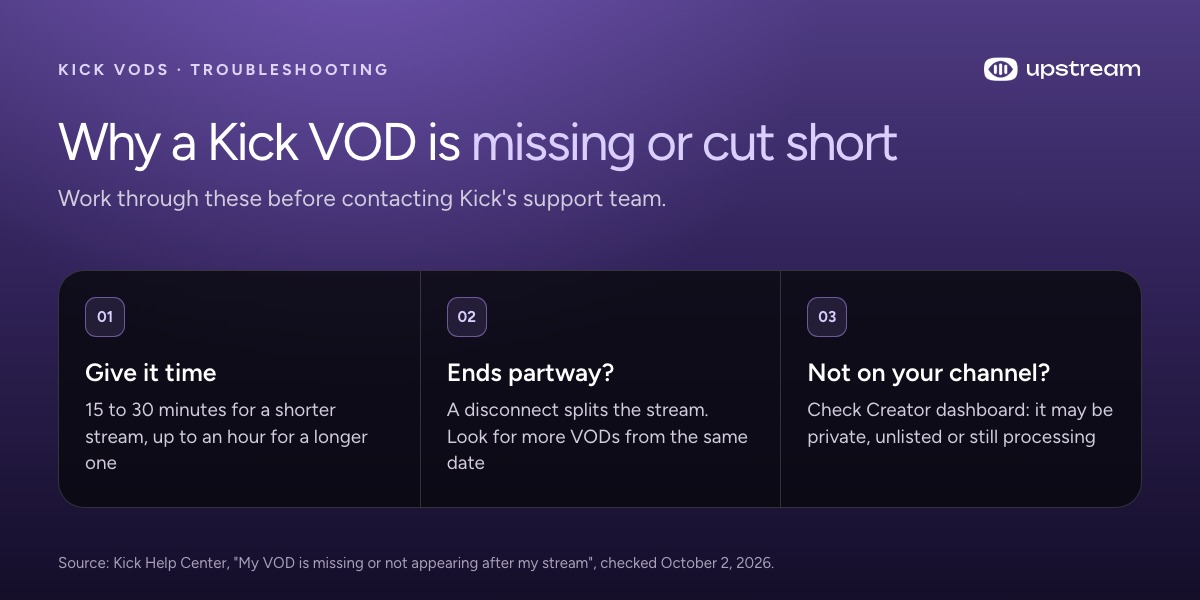
VODs aren’t instant. Kick says to give a shorter stream 15 to 30 minutes and a longer one up to an hour before assuming something is wrong.
If a VOD ends partway through, the stream probably disconnected and reconnected, which splits it into several VODs from the same date. Check Creator dashboard for the other parts. A VOD that’s in your dashboard but not on your channel page is usually set to private, unlisted or still processing. (Kick Help: My VOD is missing)
Can you download someone else’s Kick VOD?
Not with Kick’s button. It only covers your own channel. Plenty of sites will pull any Kick VOD from a link, and Kick’s own help page even lists two of them for downloading your own streams.
Kick’s Terms of Service ban scraping and automated tools such as “robots,” “spiders” and “offline readers”, and another streamer’s VOD is their content. If you want someone’s stream for clips or a reaction, ask them first. (Kick Terms of Service, section 1.4)
Keep every stream without downloading it
Downloading every VOD before Kick deletes it is a chore. The easier fix is to never rely on Kick’s copy in the first place.
YouTube automatically saves the VOD of a live stream that’s under 12 hours and keeps it on your channel. With Upstream you send one stream to Kick and YouTube at the same time (up to 10 of 30+ supported platforms at once). Kick gets the live audience, and the YouTube copy is still there long after Kick’s 7 or 30 days run out. Set it to unlisted on YouTube if you only want it as a backup.
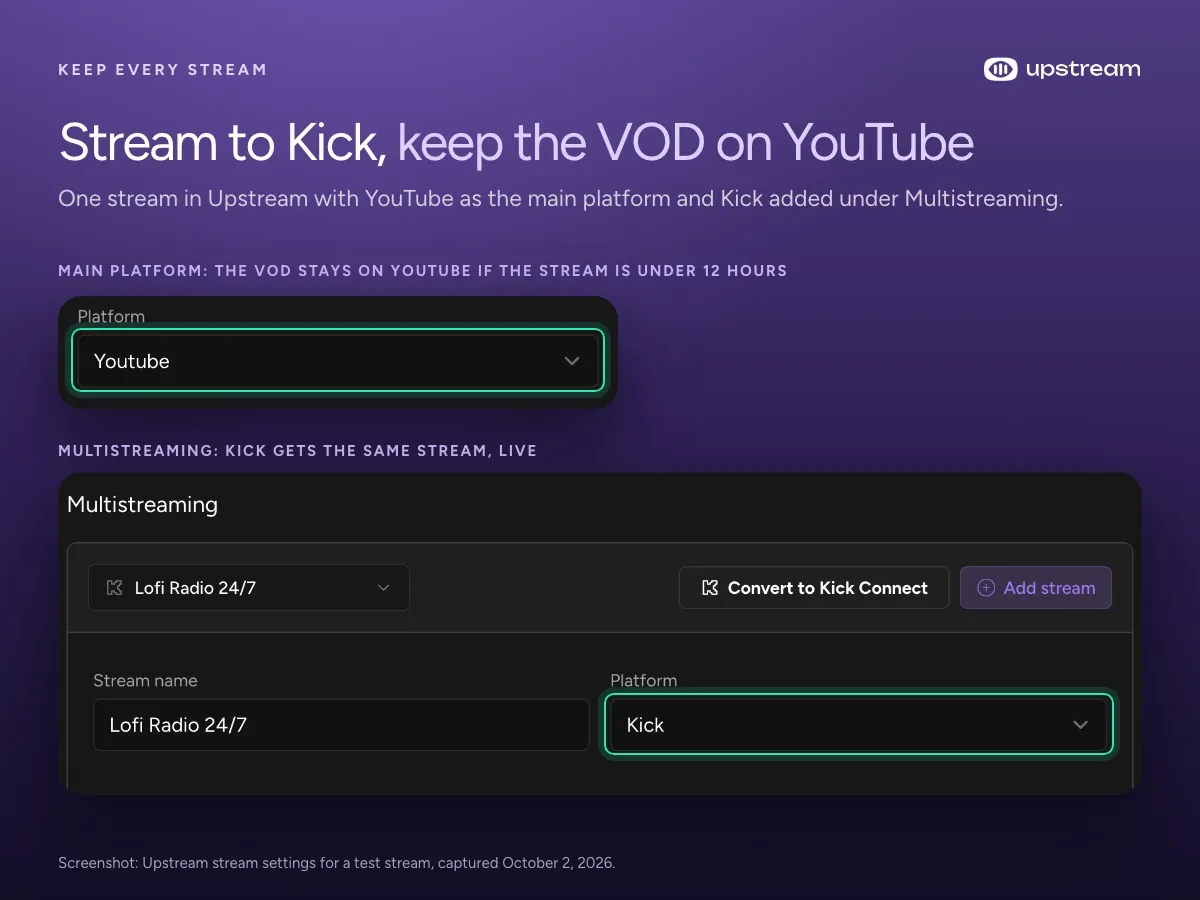
Kick connects with your Kick login, no stream key to paste (Kick on Upstream). For long streams, Upstream can end a stream just under 12 hours so YouTube saves the VOD. We explain why that limit matters in our watch hours guide, and the full setup is in how to multistream to YouTube, Twitch and Kick.
The free plan includes multistreaming: 24 streaming hours a month at 1080p30, no credit card and no watermark.
FAQ
Do I need a third party tool to download my Kick VODs?
No. Since September 25, 2026 Kick has its own download button in Creator dashboard, under Studio, then VODs.
How long are Kick VODs available?
7 days on a regular channel and 30 days on a verified channel. Verified channels can hold up to 30 VODs, others up to 16.
Can I get a deleted Kick VOD back?
No. Kick says it can’t recover a VOD once it has been deleted, whether it expired or you deleted it.
How do I keep a Kick VOD forever?
Download it, or pin it if your channel is Partner or Verified. You can pin up to 5 VODs, and pinned VODs are kept for good.
Can I download another streamer’s Kick VOD?
Kick’s download button only works for your own channel. Kick’s terms ban scraping tools, and the VOD belongs to the streamer, so ask them first.
Sources
Kick Help Center: KICK VODs, Pinning your VODs, My VOD is missing and How to download your KICK VOD. Kick’s download announcement on X and Terms of Service. YouTube Help on archiving live streams.