The best content for a 24/7 YouTube channel makes sense whenever someone joins. Music, calm scenes, short lessons and shows on one topic can all fit. Start with the videos or audio you own. Then choose a clear reason for people to watch. A folder of files is only the raw material.
A continuous channel plays a program around the clock. It can include recorded videos, a live camera feed or shows with a host. You do not have to be on camera all day. But someone still needs to plan the content and look after the channel.
If you already have a library, use this table to find a starting point:
| Your existing material | Format to try | Why someone would watch | A reason to skip it |
|---|---|---|---|
| Original music or a cleared catalog | Music and radio | A sound that suits work, rest or a taste in music | You cannot confirm broadcast rights |
| Nature footage or changing scenes | Ambient experiences | A background they enjoy leaving on | A short, obvious loop breaks the mood |
| Guided sessions, talks or services | Wellness and faith programming | A routine they can return to | Sessions need a clear beginning that viewers cannot find |
| Tutorials and explainers | Short lessons | Useful answers without a long course | Later lessons depend on missed steps |
| Interviews, podcasts or documentaries | Topic-based talk channels | A subject they care about | The archive has no shared theme |
| Event footage and recorded sessions | Temporary event channels | Coverage and replays during a set period | You lack rights or current context |
| Demos, guides and customer stories | Brand and destination channels | Help with a product, place or decision | The program is mostly the same repeated ad |
For more specific concepts within these groups, see our 24/7 live stream ideas.
In my video, 7 Best Formats for 24/7 Live Streaming, I explain these choices and the questions I would ask before launching a channel.
Music and radio built around a mood
A music stream needs a clear sound and purpose. “Late-night synthwave for coding” tells a listener more than “Music live.” It sets an expectation you can use to choose tracks, visuals and the channel name.
A record label might build a station around its quieter releases. An artist could mix their own tracks with recorded sessions. A radio show could focus on a genre its host knows well. The choices should feel planned. That applies when someone listens for ten minutes or stays for an hour.
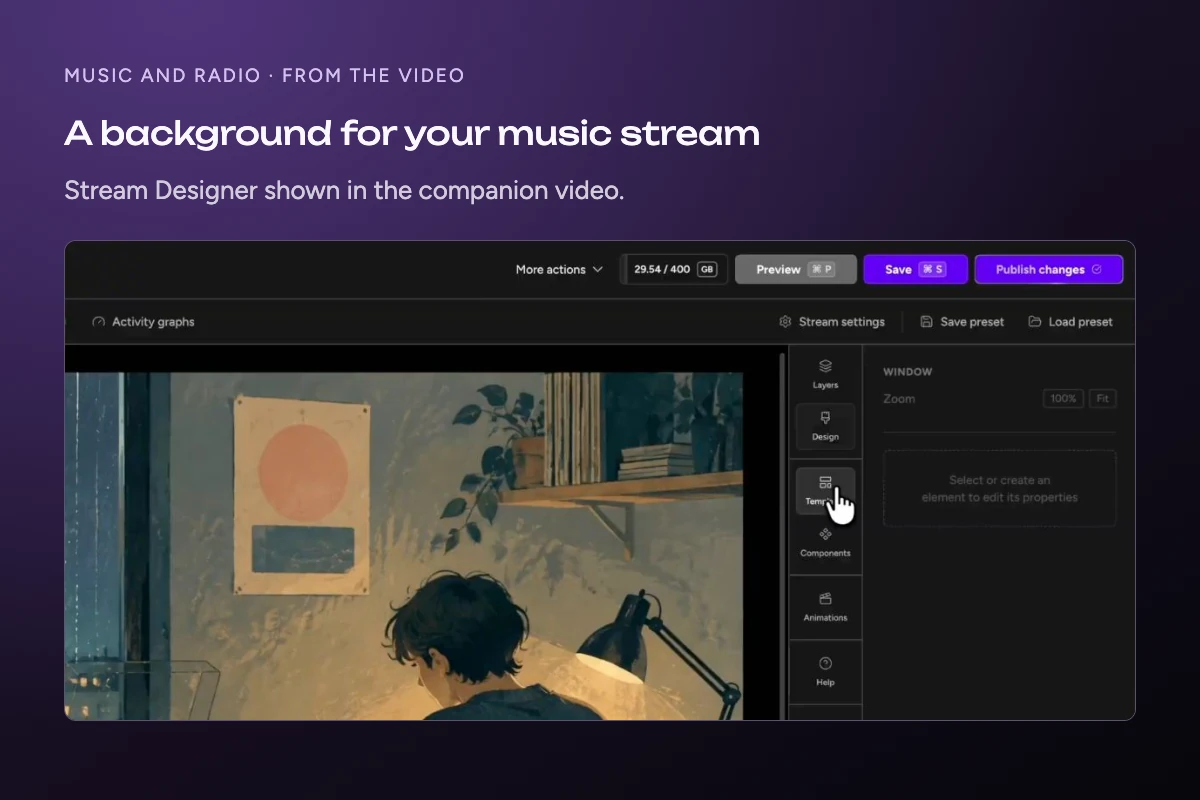
Plan how one track ends and the next begins. A sudden jump in volume or a loud intro can spoil a stream meant for sleep. Show the track and artist so listeners can find music they enjoy. Some streaming tools let you add that text over the background video. You can then change the text without making a new video file.
Check the rights before building the playlist. Buying a song does not give you the right to stream it on YouTube. Neither does a paid music subscription. Check that your license covers how you plan to use the music. You may need rights to the recording, the song itself and the visuals.
YouTube can interrupt a live stream when it detects third-party content. This means content that belongs to someone else. Even with a license, your stream can be stopped. YouTube says to ask the rights holder to add your channel to their Content ID allowlist. That list tells YouTube's matching system which channels the owner has approved.
The right to stream music does not mean you can earn ad revenue from it. YouTube's monetization policy lists song collections by different artists as content that cannot earn money. This applies even with their permission. Do not assume that music you have cleared will qualify for the YouTube Partner Program.
Ambient scenes with enough variety
Ambient streams give viewers a setting they can leave on while doing something else. Your library might contain long coastal walks, rain on a window or underwater footage. Choose scenes that belong to the same experience.
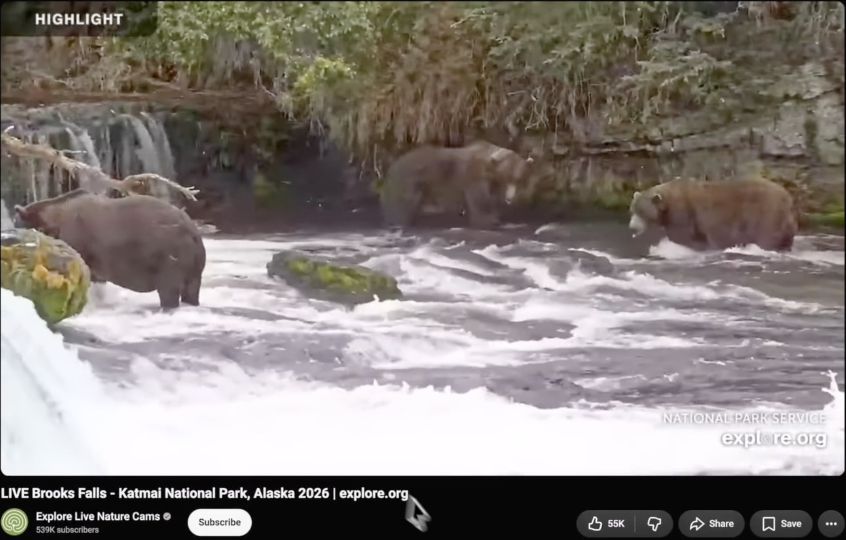
The Explore live camera network shows the appeal of watching a place as it changes. Recorded footage can work as a background too. Label it as recorded. A loop of last summer's beach is not a live view of today's weather.
Watch for details that reveal a short repeat. The same person might walk past a window once a minute. That can distract viewers from a calm scene. Longer takes and varied scenes give you more room to build a program that feels natural.
Check the audio as closely as the picture. A harsh cut between rain recordings can be more noticeable than a change in camera angle. Test the point where the playlist returns to its first file, not only the transitions in the middle.
Wellness and faith content on a clear schedule
For guided sessions, tell viewers what is playing and when the next session begins. Someone joining a yoga class or sermon needs that context. It matters less for a background music stream.
Build scheduled groups of related videos. For example, a wellness channel could play a morning session, shorter daytime exercises and longer evening relaxation videos. A faith community could organize recorded services, talks and music around a published weekly plan.
Name the current session in the stream description or on screen. Include a time zone when you share a schedule. Give people who join halfway through a choice. They could stay, wait for the next session or find the full recording elsewhere.
Keep the promise realistic. Describe the session and its intended use without claiming it treats a health condition. For faith programming, check music and guest permissions alongside rights to the main recording.
Short lessons viewers can join midway
Self-contained lessons fit a continuous channel better than a course that must be watched in order. A viewer who arrives during lesson twelve should still get something useful.
A software channel could rotate short lessons on common tasks. A language teacher could group vocabulary practice by topic. A company could use answers from its webinar archive to explain problems customers often face.
Make the lesson's topic visible. “How to export a transparent image” is useful context. “Part 14” is not enough for someone who has just joined.
Review old lessons before adding them. A tutorial about a menu that no longer exists can confuse viewers even if the recording looks good. Remove expired offers and links to old downloads. Keep longer courses available as normal videos so people can follow them in order.
Podcasts and documentaries curated by topic
A talk channel needs a shared subject that makes the next program worth watching. A set of unrelated interviews gives viewers little to go on. A channel about making music or running a small business has a clearer purpose.
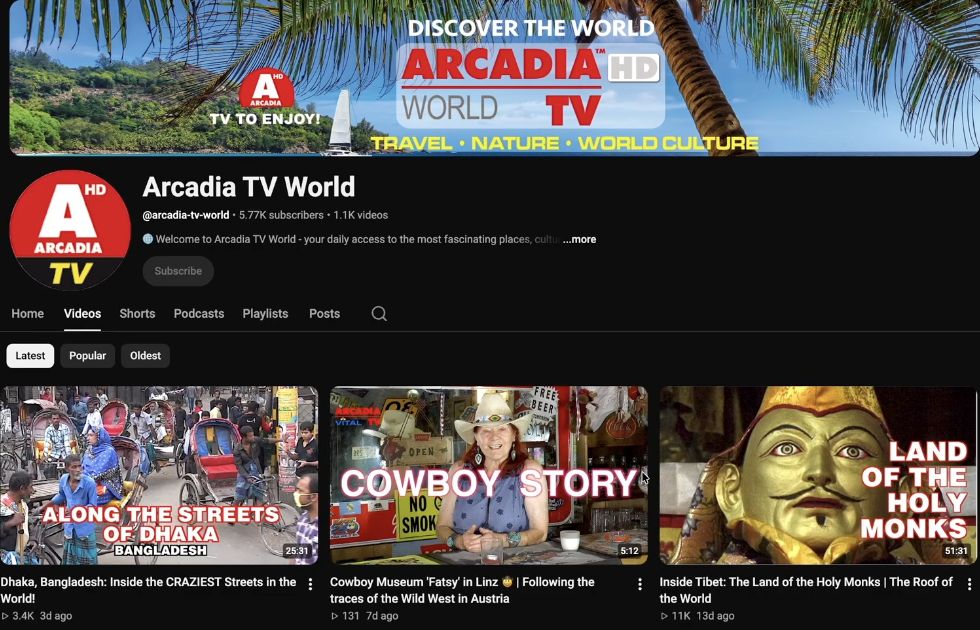
The video shows Arcadia TV World's library of travel and culture videos. It is an example of a collection with a shared subject.
Start by sorting episodes into themes. You might have enough material for a program about recording vocals, then another about releasing music. Short interviews can sit beside longer discussions if they serve the same audience.
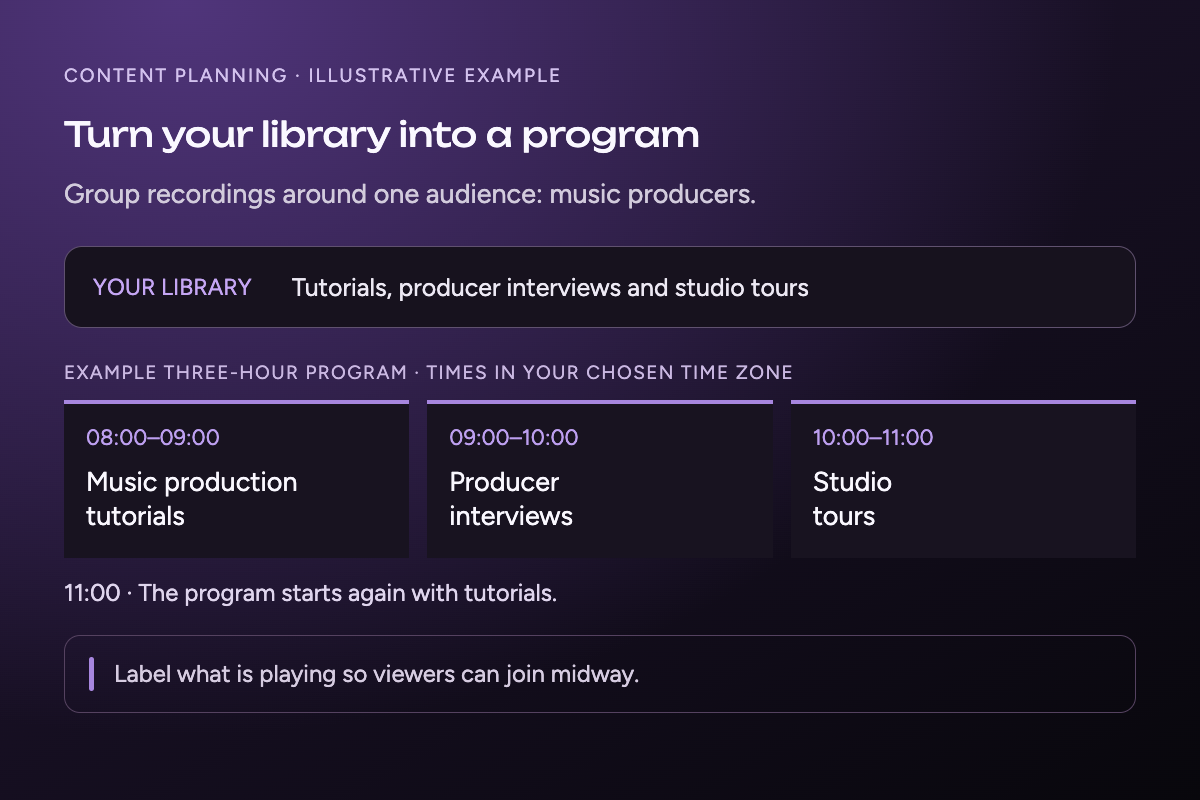
For example, a music production channel could run an hour of tutorials, an hour of producer interviews and an hour of studio tours, then repeat the program. These are sample blocks, not required durations.
Give older recordings their context. Show the guest's name, topic and recording date when it matters. Label replays clearly. A speaker may discuss old prices or an event that has since passed. Viewers need to know when that talk took place.
You can also plan fresh hosted segments around the archive. A presenter might answer questions about a replay or introduce a new episode. Keep the schedule clear so viewers can tell a live discussion from a recorded one.
Before reusing a show, check guest agreements and any clips or music inside it. Ownership of the main recording does not settle rights to material included within it.
Event channels that run for a limited period
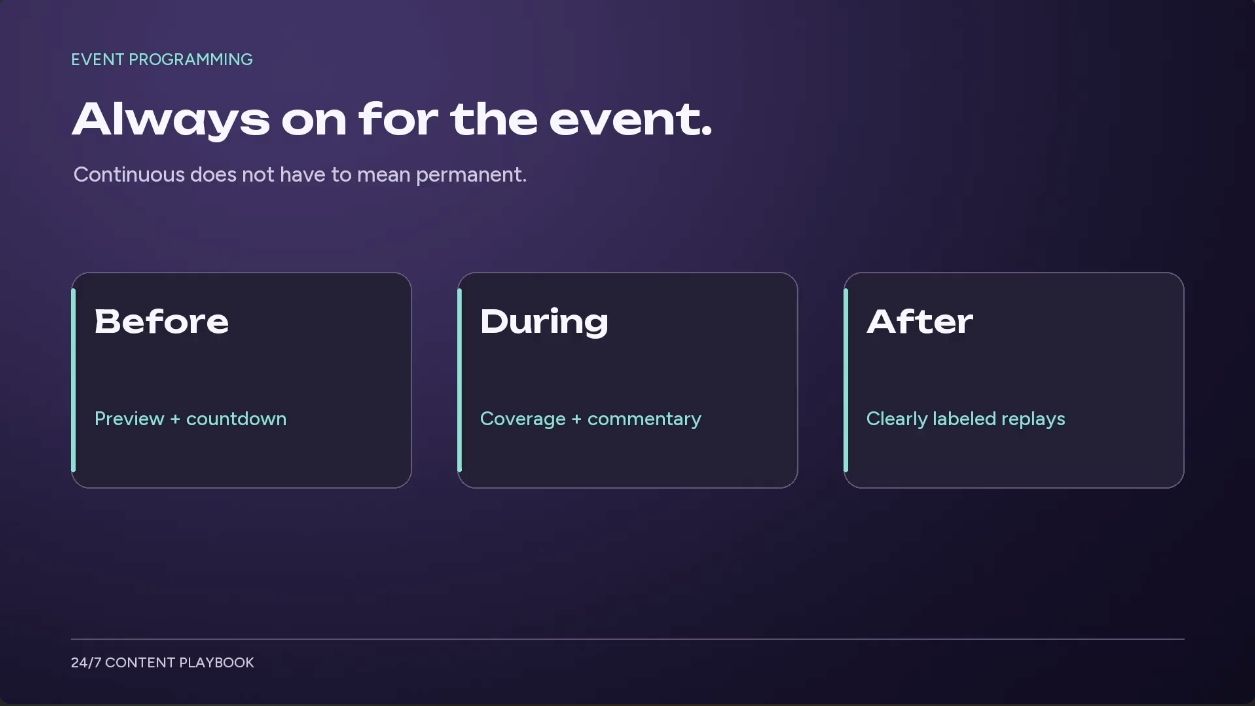
A continuous channel can run for a weekend or a conference week. You do not have to commit to a permanent broadcast to use this format.
A festival could play artist interviews and approved performance replays. It could also share details about upcoming sessions. A conference could repeat recorded talks between live shows. After the event, you can end the channel or run a smaller replay schedule.
Keep time-sensitive information current. A countdown to a session that finished yesterday gives viewers the wrong message. Remove it or update the program before the next repeat.
Event rights deserve a separate check. Permission to film an interview does not automatically include permission to broadcast a concert or sports match. Use only material cleared for your channel, and make replay labels visible where viewers need them.
Brand channels that help rather than repeat ads
A brand channel needs a reason to watch beyond buying the product. Useful guides, demonstrations and stories can give an existing video library a shared purpose.
A travel business might group destination footage with local guides and interviews. A software company could combine task-based tutorials, feature demos and customer examples. A hotel could show guests what to expect nearby, rather than repeat a room promotion all day.
For an agency, the first task is often sorting what the client already owns. List the files and who they help. Note the question that a video answers. Remove videos that no longer match the product or the offer. Then build a program around one visitor need.
Keep sales messages in proportion to the useful material. If viewers arrive during an ad, they should soon see why the channel is worth leaving on. A longer playlist will not fix a program that has little to offer them.
Test the format with a small program
Choose one format and build a sample before committing the whole library. These are the three questions I use in the video:
- Can someone understand the content without starting at the beginning?
- Does it support a clear viewing purpose, such as studying, relaxing or following an event?
- Do you control the rights needed to broadcast the material?
If one answer is no, change the program before you work on the streaming setup. A sequential course may need shorter lessons. A mixed archive may need a tighter theme. Missing rights need to be resolved, not worked around with a different streaming tool.
You do not need 24 hours of unique footage to fill a day. A playlist can repeat. The useful question is whether the repeat still serves the viewer. There is no single library length that makes a channel worth watching.
Repeating content does not mean you can earn money from it. YouTube's channel monetization policies look at whether content is original and adds value. They also cover reused content. Those rules are separate from copyright permission. Check both before you plan to earn ad revenue.
Watch your sample from a random point, as a new viewer would. Check that the title matches what is playing. Listen for jumps in speech and music levels. Watch the loop return to the start. Ask someone who has not seen the files to watch too. Can they describe the channel's purpose?
Once the program works, Upstream can play the playlist from the cloud while your computer is off. Your files play from Upstream's servers. You can also host shows with guests in its browser-based Live Studio. Multistreaming sends one feed to up to 10 of 30+ supported platforms at once. You manage the program and where it streams in the same workspace.
Start with the free plan's 24 streaming hours per month to test your chosen format. When you are ready to connect the channel, follow our 24/7 YouTube stream setup guide.