The cheapest paid VPS that can run a 24/7 YouTube stream was netcup’s VPS pico, at €2.21 a month paid a year upfront. We checked on October 23, 2026. If you want to pay month to month, OVHcloud’s VPS-1 at €4.49 was the best deal, with unlimited traffic in Europe and the US. A VPS, or virtual private server, is a rented Linux computer in a data center that stays on all the time. These plans work when you prepare the video once and FFmpeg, a free command line tool, sends the file to YouTube without converting it again.
The server is the cheap part. A VPS sits on the open internet, and bots start trying to log in to it within minutes. The ordinary VPS that ran our old blog logged 302,855 failed logins from 3,209 addresses in 31 days, about 7 password guesses a minute. Anyone who gets in also gets your stream key and can broadcast porn or worse on your channel, under your name. Keeping that server locked down and patched is your job for as long as the stream runs.
Cheapest VPS plans for a 24/7 YouTube stream
netcup is the cheapest if you can pay a year upfront, OVHcloud is the cheapest month to month, and Hetzner includes the most traffic. The table lists the cheapest plan per provider that can send a prepared 1080p stream, sorted by what one stream costs for a full month. We checked the providers’ own pricing pages on October 23, 2026. Prices appear the way the providers show them: netcup’s include 19% German VAT, the other euro prices don’t, and dollar prices are before sales tax. The last column adds traffic charges for one stream at about 6.2 Mbps, our estimate.
| Provider and plan | Processor and memory | Traffic included | Billing | Price a month | One 1080p stream for a month | The catch |
|---|---|---|---|---|---|---|
| Oracle Cloud Always Free, E2.1.Micro | 1/8 of a core that can burst, 1 GB | 10 TB out, up to 50 Mbps | Free | $0 | $0 | Oracle may take back free servers that look idle |
| netcup VPS pico | 1 core, 1 GB | Included, slowed only above a 100 Mbps daily average | 12 months upfront | €2.21 with VAT | €2.21 | One per customer, Nuremberg only |
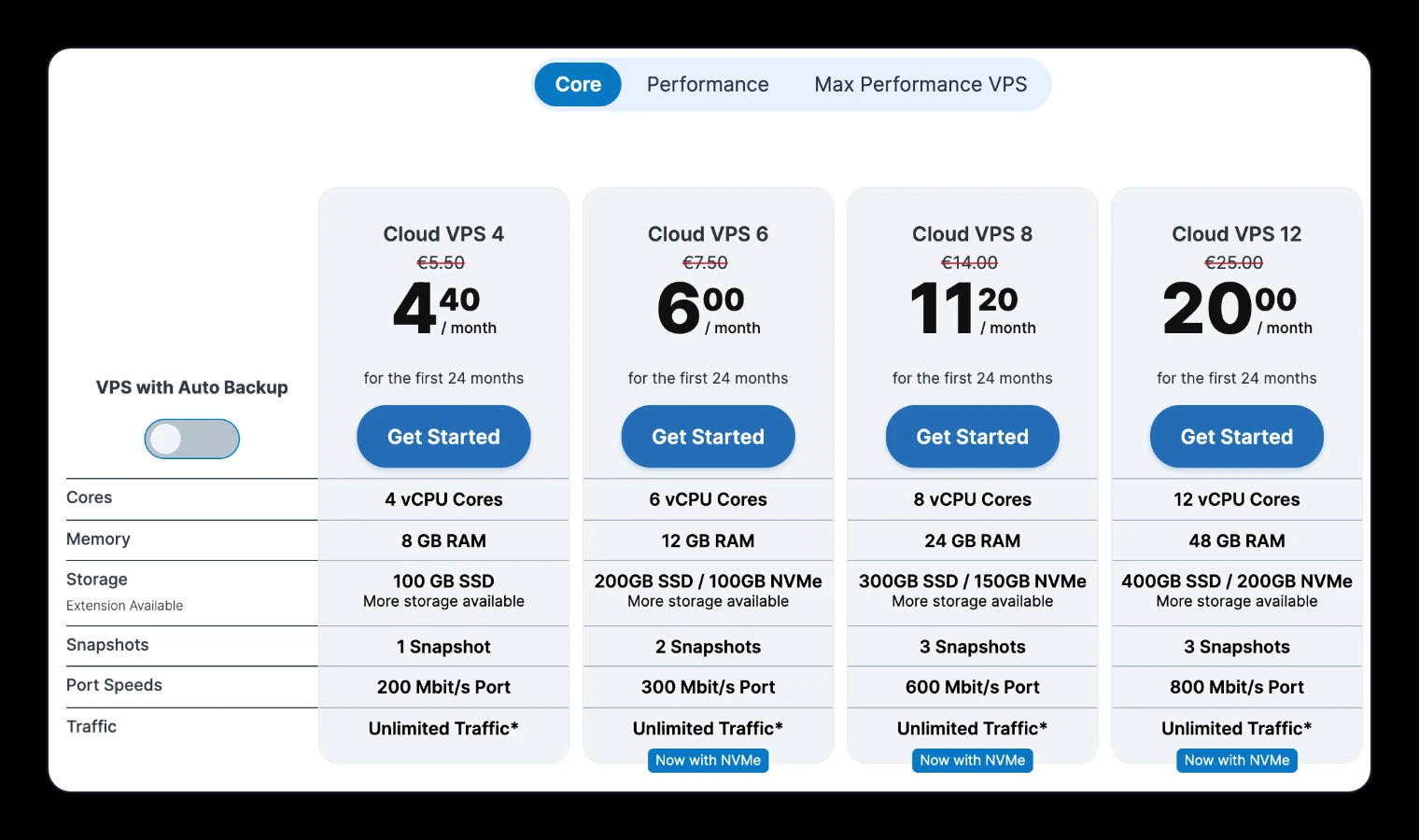
| Contabo Cloud VPS 4 | 4 shared cores, 8 GB | No cap, fair use, 200 Mbit/s | 24-month term | €4.40 | €4.40 | Contabo can slow servers that use a lot |
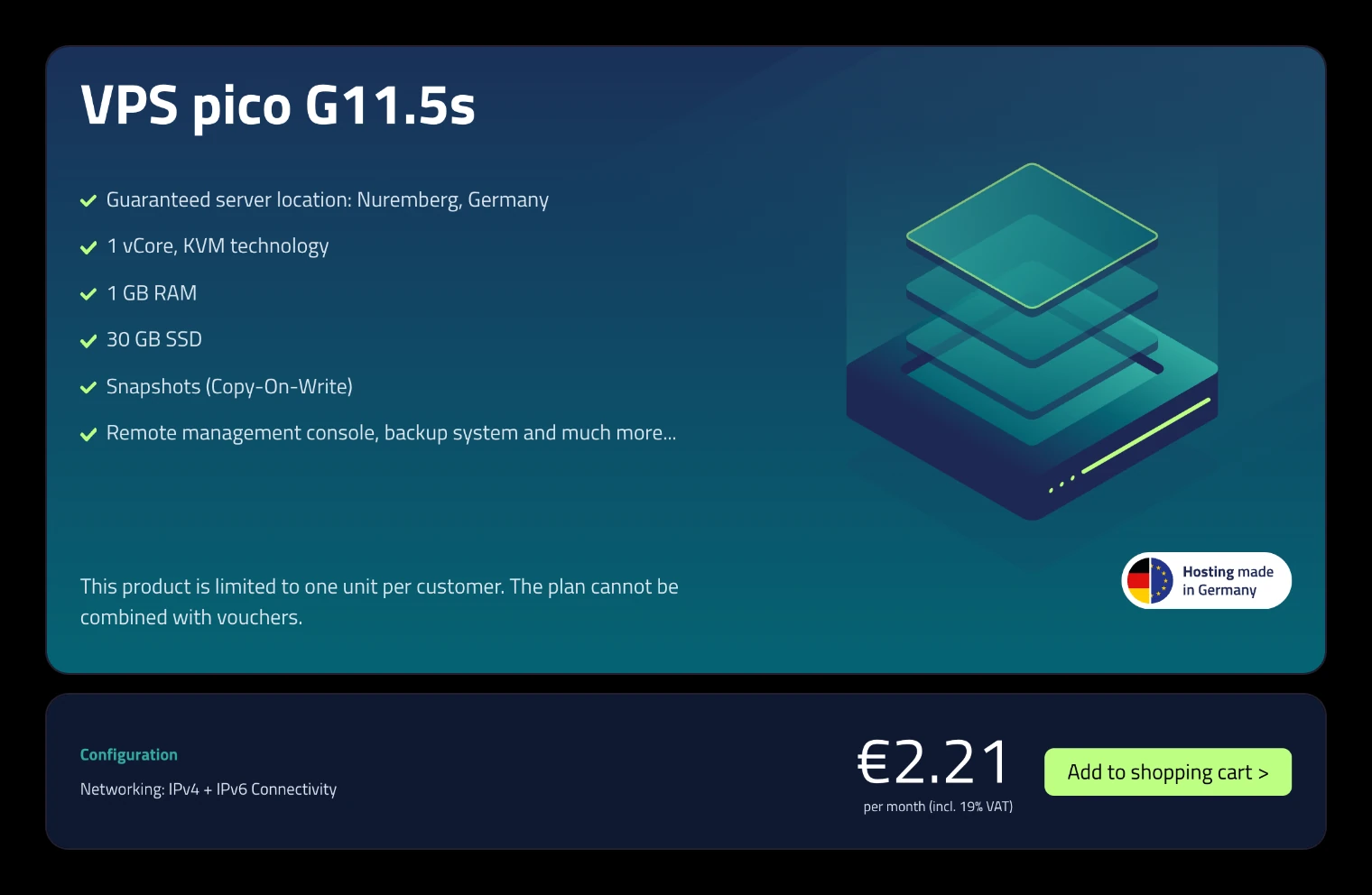
| OVHcloud VPS-1 | 2 cores, 4 GB | Unlimited in Europe and the US, 500 Mbps | Month to month | €4.49 ($5.35 in the US) | €4.49 | Asia-Pacific locations have a traffic cap |
| Vultr Regular Performance | 1 core, 1 GB | 1 TB, plus 2 TB free per account | Hourly, capped monthly | $5 | $5 | The free 2 TB is shared by all your servers |
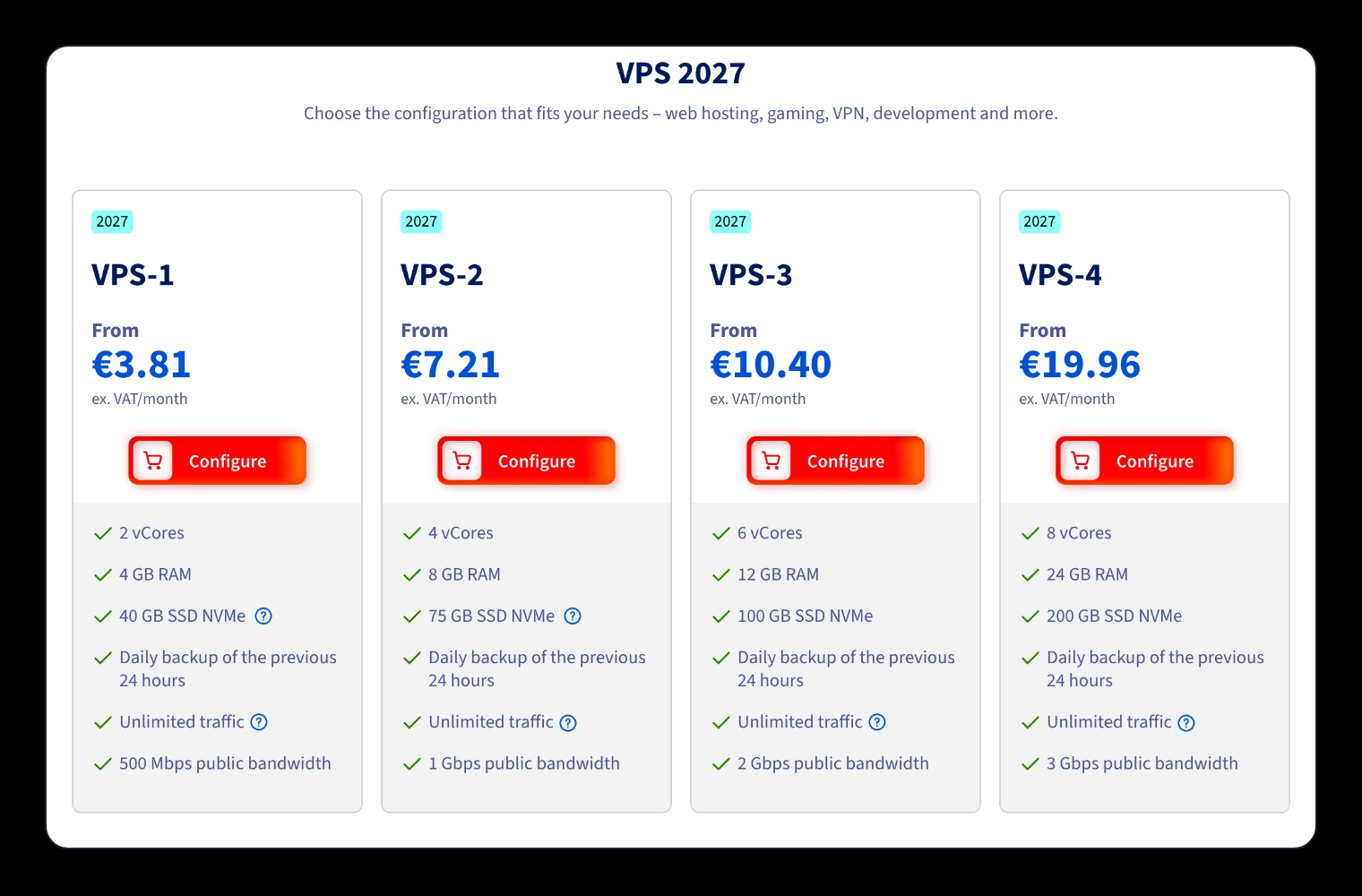
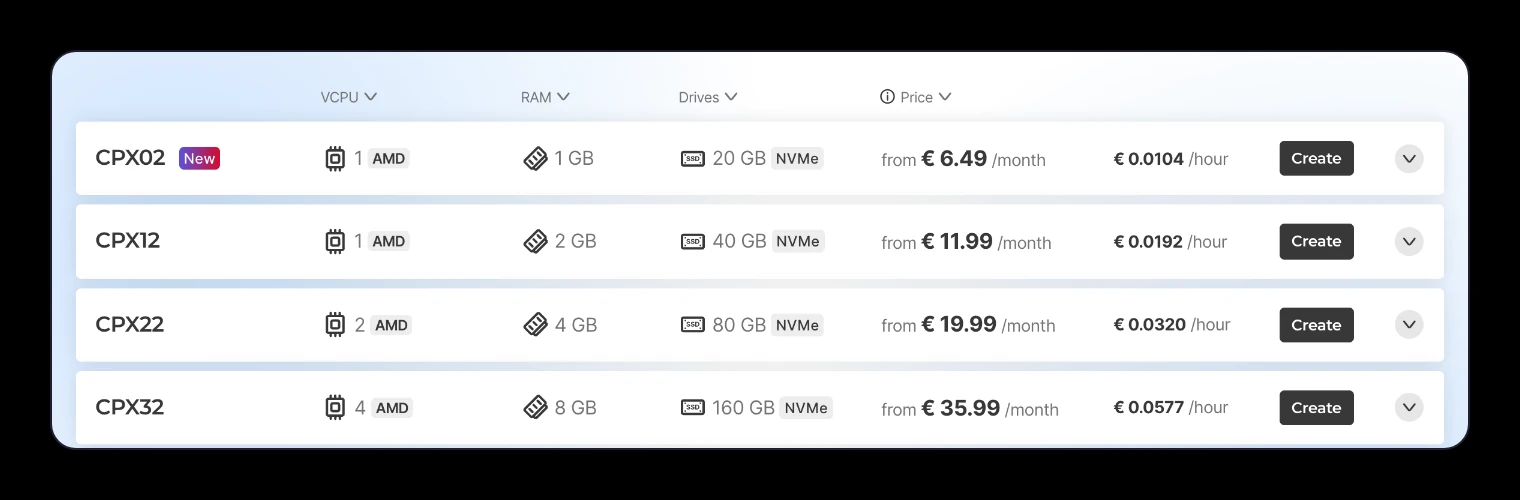
| Hetzner CPX02 (Germany, Finland) | 1 core, 1 GB | 20 TB | Hourly, capped monthly | €6.49, IPv4 included | €6.49 | The cheapest US plan is €17.99 with 1 TB |
| Hostinger KVM 1 | 1 core, 4 GB | 4 TB | 24 months upfront | $6.49 | $6.49 | Renews at $11.99 |
| Akamai (Linode) Nanode | 1 core, 1 GB | 1 TB | Hourly, capped monthly | $5 | About $10 | $0.005 per extra GB |
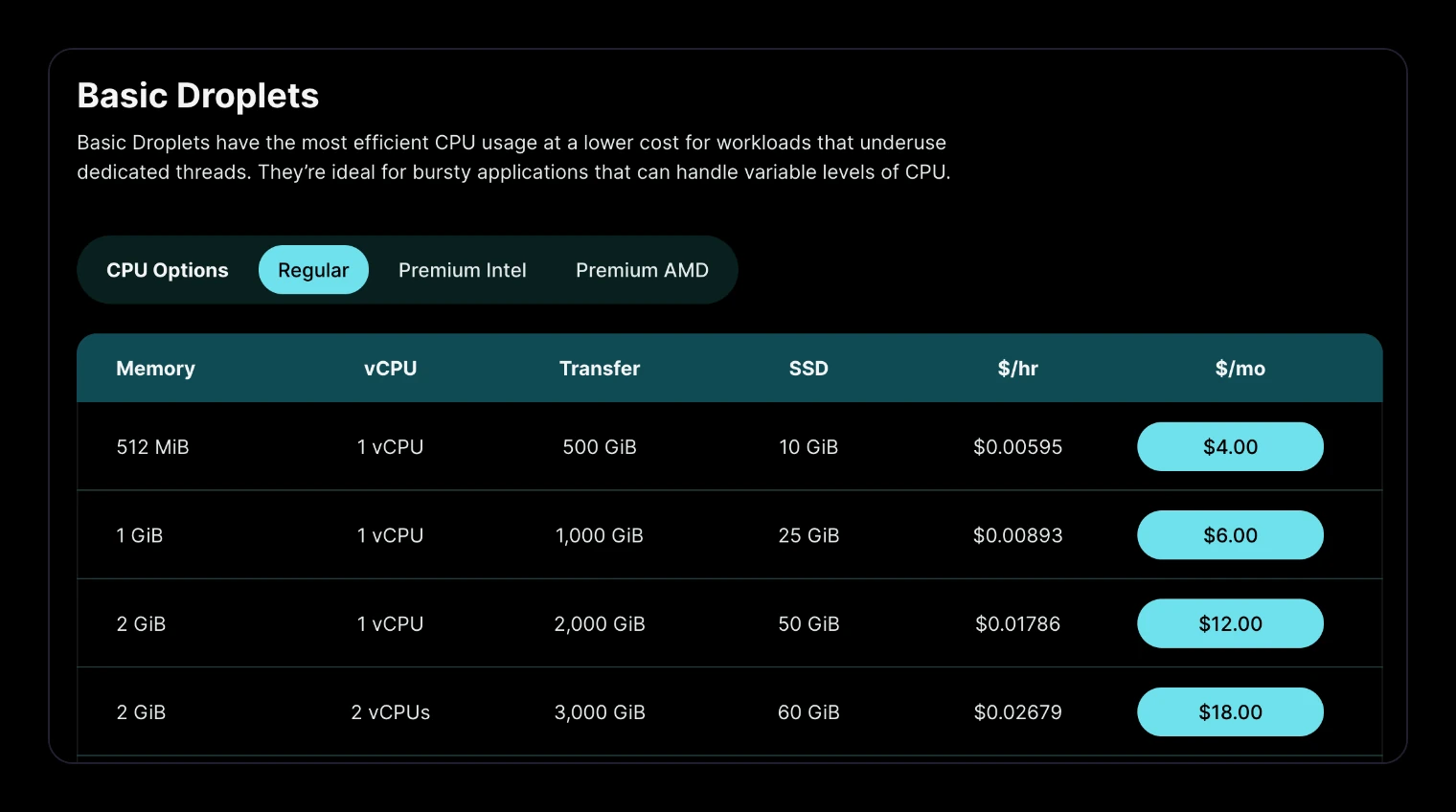
| DigitalOcean Basic | 1 core, 1 GiB | 1,000 GiB | Per second, capped monthly | $6 | About $14.60 | $0.01 per extra GiB |
Traffic decides the real price more than the sticker does. OVHcloud and netcup don’t count traffic in Europe, and Hetzner includes 20 TB, so their price is the whole bill for one stream. DigitalOcean’s $6 plan includes 1,000 GiB and charges $0.01 per extra GiB, so one 1080p stream comes to about $14.60. Vultr’s $5 plan covers a stream only because Vultr adds 2 TB a month per account on top of the plan.
A US channel can stream from a server in Europe, because the server only needs a steady connection to YouTube. If you want the server in the US, OVHcloud’s VPS-1 costs $5.35 there with unlimited traffic, and DigitalOcean and Vultr charge the same in their US data centers. Hetzner is the exception: its cheapest US plan is €17.99 with 1 TB of traffic.
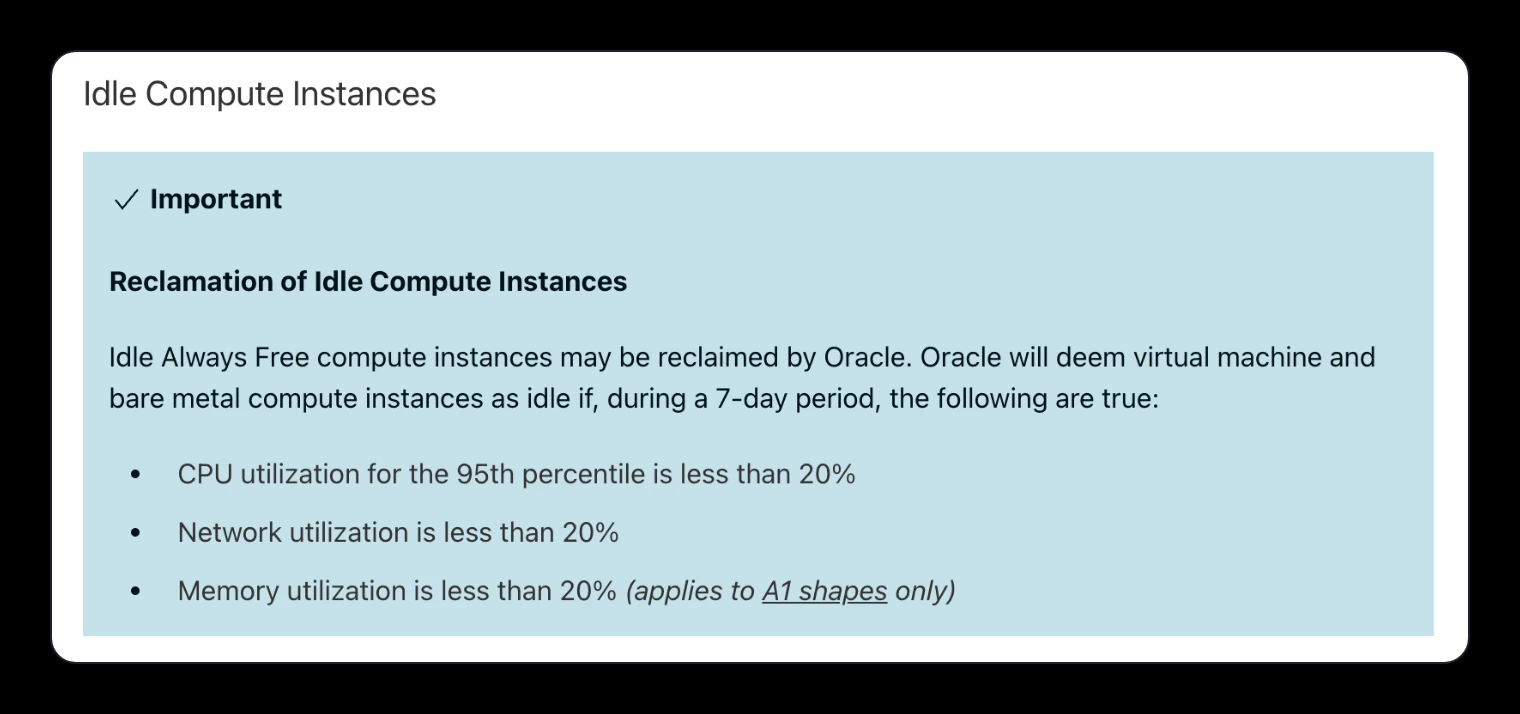
Oracle’s free tier is a risky home for a stream that has to stay up. Oracle says idle Always Free servers may be reclaimed, and it counts a server as idle when its processor use (at the 95th percentile) and network use stay under 20% for a week. A 6 Mbps stream on the free Micro server uses about 12% of its 50 Mbps. Hetzner’s cheaper Cost-Optimized plans showed as not available when we checked.
netcup VPS pico: €2.21 a month, paid a year upfront
netcup’s smallest plan has 1 core, 1 GB of memory and traffic that only slows down if your daily average goes above 100 Mbps, far more than one stream sends. You pay 12 months at once, it runs only in Nuremberg, and each customer can order one.
OVHcloud VPS-1: €4.49 a month, no contract
OVHcloud’s VPS-1 has 2 cores, 4 GB of memory and unlimited traffic at 500 Mbps in its European and US data centers. It’s the cheapest plan we found that you can cancel any month, and it drops to €3.81 a month on a 12-month commitment.
Hetzner CPX02: €6.49 a month, with 20 TB of traffic
Hetzner’s CPX02 in Germany or Finland includes 20 TB of traffic, about ten times what one 1080p stream uses, and bills by the hour up to the monthly price. Hetzner’s own page says to expect about 300 to 500 Mbit/s with no guarantee.
Contabo Cloud VPS 4: €4.40 a month on a 24-month term
Contabo gives the most processor and memory for the money, 4 shared cores and 8 GB, but the €4.40 price needs a 24-month term. Its traffic has no fixed cap and falls under a fair-use policy that lets Contabo slow servers that use a lot.
DigitalOcean: $6 a month, plus traffic
DigitalOcean’s $6 plan looks cheap, but its 1,000 GiB of traffic runs out after about 16 days of 1080p streaming. The rest costs $0.01 per GiB, which takes the month to about $14.60. The $12 plan includes 2,000 GiB and covers one stream.
Oracle Cloud Always Free: $0, if Oracle keeps it running
Oracle’s free tier includes small servers and 10 TB of outbound traffic a month. A light stream can count as idle under Oracle’s rule, and idle free servers may be reclaimed, so treat it as a test machine.
How much server a 24/7 stream needs
Sending a prepared file in FFmpeg’s copy mode barely touches the processor, so the 1 GB plans above can run one stream. That is our guidance from how copy mode works, not a benchmark of every plan. Overlays on the picture, such as a clock or a song title, make FFmpeg encode the video live, and that needs several dedicated cores. A separate music playlist doesn’t: FFmpeg can mix in new audio while it copies the video.
| What you stream | Processor and memory | Traffic a month |
|---|---|---|
| Music with a still image, about 1 Mbps | 1 core, 1 GB | About 0.3 TB |
| A prepared 720p video loop, about 3 Mbps | 1 core, 1 GB | About 1 TB |
| A prepared 1080p video loop, about 6.2 Mbps | 1 core, 1 to 2 GB | About 2 TB |
| The same 1080p loop to YouTube and Twitch | 1 core, 1 to 2 GB | About 4 TB |
| 1080p with overlays, encoded live | 4 or more dedicated cores, 8 GB (our estimate) | About 2 TB per platform |
To work out traffic, multiply the total bitrate by the seconds in a month and divide by 8. The setup below sends 6 Mbps of video and 160 kbps of audio, so 6,160,000 × 2,592,000 ÷ 8 comes to about 2.0 TB a month before network overhead. YouTube lists the bitrates it recommends for each resolution on its live encoder settings page.
A new VPS gets attacked within minutes
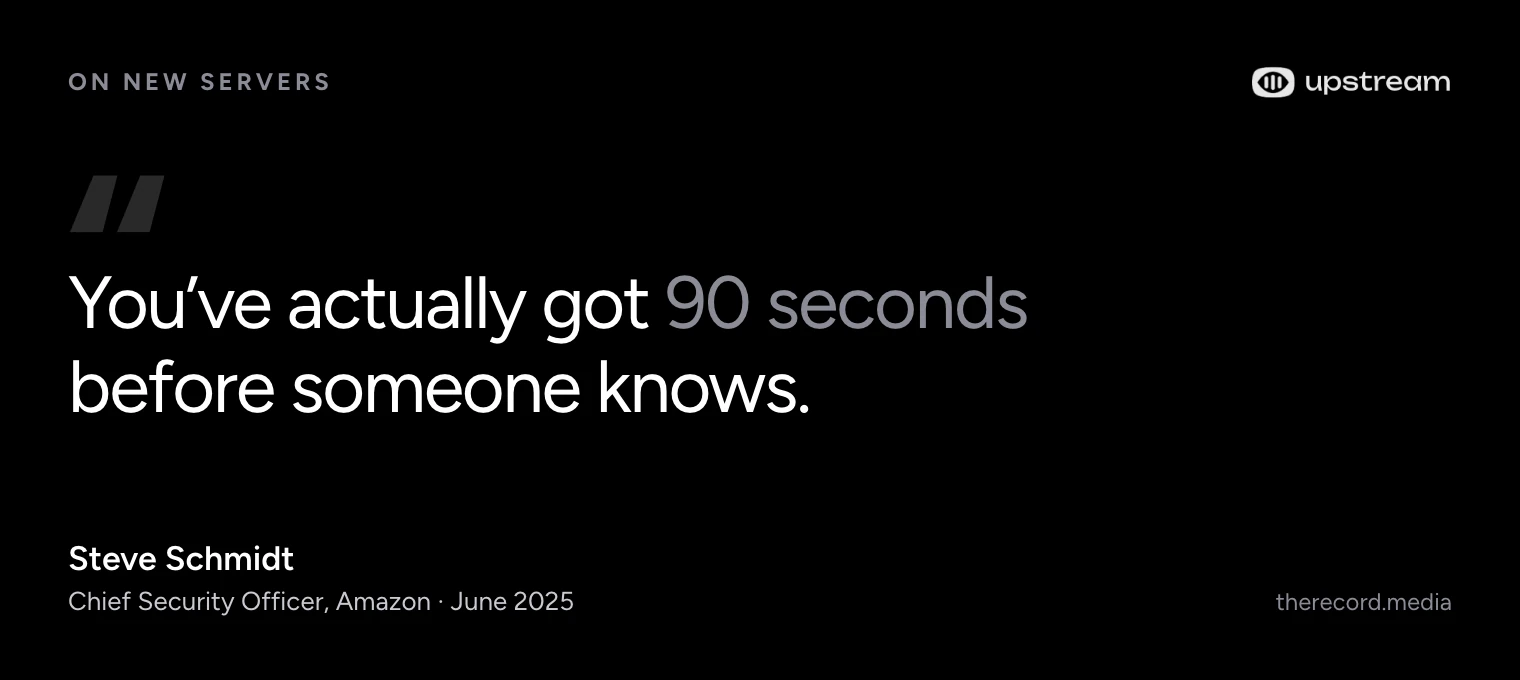
Bots scan the whole internet for servers that accept logins, all day, so a new server’s address gets found fast. In a 2019 study, Sophos put 10 test servers online in Amazon data centers. One of them got its first attack 52 seconds after it went live, and they averaged 13 attempts a minute each. Amazon’s security chief puts it in a 2025 interview as 90 seconds.
Our own logs show the same. The VPS that ran our old blog had SSH, the remote login most servers use, open on its usual port. From September 20 to October 20, 2026 it logged 302,855 failed SSH login connections from 3,209 addresses, about 9,770 a day. Those connections held 322,509 password guesses, about 7 a minute. The busiest day was October 6, with 18,175.

The bots guess the obvious names first. They tried the username “root” 191,431 times, then “ubuntu”, “admin”, “deploy”, “user” and “test”. Some tried “wallet” and “crypto”, hoping for a server that holds coins. Others used the names of the websites on the server as usernames, so the bots read what a server hosts and guess from it.
The web side was just as busy. The same server got about 500 requests a day for files that should never be public. Bots asked for .env files, where apps keep passwords and API keys, 9,824 times. They looked for backups and config files 3,463 times and tried known PHP exploits 1,727 times. A streaming VPS that also serves a web page, like the stats page of an RTMP server, gets the same visitors.
On October 21 we turned off password logins on that server and turned on fail2ban, a tool that blocks an address after a few failed logins. The next day it still saw 2,399 attempts, and none got as far as a password check. Locking the server down didn’t make the bots go away. It left them nothing to guess.
New holes keep coming
A locked login is half the work, because the software on the server keeps getting new security holes. On October 21, 2026, PHP shipped fixes for PHP2Shell, two flaws rated 9.2 out of 10. They let attackers run their own code on web servers that run PHP, and security researchers had already seen attacks using them. We finished moving this site off WordPress the same day.
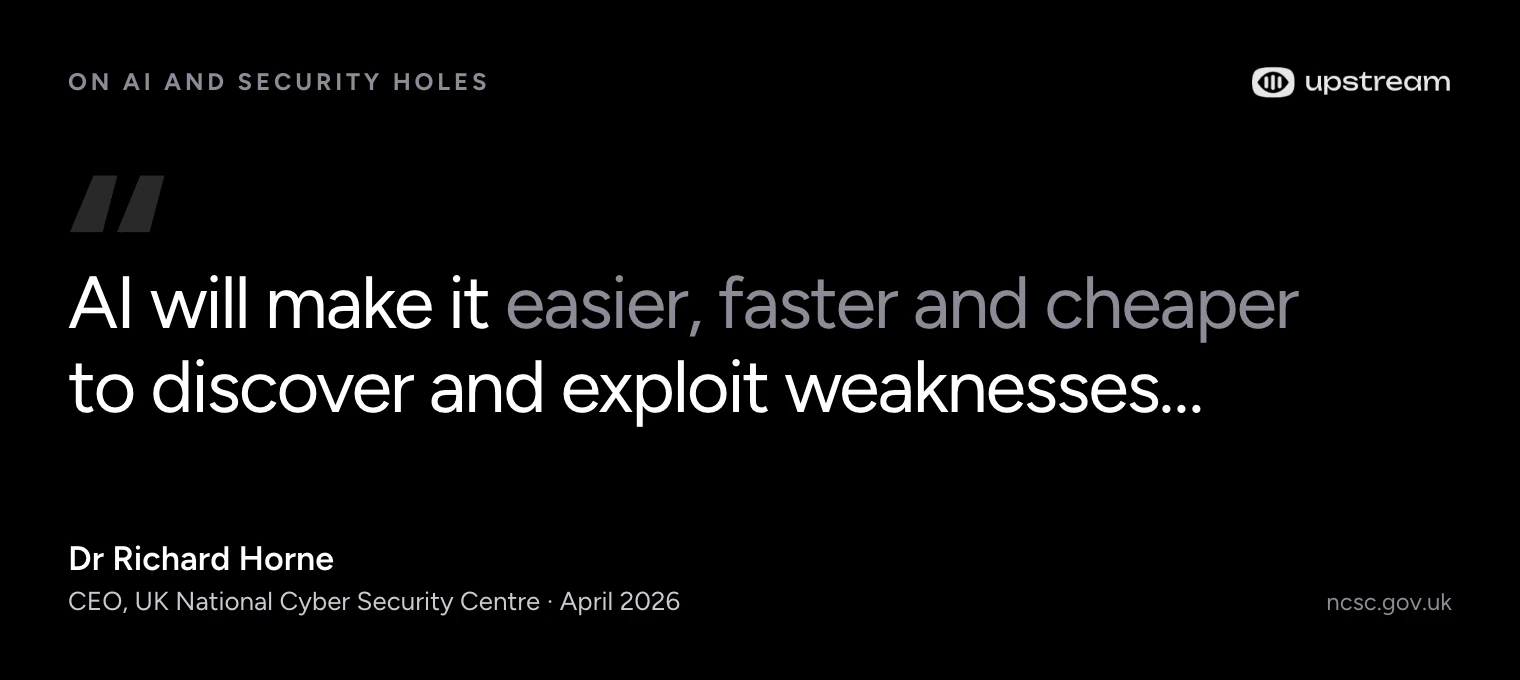
A day later, The Browser Company said it will shut down Arc on December 22 and keep only its Dia browser. Its reason was security: keeping a browser safe takes “constant, dedicated work that is only increasing in the age of AI.” If a company owned by Atlassian would rather keep one browser secure than two, a stream server you set up once and forget won’t stay safe on its own.
What a break-in does to your channel
Whoever gets into your VPS gets your stream key, and the key is all anyone needs to go live on your channel. YouTube calls stream keys your stream’s password and address, and Twitch tells streamers to never share theirs. A stranger with the key doesn’t need your YouTube password, and YouTube sees the stream as yours.
From there they can stream porn or worse under your name. YouTube says posting pornography may result in content removal or channel termination, and a single strike already stops you from uploading or going live for a week. It can be far worse: YouTube reports child sexual abuse imagery to the National Center for Missing and Exploited Children, which works with law enforcement, and anything a stranger streams this way goes out from your account.
YouTube can end a channel after a single case of severe abuse, without a warning first, and deleting the video afterwards doesn’t remove a strike. You can appeal, but the stream already went out under your name, to your subscribers. An attacker with server access can also stop your stream, delete the files on the server, or use it to attack other machines, which can get it suspended by its provider. A stream key alone can’t delete videos already on your channel.
Lock down the VPS before you add your stream key
These steps close the doors the bots in our logs were trying. On a fresh Ubuntu 24.04 server they take about an hour (our estimate). Do them before the stream key goes on the server.
- Log in with an SSH key and turn off password logins. Make a key on your computer with
ssh-keygen -t ed25519and copy it over withssh-copy-id. Keep your current session open and confirm in a second terminal that the key works. Then setPasswordAuthentication no,KbdInteractiveAuthentication noandPermitRootLogin prohibit-password. Check files in/etc/ssh/sshd_config.d/too, because the first value SSH reads wins. Runsudo sshd -t, reload SSH and test a new login before you close the first one. - Turn on a firewall that allows only SSH. The server opens the connection to YouTube itself, so the stream needs no open port. On Ubuntu, run
sudo ufw allow OpenSSH, thensudo ufw enable. If you moved SSH to another port, allow that port instead. - Install security fixes automatically. Ubuntu Server ships with unattended-upgrades, which installs security updates daily. Check it’s on with
sudo dpkg-reconfigure unattended-upgrades. Some fixes, like a new kernel, only work after a reboot, so reboot at a quiet hour once a week. The service starts the stream again. - Block repeat guessers.
sudo apt install fail2banbans an address for a while after a few failed logins. It banned 76 addresses on our server in its first two days, alongside the switch to key-only logins. - Run FFmpeg as its own user. The service file below uses
User=stream. If someone ever found a hole in FFmpeg, they would land in an account that can’t change the system. - Treat the stream key like a password. Keep it in a file only root can read, never in a script you copy to other machines or a backup you share. While the stream runs, the key also sits in FFmpeg’s command line, which anyone logged in to the server can read, so don’t give anyone else a login. If it leaks, reset it in YouTube Studio right away and update the file, because the old key keeps working until you do.
- Keep control panels off the open internet. Stats pages, file managers and server panels are what the bots in our web logs went looking for. Reach them through an SSH tunnel instead.
After that, the work doesn’t end. New holes in the software on the server keep coming, so plan a few minutes a week for updates and a look at the stream for as long as it runs.
Set up the stream on the VPS
These steps run a prepared video on repeat to YouTube from an Ubuntu server, and start it again on their own after a crash or a reboot. We tested the FFmpeg commands with FFmpeg 7.1. Live streaming has to be on for your channel first: in YouTube Studio, open Create, then Go live. The first time can take up to 24 hours.
1. Prepare the video once
Convert the video on your own computer or on the server, one time. This command scales any source to 1920×1080 at 30 fps and makes H.264 video at a constant 6 Mbps with a keyframe every 2 seconds, which YouTube asks for, plus AAC audio. After this, the server only has to send the file.
ffmpeg -i input.mp4 \
  -vf "scale=1920:1080:force_original_aspect_ratio=decrease,pad=1920:1080:(ow-iw)/2:(oh-ih)/2,fps=30" \
  -c:v libx264 -preset slow -b:v 6M -minrate 6M -maxrate 6M -bufsize 12M -x264-params nal-hrd=cbr \
  -g 60 -keyint_min 60 -sc_threshold 0 -pix_fmt yuv420p \
  -c:a aac -b:a 160k -ar 44100 stream.mp4
2. Install FFmpeg and store the key
Create a user for the stream, copy the file over, and put your stream key from YouTube Studio in a file only root can read. Open it with sudoedit and add one line: YT_KEY= followed by the key.
sudo apt install -y ffmpeg
sudo useradd --system --create-home stream
sudo cp stream.mp4 /home/stream/ && sudo chown stream: /home/stream/stream.mp4
sudo install -m 600 -o root -g root /dev/null /etc/stream.env
sudoedit /etc/stream.env
3. Loop it with a service that restarts itself
Save this as /etc/systemd/system/youtube-stream.service. FFmpeg reads the file at normal speed (-re) and repeats it forever (-stream_loop -1). It sends the file over RTMPS, the encrypted version of RTMP, without converting it again (-c copy).
[Unit]
Description=24/7 YouTube stream
After=network-online.target
Wants=network-online.target

[Service]
User=stream
EnvironmentFile=/etc/stream.env
ExecStart=/usr/bin/ffmpeg -hide_banner -loglevel warning -re -stream_loop -1 \
  -i /home/stream/stream.mp4 -c copy -f flv rtmps://a.rtmps.youtube.com/live2/${YT_KEY}
Restart=always
RestartSec=5

[Install]
WantedBy=multi-user.targetsudo systemctl daemon-reload
sudo systemctl enable --now youtube-stream
journalctl -u youtube-stream -fThe stream shows up on the Stream tab in YouTube Studio after a few seconds. Restart=always starts FFmpeg again 5 seconds after it stops, and enable starts it after a reboot. The last command shows FFmpeg’s log, so you can see the restarts. Send a test stream first and check it before you make it public.
What breaks a 24/7 stream on a VPS
- Dropped connections. YouTube or your provider drops the connection now and then. The service restarts FFmpeg after 5 seconds. In our tests, YouTube kept a scheduled broadcast open through a gap of a few seconds, and a longer gap can end it.
- Reboots. A weekly reboot for updates takes the stream down for a minute or two. If you forgot
systemctl enable, it stays down. - Traffic limits. Once the included traffic runs out, some providers charge per gigabyte and others slow the connection, and a slow connection makes YouTube buffer.
- Platform limits. Twitch ends a broadcast at 48 hours, so a Twitch stream restarts after two days. YouTube doesn’t save a replay of a stream longer than 12 hours.
- Changes. A new video or playlist means preparing a new file and restarting the service, which starts a short break.
- A full disk. A 6.2 Mbps file takes about 2.8 GB per hour of video, so a long playlist fills a 20 to 30 GB disk fast.
Keep a live channel running 24/7.
Upload your files and build a playlist. Upstream plays it from the cloud while your computer is off.





VPS or a managed 24/7 service
A VPS costs less per month, and it costs your time every week. A managed service costs more and does the server work for you.
| VPS with FFmpeg | Upstream | |
|---|---|---|
| Price for one 24/7 stream | About €2 to €6.50 a month, plus your time | $30 a month, $24 billed yearly, $16 each with 4 or more streams billed yearly |
| Free to try | Some providers have trials or a free tier | 24 streaming hours a month, no card, no watermark |
| Setup | About an hour or two in a terminal | Upload a video and pick your platforms |
| Where your stream key lives | In a file on a server you defend yourself | Encrypted on our locked-down servers; YouTube, Twitch, Kick and Mixcloud connect by signing in |
| Security fixes and lockdown | You, for as long as it runs | Us |
| Restarts after drops and reboots | Your service file | Automatic |
| Platforms at once | One per FFmpeg output, more traffic per platform | Up to 10 of 30+ platforms |
| Overlays and a separate music playlist | Overlays need live encoding on a bigger server | Built in |
| Going live with guests | Needs extra live production software | Live Studio, up to 10 guests |
Upstream runs your stream on servers we lock down full time. Your stream key lives on those servers, not in a file on a machine you patch at night. We store stream keys encrypted, and our own team tools keep them hidden. YouTube, Twitch, Kick and Mixcloud connect by signing in, so there’s no key to copy around. The parts of Upstream that handle streams only answer the services that need them, and a monitor checks the software we run against newly published security holes. Our security page explains how.
From September 23 to October 23, the container running one of our 24/7 streams logged 4 SSH connections that stopped before a login, and no password guesses. It’s a different machine and a different log from the VPS above, so the two show what each one faced, not a breach rate.

Upstream also does the jobs a bare loop can’t. It sends one stream to up to 10 of 30+ platforms at once, adds overlays and a separate music playlist, and lets you go live with guests in Live Studio over your 24/7 stream. The free plan streams 24 hours a month with no card and no watermark, so you can watch it run before you pay. See pricing or read how 24/7 live streaming on Upstream works.
How we counted
We read two SSH logs on October 23, 2026. The first is from the Vultr VPS that ran our old blog, from September 20 to October 22 (UTC). One failed login is one SSH connection, counted once per day, source address and source port, that logged an unknown username, a wrong password or a closed login attempt. One connection can hold several password guesses, which we counted separately. Successful logins aren’t included, and the web requests come from the site’s own access log. The second log is from the container that runs one Upstream 24/7 stream on a dedicated server in Helsinki, from September 23 to October 23. We did not read that server’s own host log. Neither log measures break-ins, only attempts.
The daily counts are in a CSV file. We publish totals only, never addresses.
Frequently asked questions
Can one VPS stream to YouTube and Twitch at the same time?
Yes. Run a second FFmpeg service with Twitch’s address and your Twitch key. Copying a prepared file uses little processor time, but traffic doubles to about 4 TB a month at 6.2 Mbps. Twitch also ends a broadcast at 48 hours, so that output restarts after two days.
What should I do if my stream key leaks?
Reset it right away: in YouTube Studio, reset the key on the Stream tab, then update the key file on your server and restart the service. The old key keeps working until you reset it. Then find out how it leaked, because a leaked key often means someone got into the server.
Can I run OBS on a VPS instead of FFmpeg?
You can, but it costs more. OBS needs a desktop to run in and encodes the picture live, so it wants several processor cores, where FFmpeg in copy mode runs on the smallest plans. For a plain loop of prepared videos, FFmpeg is the lighter choice.
Sources
Prices checked on October 23, 2026 on the providers’ own pages. Server numbers come from our own logs, read the same day.
- VPS prices and limits: Hetzner Regular Performance and Cost-Optimized, netcup VPS pico, OVHcloud VPS for Europe and the US, Contabo’s VPS page as saved on October 17 (its live page sat behind a bot check) and VPS docs, DigitalOcean Droplet pricing and bandwidth billing, Vultr pricing, Hostinger VPS, Oracle’s Always Free resources and Akamai cloud pricing.
- Setup: FFmpeg documentation, YouTube’s live encoder settings and encoder streaming guide, systemd service files, OpenSSH server settings, Ubuntu’s automatic updates and fail2ban.
- Security and channel rules: Sophos on how fast new cloud servers get attacked, Steve Schmidt in The Record, the UK NCSC’s Richard Horne, PHP2Shell coverage from Help Net Security and watchTowr, Arc’s announcement on X, YouTube’s rules on Community Guidelines strikes, sexual content, child safety and stream keys, and Twitch’s stream key FAQ.
- Our data: daily SSH counts from the VPS that ran our old blog, and the SSH log of the container running one Upstream 24/7 stream. Upstream: security, pricing and 24/7 live streaming.