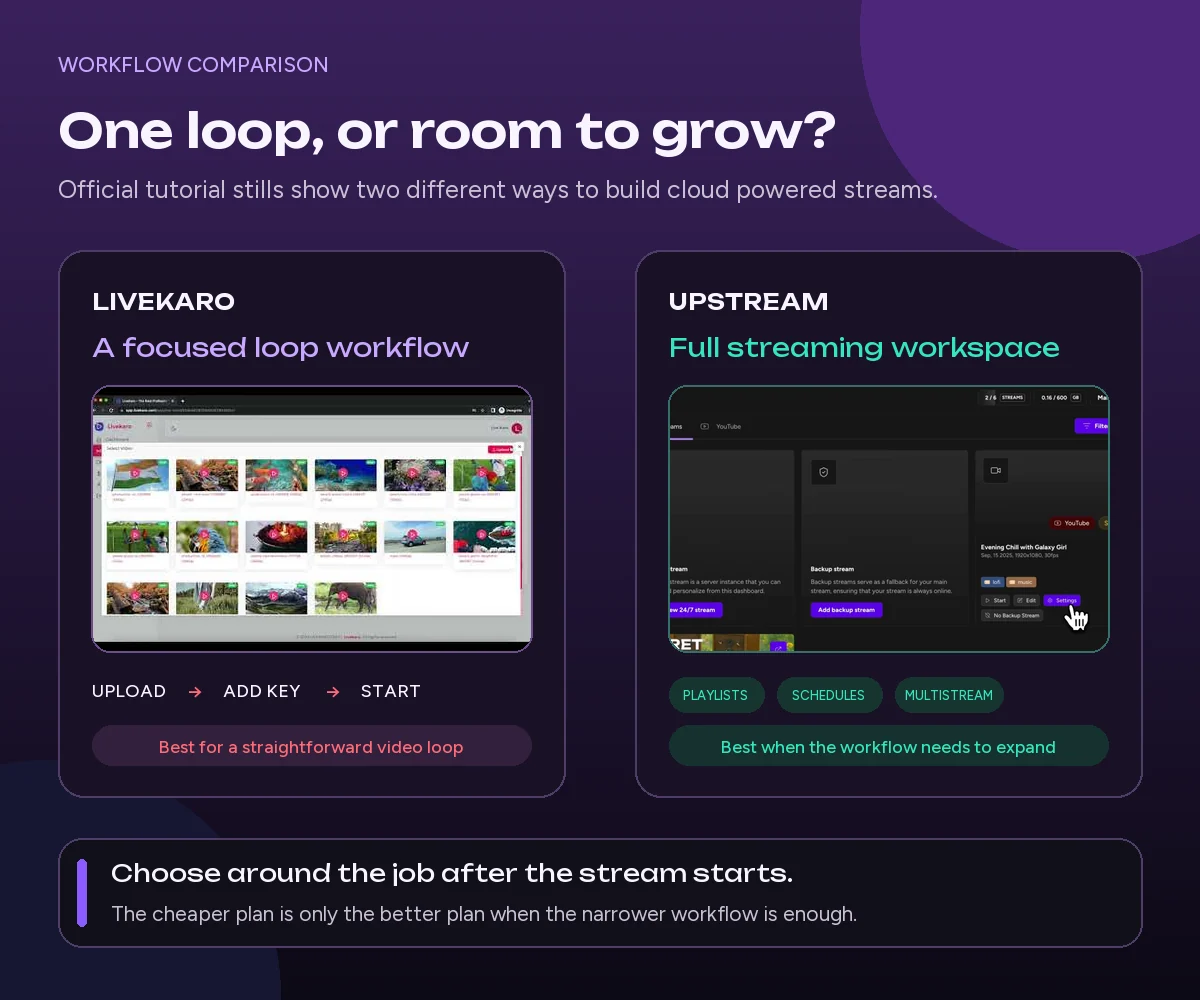
LiveKaro costs less if you just want to play a recorded video on repeat. Upstream is better if you also want to multistream, schedule streams, add graphics, invite live guests, work with a team, and automate tasks, all in one account.
Both services run your stream in the cloud, so you can turn off your computer once it starts. The main difference is what you can do with your streams. LiveKaro focuses on uploading videos and playing them on repeat. Upstream does that too, but also gives you a studio in your browser and more tools to create and manage your streams.
Upstream is our product. To keep this comparison useful, every feature and price below is based on the companies’ public pages checked on September 14, 2026.
LiveKaro vs. Upstream at a glance
| Category | LiveKaro | Upstream |
|---|---|---|
| Best for | Low-cost, pre-recorded video loops | Pre-recorded loops plus live production, design, multistreaming, and automation |
| Runs in the cloud | Yes | Yes |
| Computer can be turned off | Yes | Yes |
| 24/7 looping | Yes, on the Popular and Business plans | Yes, on all plans |
| Starting paid price | $0.79 per day for 720p, or $14.97 per month for 1080p | $30 per month for 1080p at 30 FPS, or $24 monthly equivalent billed yearly |
| Free option | You need to have 4000 subs and apply, Live Karo may grant it or not | No-questions-asked free plan with 24 streaming hours each month |
| Storage shown publicly | 8 GB per active slot on paid plans | 100 GB with each stream slot (150 for 4K streams) |
| Multistreaming | YouTube and Facebook are explicitly named; more simultaneous outputs use additional slots | Up to 10 of 30+ supported platforms from each stream |
| Browser live studio | 🚫 | Included, with guests, cameras, microphones, screen sharing, and external RTMP sources |
| Overlays and stream design | 🚫 | Stream Designer with text, images, video, websites, widgets, and custom fonts |
| Scheduling | 🚫 | Start, stop, and recurring schedules |
| API and AI assistant control | 🚫 | REST API and MCP tools are included on every plan |
Sources: LiveKaro YouTube channel and Upstream YouTube channel.
If price is your deciding factor and your workflow is only one 1080p loop, LiveKaro’s $14.97 monthly plan is less expensive. If you need to distribute one stream widely, move between recorded and live segments, or operate multiple programming tools from one dashboard, Upstream justifies its higher entry price with a much broader documented feature set.
What LiveKaro is built to do
LiveKaro is a cloud service for sending pre-recorded MP4 videos to live platforms. Its public workflow is simple:
- Create an account and choose a plan.
- Upload videos to the gallery.
- Add a stream key.
- Start the stream.
LiveKaro plays your uploaded videos on repeat from its own servers, so you do not need to keep your computer or streaming software running. It supports streaming to YouTube and Facebook, including both at the same time. Its FAQ says you can add active streaming slots to run more streams on the same platform or on different platforms.
Each paid plan includes one active streaming slot and 8 GB of storage per slot:
- Basic: $0.79 per day, with 720p video and streams lasting up to 24 hours.
- Popular: $14.97 per month, with 1080p video, no limit on stream length, and priority support.
- Business: $89.82 for six months, with the same main limits listed publicly.
LiveKaro is a good fit if you have a small video library and a simple goal: upload your videos, paste in a stream key, and keep them playing on repeat at a low monthly cost.
What Upstream adds beyond looping
Upstream also plays pre-recorded playlists in the cloud, but it offers more tools for creating and managing streams.
You can send each stream to up to 10 of 30+ supported platforms at once, including YouTube, Twitch, Facebook, TikTok, Kick, Rumble, and custom RTMP destinations. The browser-based Live Studio lets you use cameras and microphones, invite guests, share your screen, play video clips, and connect external streaming software or hardware.
For channels that run 24/7, Upstream lets you make changes while the stream is live:
- Change the playlist or reorder videos without stopping the stream.
- Use separate playlists for audio and video.
- Skip, replay, or jump to a specific item.
- Add images, text, videos, websites, widgets, and other layers with Stream Designer.
- Set streams to start, stop, or repeat on a schedule.
- Add short clips, jingles, and markers for YouTube ads.
- Give teammates viewer, editor, or manager access without sharing your password.
Developers can use the Live Streaming API to automate supported tasks for streams, schedules, media, queues, folders, tags, and destinations. The MCP server lets AI assistants use supported controls too. Both tools come with every plan, but some very reasonable API request limits still apply.
Upstream is a better fit if your channel starts with a simple video loop but later needs to switch to live video, add more visuals, reach more platforms, bring in teammates, or automate its schedule.
Pricing and free access
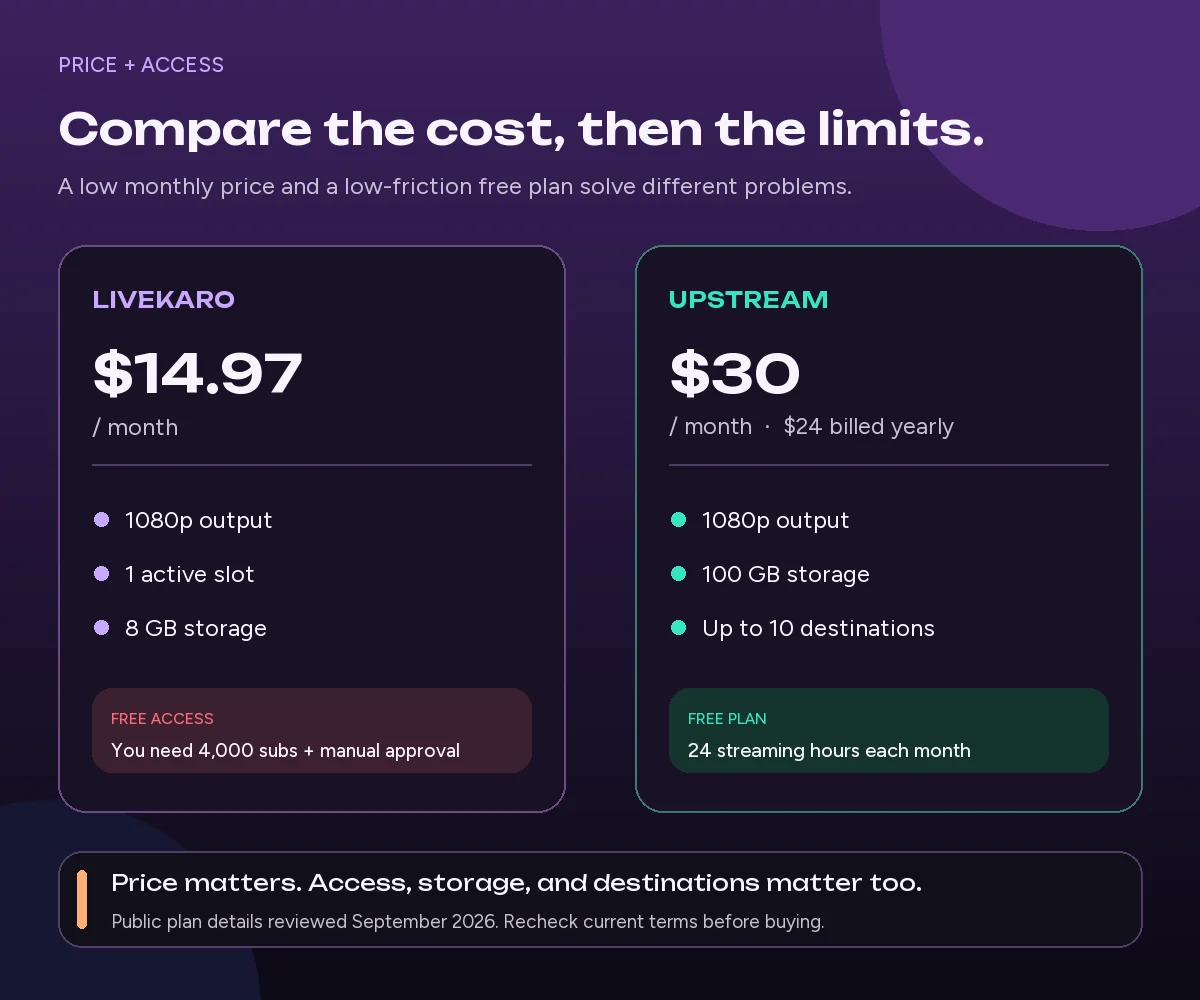
Sources: LiveKaro and Upstream public pricing information.
The better deal depends on what you need.
LiveKaro’s Popular plan costs $14.97 per month for one active streaming slot, 1080p video, and 8 GB of storage. Upstream costs $30 per month for one 1080p stream at 30 frames per second (FPS), or $24 per month when paid yearly.
Upstream lowers the price when you run more streams at the same time:
- Two streams: $50 per month.
- Three streams: $70 per month.
- Four or more streams: $20 per stream per month.
LiveKaro has the lower listed price for one simple, nonstop video loop. Upstream costs more but includes more tools to create streams and send them to different platforms. You do not need a higher plan to access features.
The free options work differently too. LiveKaro lists a 24-hour free trial, but the same page says trials are temporarily paused. Its FAQ also lists requirements, including more than 4,000 subscribers or followers, an account older than 60 days, and recent account activity.
Upstream’s pricing page lists a free plan that includes:
- One stream at a time.
- 24 streaming hours each month.
- 1080p video at 30 FPS.
- No watermark.
- No credit card needed.
The free hours reset every month. Paid plans remove the 24-hour monthly limit, and there are no bandwidth limits.
Either free option may work for a one-time test when available. For regular testing or a few broadcasts each month, Upstream’s monthly free hours are easier to understand and access.
Multistreaming and platform reach
This makes a big difference in everyday use.
LiveKaro says it can stream a pre-recorded video to YouTube and Facebook at the same time. You can also buy more slots to run additional streams.
Upstream explains this more clearly: each stream can send the same video feed to up to 10 of 30+ supported platforms at once. The cloud handles those extra streams, so adding destinations does not use more of your internet upload capacity. Your computer can stay off, too.
Along with its built-in platform options, Upstream supports any destination that accepts RTMP.
Live production, overlays, and channel control
LiveKaro focuses on playing pre-recorded MP4 videos on repeat. There is no live browser studio, guest invites, screen sharing, overlay design, separate audio and video playlists, live playback controls, or team roles.
Upstream includes all these tools. A recorded playlist can keep running while a host goes live through Live Studio. After the live segment ends, the playlist can return to the main screen. Stream Designer lets you add brand graphics, live data, websites, and widgets without stopping the stream.
LiveKaro can still be a good choice. It depends on whether you need a simple tool or more options. A creator who only wants a video loop may prefer fewer controls and a lower price. Music channels, online radio stations, worship streams, education channels, publishers, and agencies may get more value from Upstream’s scheduling, stream controls, and teamwork tools.
Automation and integrations
LiveKaro explains a manual dashboard workflow: upload content, set a stream key, and click Start. No API is available publicly.
Upstream supports three automation layers:
- The Studio for hands-on setup and operation.
- A REST API for software integrations and repeatable workflows.
- MCP tools for compatible AI assistants to inspect and control supported streaming resources.
This matters when a stream is part of a larger operation. An agency might create and tag media through an internal tool. A publisher might schedule recurring channels from a content system. An operator might ask an assistant to inspect stream status before changing a queue. Those are different needs from simply starting a loop, and they are a clear point of separation between the products’ public offerings.
Keep a live channel running 24/7.
Upload files, build a playlist, and let Upstream run continuous live playout from the cloud without OBS, a VPS, or an always-on computer.





Which one should you choose?
Choose LiveKaro if:
- Your main goal is one low-cost pre-recorded loop.
- You are satisfied with 8 GB of storage per slot.
- You primarily stream to YouTube and Facebook.
- You do not need publicly documented live guests, overlays, scheduling, team roles, or API access.
Choose Upstream if:
- You want separate audio and video playback
- You want to multistream one stream to as many as extra 10 destinations.
- You need a browser studio for podcasts, guests, cameras, screen sharing, or live takeovers.
- You want overlays, websites, widgets, separate playlists, or live queue control.
- You need recurring schedules, team access, an API, or AI assistant controls.
- You want a recurring free plan for testing and occasional use (24h/month).
- You want to change anything on the fly
LiveKaro has the lower listed price for a basic 1080p loop. Upstream is the more complete platform for creators and teams that want continuous playback, live production, multistreaming, and automation to work together.
If your requirements go beyond a single loop, start with Upstream’s free plan and test the full workflow with 24 streaming hours each month. No credit card is required. No minimum subscriber count (for the Live Karo free trial you need to have 4000 subs)
LiveKaro vs. Upstream FAQ
Is Upstream cheaper than LiveKaro?
No. Upstream costs more but includes more tools: 100 GB of storage, up to 10 destinations per stream, Live Studio, Stream Designer, scheduling, team access, and API and MCP tools for automation.
Can both services run without my computer?
Yes. Both services stream from cloud infrastructure after setup, so your personal computer does not need to stay on for a pre-recorded loop.
Which platform is better for multistreaming?
Upstream’s multistreaming offer is clearer and covers more platforms. Each stream can go to up to 10 of 30+ supported platforms at once, including major social platforms and custom RTMP destinations.
LiveKaro says it can stream to YouTube and Facebook at the same time, and you can buy more active streaming slots. However, it does not publish a full list of supported destinations or say how many destinations each stream can reach.
Does LiveKaro have a free plan?
Live Karo requires 4000 subs, and there is a manual confirmation by Live Karo staff. Upstream offers 24 streaming hours every month on a recurring free plan with no credit card, no minimum sub count, and no waiting time for confirmation. You could be streaming in minutes.
Turn recordings into live streams.
Upload videos, schedule them as live events, or keep a channel running up to 24/7 without staying on camera or leaving a computer online.



Will a 24/7 loop increase YouTube revenue?
Streaming is a great way togive people more chances to watch for longer and discover you better, but neither service can promise views or earnings. Use great original content you have the rights to stream, and create a dynamic streaming experience, rahter than just a 24/7 pre recorded loop.