Upstream
Upstream
  • Product
    24/7 Live Streaming Run cloud channels that stay live around the clock. Live Studio Invite guests, share screens, and add branded overlays in the browser. Multistreaming Send one live feed to YouTube, Twitch, Kick, and RTMP endpoints. Pre-recorded Live Streaming Upload pre-recorded videos & Go Live without the stress of live production. Free plan 24 hours a month with no watermark. Multi-channel streaming Separate live channels from one account. Enterprise Setups for teams, labels and agencies. About Upstream Who we are and how Upstream works.
  • Features
    Scheduling Streams that start and end on their own. Multichat Every platform's chat in one feed. Overlays Layers and widgets in Stream Designer. Stings, jingles and ads Inserts that play between your videos. Playback controls Skip or play any file while you stay live. Audio and video playlists Loop music and visuals separately. Team access Invite your team, each with their own role. RTMP server Stream in from OBS or any encoder. Live Streaming API Run streams, media and queues from code. MCP Server Manage streams from your AI assistant. All features Everything Upstream does, on one page.
  • Platforms
    YouTube live streaming Twitch live streaming Kick live streaming Facebook live streaming Instagram live streaming TikTok TikTok live streaming Rumble live streaming Mixcloud live streaming 30+ more Plus any custom RTMP or SRT destination.
    Platform limits Bitrate and duration caps for each platform. Integrations Setup guides for OBS, vMix, cameras and more. VTuber Streaming Go live with your avatar on every platform.
  • Resources
    Blog Guides, platform rules and news for anyone who goes live. Guides Setup guides for 24/7 streams, multistreaming and RTMP. Release Notes The new features in each Upstream update, in one place. Free Tools Video, audio, thumbnail and AI tools, plus camera and mic checks. Helpdesk Step by step setup help and troubleshooting for Upstream. Live Streaming FAQ Short answers to what people ask before they go live. Compare Upstream Upstream side by side with Restream, StreamYard and others. Latest post YouTube Shorts Bonus Program: Who Gets Invited and How It Pays
  • Pricing
Login Sign up for free
Always-on 24/7 Live Streaming Run cloud channels that stay live around the clock.
Explore
Real-time live Live Studio Invite guests, share screens, and add branded overlays in the browser.
Explore
One stream, 30+ platforms Multistreaming Send one live feed to YouTube, Twitch, Kick, and RTMP endpoints.
Explore
Schedule & Automate Pre-recorded Live Streaming Upload pre-recorded videos & Go Live without the stress of live production.
Explore
Free plan 24 hours a month with no watermark.
Multi-channel streaming Separate live channels from one account.
Enterprise Setups for teams, labels and agencies.
About Upstream Who we are and how Upstream works.
Scheduling Streams that start and end on their own. Multichat Every platform's chat in one feed. Overlays Layers and widgets in Stream Designer. Stings, jingles and ads Inserts that play between your videos. Playback controls Skip or play any file while you stay live. Audio and video playlists Loop music and visuals separately. Team access Invite your team, each with their own role. RTMP server Stream in from OBS or any encoder.
Live Streaming API Run streams, media and queues from code.
MCP Server Manage streams from your AI assistant.
All features Everything Upstream does, on one page.
YouTube live streaming. 24/7 channels with midroll ads. Twitch live streaming. Streams restart on their own at 48 hours. Kick live streaming. Stay live with your computer off. Facebook live streaming. Schedule lives that start on their own. Instagram live streaming. Go live from your browser or the cloud. TikTok TikTok live streaming. Go live on TikTok and Instagram at once. Rumble live streaming. Add Rumble to your YouTube or Kick stream. Mixcloud live streaming. DJ sets and radio shows from your browser. 30+ more Plus any custom RTMP or SRT destination.
Platform limits Bitrate and duration caps for each platform.
Integrations Setup guides for OBS, vMix, cameras and more.
VTuber Streaming Go live with your avatar on every platform.
Blog
Guides
Release Notes
Free Tools
Helpdesk
Live Streaming FAQ
Compare Upstream
YouTube Shorts Bonus Program: Who Gets Invited and How It Pays YouTube Shorts Bonus Program: Who Gets Invited and How It Pays
Release Notes

Multistreaming: Now Available to Everyone

Written by Mario Jankovic May 27, 2025 · Updated October 15, 2026 · 2 min read
  1. Effortless Multistreaming
  2. Multiple Destinations, Unlimited Possibilities
  3. Up to 10 Destinations per Stream
  4. Full Feature Integration

Upstream can now multistream! From OBS or from our servers. After extensive testing and refinement, this powerful feature is ready for everyone to use. You can now broadcast your content simultaneously across multiple platforms and channels with multistreaming software that maximizes your reach without any additional complexity in your streaming workflow.

Effortless Multistreaming

Gone are the days of choosing between platforms or running separate streams. With multistreaming, your single source stream can now reach audiences on YouTube, Twitch, Instagram, Facebook, and any other RTMP compatible platform simultaneously. Whether you’re building your presence across different networks or want to ensure you never miss an audience, multistreaming removes the barriers between you and your viewers.

/dist/uploads/2025/05/intro.mp4

Multiple Destinations, Unlimited Possibilities

The flexibility extends beyond just different platforms. You can stream to multiple YouTube channels simultaneously, perfect for creators managing brand channels, gaming channels, or different content verticals. Send your main content to your primary channel while simultaneously broadcasting to your gaming channel, music channel, or any combination that fits your strategy.

Cloud multistreaming

Stream everywhere from one feed.

Send one live feed to Upstream and let the cloud deliver it to YouTube, Twitch, Kick, Facebook, and custom RTMP without making your upload connection carry every copy.
Sign up for free See multistreaming features
2 / 10 on stage
MiaLeo
SourceStagePeopleBackstageChatDestinationsTriggers
Destinations

Where this stream goes when it is live.Streaming to 5 destinations.

  • Lofi HoursPrimary destinationChatReadyStartingStreaming
  • lofihoursMultistream destinationChatReadyStartingStreaming
  • lofihoursMultistream destinationChatReadyStartingStreaming
  • Lofi HoursMultistream destinationReadyStartingStreaming
  • TikTokMultistream destinationReadyStartingStreaming
Manage destinations
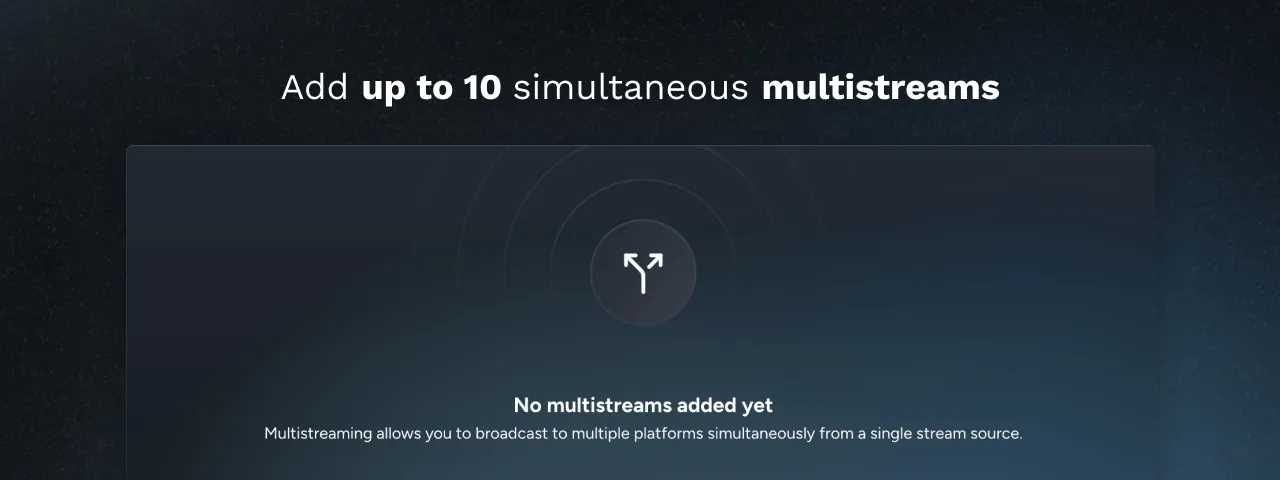
Add up to 10 simultaneous multistreaming platforms

Up to 10 Destinations per Stream

Every Upstream stream can send to up to 10 of 30+ supported platforms at once. That’s enough to reach every corner of your audience, whether you’re a content creator, brand, or enterprise broadcaster.

/dist/uploads/2025/05/multistreams-1.mp4

Full Feature Integration

Multistreaming works by sending your exact stream signal to multiple destinations simultaneously. This means every platform receives identical content: your Stream Designer layouts, playlists, overlays, and all visual elements appear exactly the same across all destinations. Viewers on YouTube, Twitch, or Instagram will see the same professional stream you’ve crafted. Our backup stream technology ensures reliability across every platform.

New Features

  • Simultaneous broadcasting to up to 10 destinations from a single source
  • Support for multiple platforms from a single source: YouTube, Twitch, Instagram, Facebook, and RTMP
  • OBS Ingest and re-streaming
  • Multiple channel support within the same platform
  • Full integration with Stream Designer, backup streams and all existing features
  • Active stream monitoring across all sources
  • Intuitive setup process with streamlined destination management

This rollout represents the completion of extensive beta testing and optimization. We’re giving creators and businesses the proven tools to build their presence everywhere their audience exists, all from one powerful platform.
Published May 27, 2025
Mario Jankovic

About the author

Mario Jankovic

Product and Engineering

Mario Jankovic co-founded Upstream and runs product and engineering. He writes about running live streams from the cloud: 24/7 channels, multistreaming and Live Studio, and what we learn building them.

Keep exploring

Further reading

Browse all articles
October Update: Multi-chat, 60 fps OBS Streams and AI Connectors
Oct 15, 2026 Release Notes

October Update: Multi-chat, 60 fps OBS Streams and AI Connectors

Read article
Fall Update: Kick Connect, Saved Destinations, Demo Streams and Link Imports
Oct 1, 2026 Release Notes

Fall Update: Kick Connect, Saved Destinations, Demo Streams and Link Imports

Read article
Upload HEVC and MOV Videos and Re-encode Them in Upstream
Aug 20, 2026 Release Notes

Upload HEVC and MOV Videos and Re-encode Them in Upstream

Read article

Start streaming today

Go live to every platform, run a 24/7 channel, and produce live shows in your browser, with no software or server setup.

No credit card 24 hours/month free Full functionality
Start Streaming Free
Upstream

Run your streams from the cloud

Free plan: 24 streaming hours a month, no card, no watermark.

4.5 · 242 reviews on Trustpilot
Legal entity
Zukunft d.o.o.
Registered address
Groznjanska 32, 10000 Zagreb
Company VAT ID
Company VAT ID: HR62560895839
About | Contact us | Tools | Content standards | Privacy Policy | Terms of Service | Affiliate terms |

Product

  • Pricing
  • Upstream Features Overview
    • Multistreaming
    • Separate Audio and Video
    • Overlays: Stream Designer
    • Live Streaming Studio
    • Scheduling & Automation
    • Live Playback Controls
    • Play Stings, Jingles and Ads
    • Team Access
  • Enterprise Broadcasting Solutions

Resources

  • Helpdesk
  • Live Streaming FAQ
  • Blog
  • Release Notes
  • Live Streaming API
  • MCP Server
  • Free Live Streaming
  • YouTube Live Streaming
  • RTMP Server
  • Supported Platforms
  • Live Streaming Limits
  • Integrations

Compare Us

  • Compare Upstream
    • Upstream vs Runnel.live
    • Upstream vs OneStream
    • Upstream vs Live247
    • Upstream vs Gyre
    • Upstream vs Streaming Bots
    • Upstream vs Restream
    • Upstream vs StreamYard
    • Upstream vs LiveReacting
    • Upstream vs Playout.video

Free Tools

  • Design tools
  • Video tools
  • Audio tools
  • AI tools
  • Setup checks

Use cases

  • For Creators
  • For Music Labels
  • Church Streaming
  • VTuber Streaming
  • Multi-Channel Streaming

© 2026 Upstream. All rights reserved.

Stream once - reach every platform.

Sign up for free