You can't host another channel on Twitch right now. Twitch removed host mode on October 3, 2022, and the /host command stopped working that day. At TwitchCon San Diego on November 13, 2026, Twitch said hosting is coming back later this year as a test. Until it reaches your channel, a raid sends your viewers to another streamer, and suggested channels show other streamers on your offline page.
We read Twitch's announcement and its help pages on November 14, 2026.
What Twitch announced at TwitchCon
The new hosting lets you show another live channel on your own channel page while you're offline. Your viewers get something to watch, and the channel you host gets seen by your community.
The new part is the chat. Twitch says "both communities will share a single Chat". Viewers pick between two views. One is a combined chat where messages are labeled with the channel they came from. The other shows only messages from the community of the channel doing the hosting.
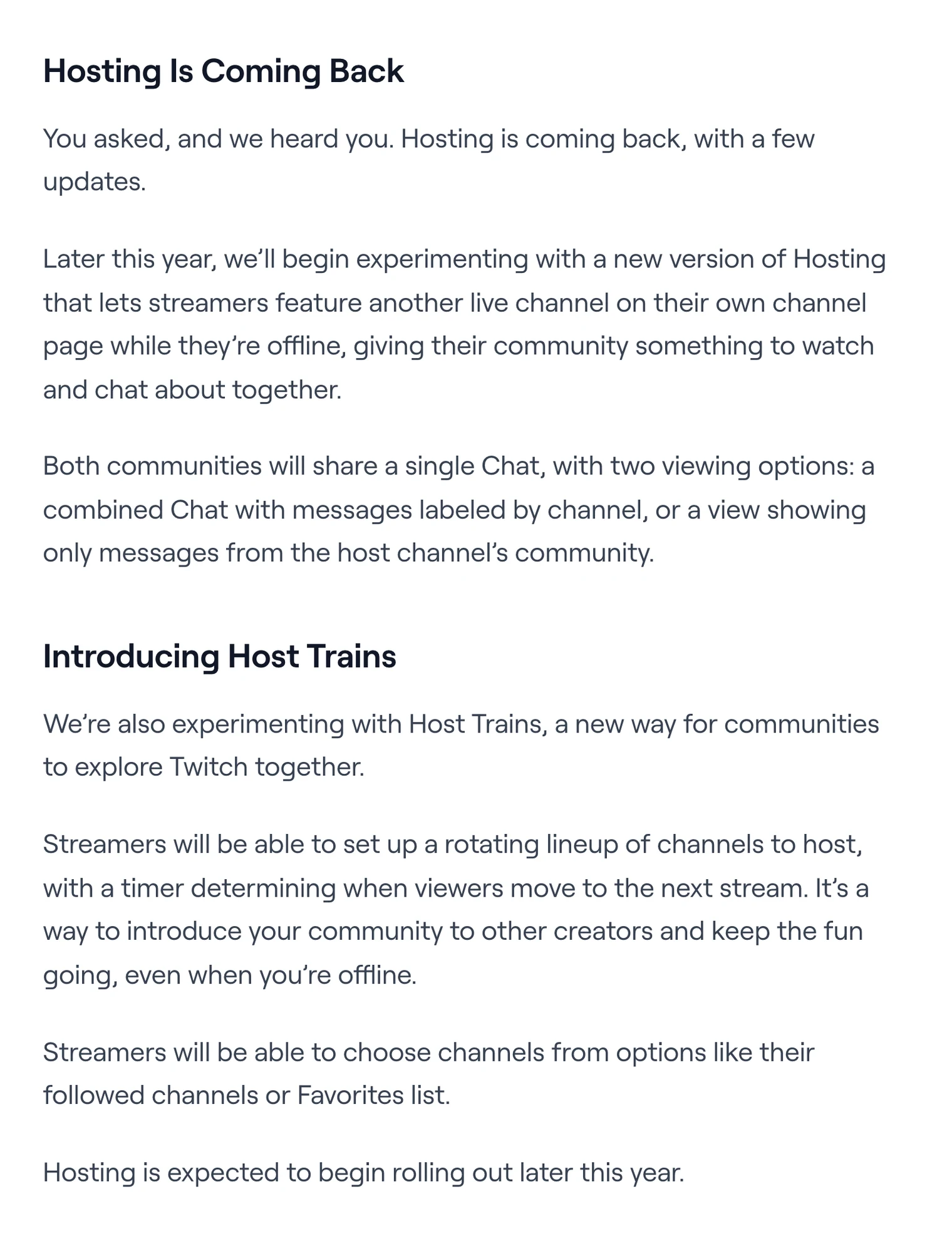
Twitch calls this an experiment and says it expects hosting to start rolling out later this year. It hasn't said which channels get it first, where the setting will be, or whether the /host command returns.
How host trains will work
A host train is a lineup of channels that your page hosts one after another. You set up the rotation, and a timer decides when your viewers move on to the next stream.
Twitch says you'll choose the channels from options like the channels you follow or your Favorites list. It hasn't shared how long each stop lasts or how many channels fit in one train. Host trains are part of the same test as hosting.
Old host mode and the new hosting compared
| Host mode (2014 to 2022) | New hosting (test, late 2026) | |
|---|---|---|
| How you start it | /host in chat, the Host Channel quick action, or an autohost list | Not announced yet |
| When it shows | After you hosted a channel, or from your autohost list | While you're offline |
| Chat | Viewers couldn't interact with the streamer they were watching | One shared chat, combined or host channel only |
| More than one channel | An autohost list picked the channel for you | Host trains rotate through a lineup on a timer |
| Status | Removed on October 3, 2022 | Expected to start later in 2026 |
Why Twitch removed host mode in 2022
Twitch removed host mode because hosted viewers couldn't talk to the streamer they were watching. Its help page says viewers "want to interact with a streamer when they're live and host mode blocks this from happening". Twitch also said this held back the hosted streamer, who couldn't build a connection with the new viewers.
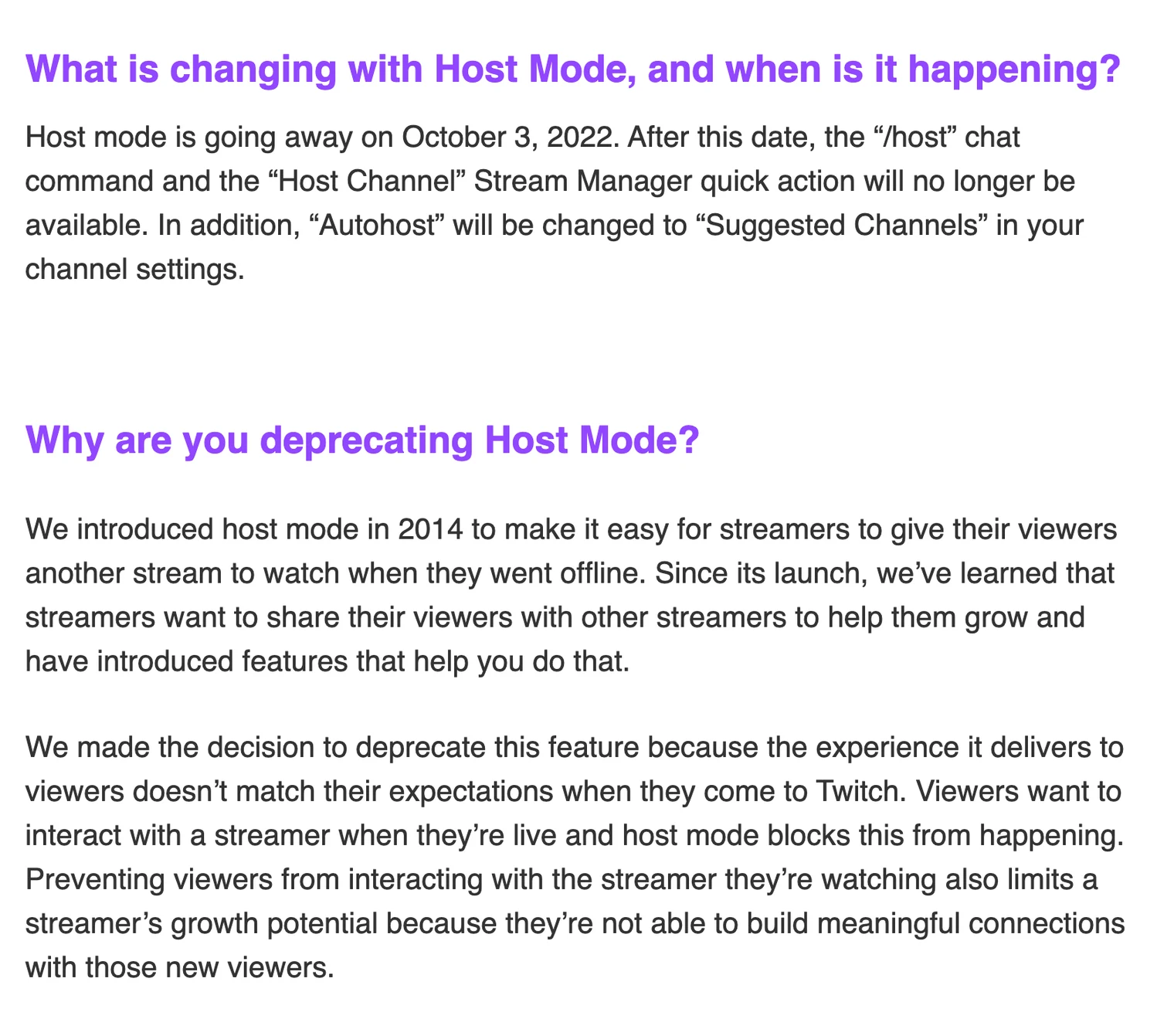
The shared chat in the new version answers that complaint. Viewers from both channels land in the same chat, so the hosted streamer can talk to them.
What to use until hosting reaches your channel
Raids send your viewers to another channel when you end a stream. Suggested channels put other streamers on your page while you're offline. Both work today on any channel, and you don't need to be an Affiliate or Partner.
Raid a channel when you end your stream
- In your chat, type /raid and the channel name, like /raid TwitchPresents.
- If you haven't picked a channel, click the Raid Channel quick action in your Creator Dashboard, or type /raidbrowser. It lists live channels you follow, channels in your category and channels that raided you in the last 30 days.
- A countdown shows at the top of chat. Viewers can opt out before it ends.
- After 10 seconds, click Raid Now. If you don't click, the raid starts when the countdown bar runs out.
Everyone connected to your chat moves to the other channel, and its chat gets a message with the number of raiders. You can type /raid from the Twitch mobile app, but the raid browser isn't in the app. A raid can fail if the other channel limits who can raid it.
Add suggested channels to your offline page
Suggested channels show a list of channels you picked on your offline channel page. Twitch made the feature out of the old autohost list in 2022. The channels don't play as a live stream on your page the way host mode did.
- Open your Creator Dashboard and click Settings.
- Click Channel, then Featured Content.
- Select Suggested Channels.
- Use the search box to add channels, then drag them into the order you want.
Suggested channels are on by default, so the list is the only thing to set up. You can also let Twitch order the list per viewer.
While you're live, /shoutout and a channel name puts a follow button for that channel in your chat. Your viewers can follow it without leaving your stream.
Twitch's terms still bar merged chat on a multistream
With the new hosting, Twitch itself will put two communities into one chat and label the messages by channel. A combined chat for a multistream looks the same, only the second community is on YouTube or Kick.
Twitch's Terms of Service still say that when you simulcast you may not use third-party services that combine activity from other platforms on your Twitch stream, "such as merging chat". Twitch CEO Dan Clancy said in February 2026 that Twitch would no longer take enforcement action for showing combined chat. The written rule hasn't changed since.
We think Twitch should remove that rule. If one labeled chat for two communities works for hosting, it works for a multistream. Our guide to Twitch's unified chat rules has the full wording and what's allowed today.
A channel that stays live doesn't need a host
Hosting fills your page while you're offline. A channel that's live at 3 a.m. has its own stream on the page, and it's also one of the channels other streamers can raid or host at that hour.
Upstream.so keeps a channel live from our servers while your computer is off. 24/7 and scheduled streams play your videos as a live stream. Twitch ends a broadcast at 48 hours, and Upstream.so reconnects on its own, so viewers see a short break.
With multistreaming, the same stream goes to up to 10 of 30+ platforms at once. Twitch, YouTube, Kick and Rumble chat come into one feed in Live Studio, and you can reply to Twitch, YouTube and Kick from one box.
You can start on the free plan, which includes 24 streaming hours a month at 1080p30.
Go live from your browser.
Invite guests, share screens, build scenes, and add overlays without installing or wiring together another production stack.


Sources
Twitch blog: More Ways to Create, Connect, and Play: TwitchCon San Diego 2026 (November 13, 2026). Twitch Help: How to Use Suggested Channels, How to Use Raids and Simulcasting Guidelines FAQ. Twitch Terms of Service, section 11 (last modified August 12, 2026). All read on November 14, 2026.