01 Cloud playout
Stream pre-recorded video.
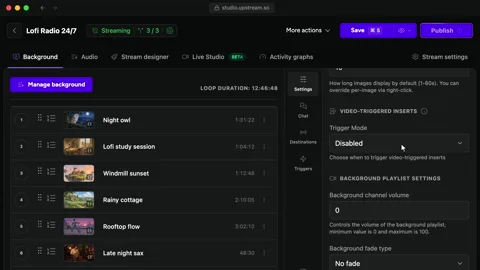
Upload videos, put them in order and Upstream streams them live. Your computer can be off the whole time.
Explore pre-recorded streamingNo watermark, nothing to install and no credit card. Stream 24 hours a month in 1080p to up to 10 platforms at once.
Officially certified YouTube
Recommended by Alan Spicer · YouTube Certified Expert
What you can do for free
Play your videos as a live stream, send it to every platform you use and go live on the schedule you set.
01 Cloud playout
Upload videos, put them in order and Upstream streams them live. Your computer can be off the whole time.
Explore pre-recorded streaming02 Multistreaming
Send one stream to YouTube, Twitch and Kick at the same time. Multistreaming is included on the free plan.
Explore multistreaming03 Scheduling
Pick a start time and Upstream goes live on time. On YouTube the stream shows as Upcoming so viewers can set a reminder.
See schedulingCompare
Six things free streaming plans often limit, and how the Upstream free plan handles each one.
One stream at a time in 1080p. Paid plans start at $30 a month.
Compare plans| Limit | Typical free plan | Upstream |
|---|---|---|
| Watermark | Their logo on your stream | None |
| Credit card | Asked for before you start | Not needed |
| Time limit | A trial that ends | 24 hours, every month |
| Multistreaming | A paid add-on | Up to 10 destinations |
| Features | A cut-down version | The full feature set, same as paid |
| Storage | A few sample files | 100 GB |
Go live yourself
Go live with a camera, guests and your own overlays. There is no OBS to set up and nothing to install.
Preview. Start the stream to go live.

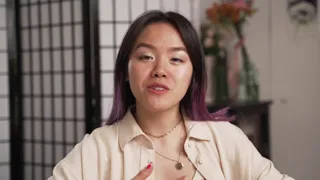

Invite guests and manage participants
Share this link with guests to join your stream
Used: 2 times
Approve waiting participants and manage active guests
Leo
On air
Mia (You)
Host · On air
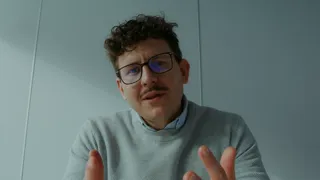
Invite guests and manage participants
Share this link with guests to join your stream
Used: 2 times
Approve waiting participants and manage active guests
Leo
On air
Mia (You)
Host · On air
Invite guests and manage participants
Share this link with guests to join your stream
Used: 3 times
Approve waiting participants and manage active guests
Sam
Waiting
Leo
On air
Mia (You)
Host · On air
Invite guests and manage participants
Share this link with guests to join your stream
Used: 3 times
Approve waiting participants and manage active guests
Sam
Ready
Leo
On air
Mia (You)
Host · On air
Invite guests and manage participants
Share this link with guests to join your stream
Used: 3 times
Approve waiting participants and manage active guests
Sam
On air
Leo
On air
Mia (You)
Host · On air
Live Studio
Guests join from their browser. Share a screen, pick a layout and send the show to your platforms.
Explore Live StudioChat
Show chat from every platform in one overlay, so you can answer viewers wherever they are watching. Check Twitch's simulcast rules before you show it there.
See all featuresOverlays
Design overlays in Stream Designer and insert stings or jingles while the stream runs.
Explore overlaysIncluded
Nothing is locked. The free plan is limited to 24 hours a month, one stream at a time and 1080p at 30 fps.
Setup
01 Sign up
Sign up with your email or Google. There is no card to add and no trial to cancel.
Create a free account02 Content
Upload videos for a scheduled stream, or open Live Studio and stream from your browser.
Explore Live Studio03 Destinations
Connect YouTube, Twitch or Kick without a stream key. For Facebook or any other RTMP server, paste the stream key once.
See supported platformsReviews
Start on the free plan. Upgrade when you need more than 24 hours a month or more than one stream at a time.
4.6 245 reviews on Trustpilot Marc Ryan
When you need more
A stream that never stops uses about 720 hours a month, so a 24/7 channel needs a paid plan. Paid plans start at $30 a month and add more streams at once, 60 fps and 4K.
Compare plansFAQ
Quick answers about streaming with Upstream. Browse the full FAQ for setup guides and platform-specific help.
 Latest post
YouTube Dual Stream: What the Vertical Copy Does and How to Turn It Off
Latest post
YouTube Dual Stream: What the Vertical Copy Does and How to Turn It Off