Upstream
Upstream
  • Product
    24/7 Live Streaming Run cloud channels that stay live around the clock. Live Studio Invite guests, share screens, and add branded overlays in the browser. Multistreaming Send one live feed to YouTube, Twitch, Kick, and RTMP endpoints. Pre-recorded Live Streaming Upload pre-recorded videos & Go Live without the stress of live production. Enterprise Broadcasting setups for teams, labels, and agencies. Free plan 24 hours a month with no watermark.
  • Features
    Scheduling Streams that start and end on their own. Multichat Every platform's chat in one feed. Overlays Layers and widgets in Stream Designer. Stings, jingles and ads Inserts that play between your videos. Playback controls Skip or play any file while you stay live. Audio and video playlists Loop music and visuals separately. Team access Invite your team, each with their own role. RTMP server Stream in from OBS or any encoder. Live Streaming API Run streams, media and queues from code. MCP Server Manage streams from your AI assistant. All features Everything Upstream does, on one page.
  • Platforms
    YouTube live streaming Twitch live streaming Kick live streaming Facebook live streaming Instagram live streaming TikTok TikTok live streaming Rumble live streaming Mixcloud live streaming 30+ more Plus any custom RTMP or SRT destination.
    Platform limits Bitrate and duration caps for each platform. Integrations Setup guides for OBS, vMix, cameras and more.
  • Resources
    Blog Guides and ideas for live streams. Release Notes What's new in Upstream. Free Tools Video, audio and setup tools. Helpdesk Setup help and troubleshooting. Live Streaming FAQ Quick answers about going live. Compare Upstream Upstream vs Restream and more.
  • Pricing
Login Sign up for free
Always-on 24/7 Live Streaming Run cloud channels that stay live around the clock.
Explore
Real-time live Live Studio Invite guests, share screens, and add branded overlays in the browser.
Explore
One stream, 30+ platforms Multistreaming Send one live feed to YouTube, Twitch, Kick, and RTMP endpoints.
Explore
Schedule & Automate Pre-recorded Live Streaming Upload pre-recorded videos & Go Live without the stress of live production.
Explore
Enterprise Broadcasting setups for teams, labels, and agencies. Explore Free plan 24 hours a month with no watermark. Explore
Scheduling Streams that start and end on their own. Multichat Every platform's chat in one feed. Overlays Layers and widgets in Stream Designer. Stings, jingles and ads Inserts that play between your videos. Playback controls Skip or play any file while you stay live. Audio and video playlists Loop music and visuals separately. Team access Invite your team, each with their own role. RTMP server Stream in from OBS or any encoder.
Live Streaming API Run streams, media and queues from code.
MCP Server Manage streams from your AI assistant.
All features Everything Upstream does, on one page.
YouTube live streaming. 24/7 channels with midroll ads. Twitch live streaming. Streams restart on their own at 48 hours. Kick live streaming. Stay live with your computer off. Facebook live streaming. Schedule lives that start on their own. Instagram live streaming. Go live from your browser or the cloud. TikTok TikTok live streaming. Go live on TikTok and Instagram at once. Rumble live streaming. Add Rumble to your YouTube or Kick stream. Mixcloud live streaming. DJ sets and radio shows from your browser. 30+ more Plus any custom RTMP or SRT destination.
Platform limits Bitrate and duration caps for each platform.
Integrations Setup guides for OBS, vMix, cameras and more.
Blog Guides and ideas for live streams. Release Notes What's new in Upstream. Free Tools Video, audio and setup tools. Helpdesk Setup help and troubleshooting. Live Streaming FAQ Quick answers about going live. Compare Upstream Upstream vs Restream and more.
Blog

Hello Team Access, Goodbye Password Sharing

Written by Bojan Opacak October 20, 2025 · Updated October 10, 2026 · 5 min read
  1. Teamwork Behind Live Streaming
  2. Three Team Roles, No Compromises
  3. Real World Examples
  4. Secure Teamwork with 2FA
  5. Streaming Software for Great Teams
  6. Time To Assemble Your A-Team

Team access is now available on Upstream. This means you can finally stop logging in and out and sharing your password 🙂

Last month we talked to a long-time Upstream user who manages multiple 24/7 streams for a few different artists. When we asked him about the biggest challenge with Upstream, he immediately said: “I’m the bottleneck.” His clients want to keep an eye on their streams. The designers need to update visuals. The video editors have new content for uploading. But there’s only one Josh, and he’s stuck doing everything, and he definitely wasn’t going to share his login credentials with all of them.

Sound familiar?

Today, that changes.
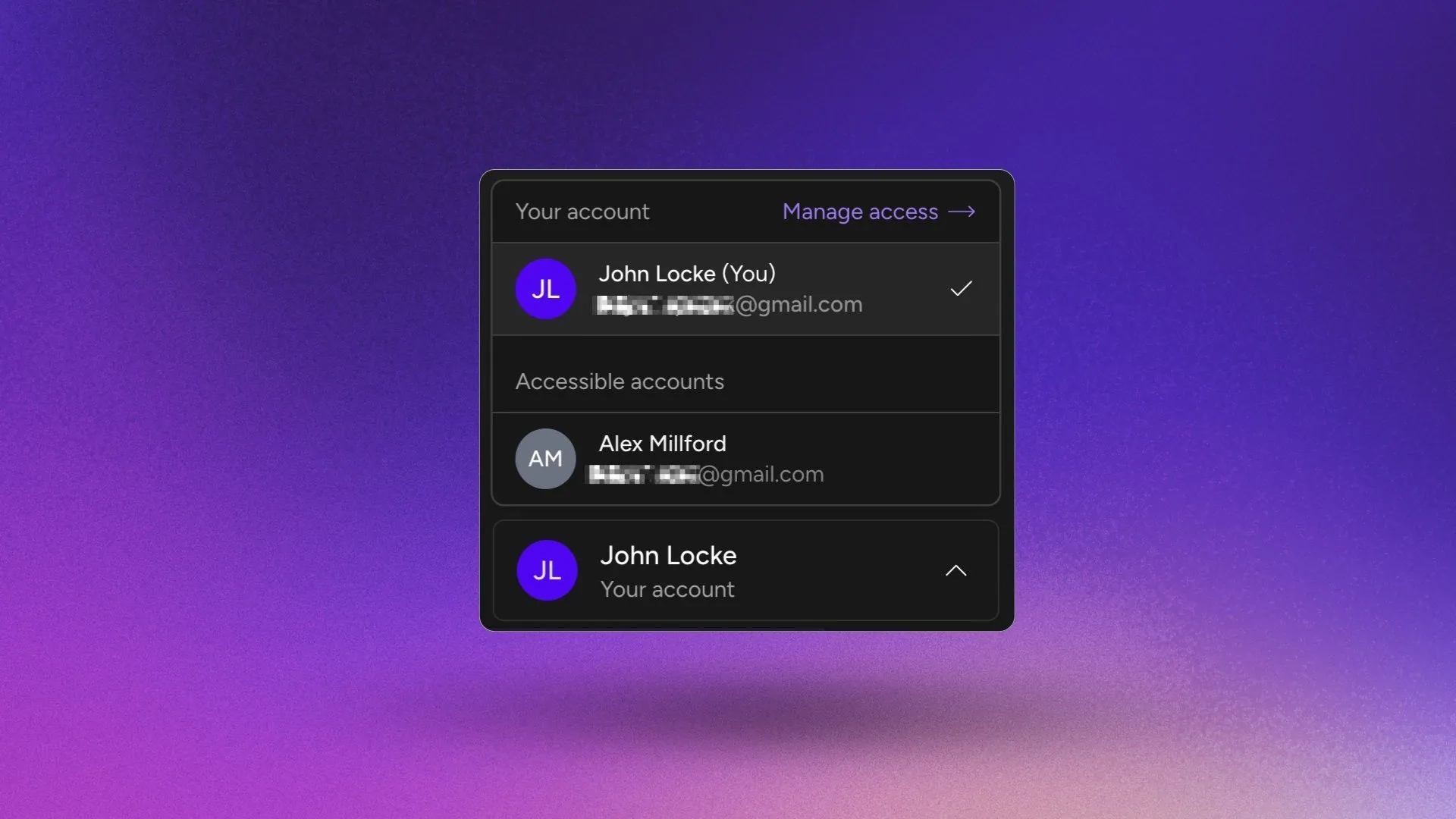
Team Box

Teamwork Behind Live Streaming

Here’s what we’ve learned from thousands of Upstream users: streaming success isn’t a solo affair.

“I have to share my login with my video editor so he can upload directly, but then they can see my billing information.”

“My client wants to be able to check on their 24/7 stream, but I don’t want to give them full access to change everything or anything, really.”

“I’m managing streams for 5 different accounts, and everyone keeps asking me to make small changes. I log in and out of accounts all the time and it’s really annoying.”

The reality is that streaming isn’t a solo sport anymore. Agencies work with multiple clients. Labels collaborate across teams. Even solo creators bring in designers, editors, and managers, or other creators. But until now, collaboration on Upstream meant compromising on privacy, security or control.

The workarounds are messy, we found out. Some creators share passwords via text message. Others have to constantly log in and out of different accounts. A few resort to screen-sharing sessions just to update or troubleshoot an overlay.

It’s inefficient, it’s insecure, and we had to make it better and easier. We built Upstream to help creators, agencies, and labels grow their streaming operations without too much hassle. Team Access is the next step in that mission: adding collaboration to Upstream’s core.
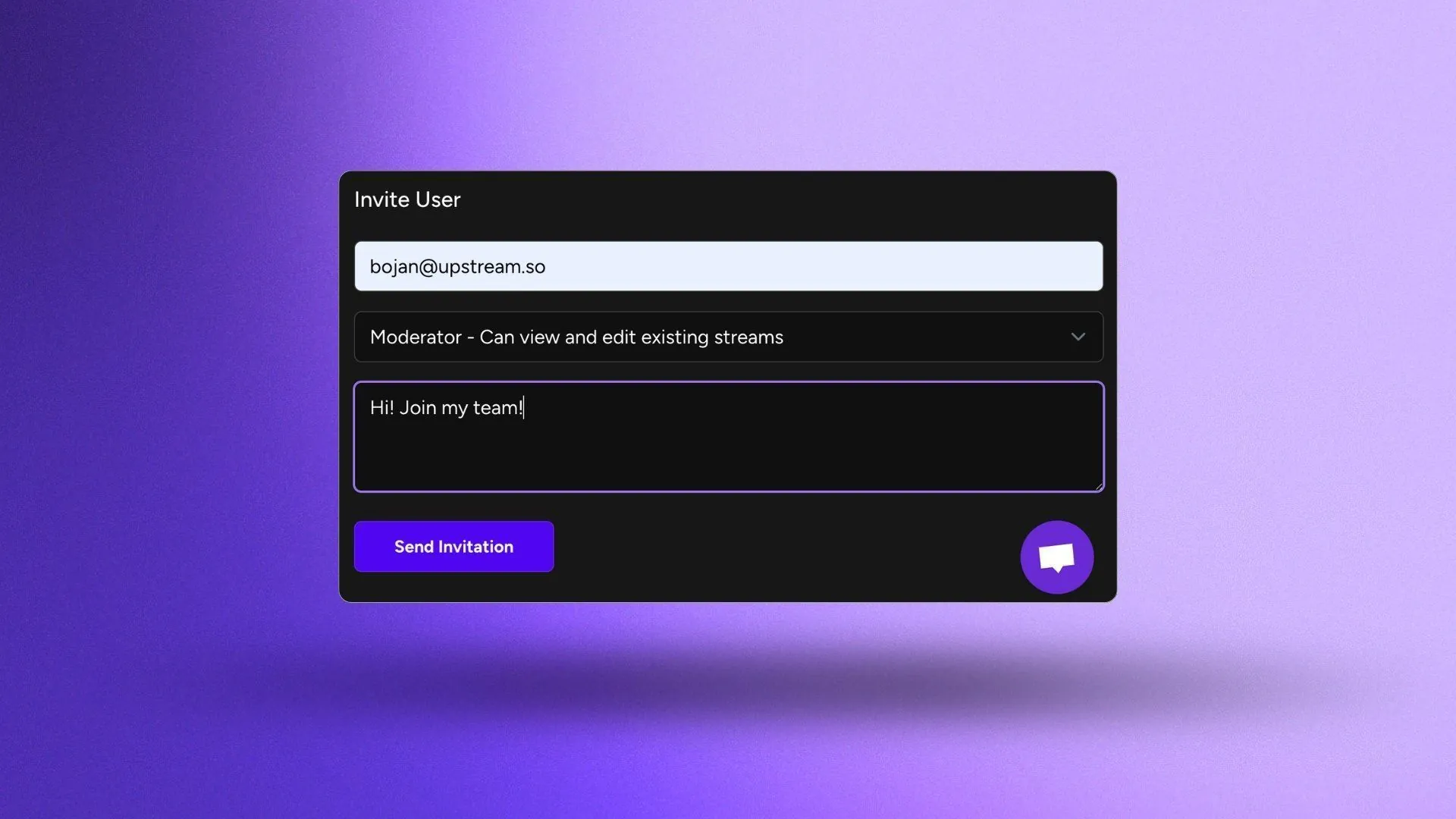
Invite User

Build in the cloud

Build the stream in the cloud.

Schedule videos, produce browser-based live shows, or send one feed to multiple platforms from the same Upstream workflow.

Sign up for free See the platform

Three Team Roles, No Compromises

Team Access introduces three permission levels designed around how most streaming teams actually work:

View Only gives clients and stakeholders eyes on the action without the anxiety of accidental changes. They can see live stream content, playlists, technical setup, and schedules. That’s it. No uploads, no changes, no access to billing.

Moderator empowers your content-people. Designers can customize streams in the stream designer. Editors manage your media library, playlist and schedule content. They can configure destinations, multistreaming, RTMP keys, and update overlays. They have the creative freedom to do their job without the ability to create new streams, manage team members, or touch account settings and billing.

Manager is for your trusted co-pilots who run operations alongside you. They can do everything Moderators can do, plus create new streams, invite and remove team members and manage permissions. The only thing that managers can’t do is view and change billing settings or upgrade and downgrade the account.

You yourself always retain complete control, including the ability to change anyone’s permissions or revoke access instantly.

Real World Examples

If you’re an agency running multiple streams across different accounts, this is how you assign dedicated team members to specific accounts while maintaining oversight across everything from your own account.

If you’re scaling a music label, this is how you let artists and their managers see the content while your production team handles uploading, technical work, and design, all without constant back-and-forth.

If you’re a creator building a team, this is how you stop being the bottleneck. Bring on the help you need (designers, editors, managers) without sharing your password or worrying about accidental changes to critical settings and billing info.

If you work with clients, give them View Only access so they can monitor their streams while your team manages everything behind the scenes with Moderator and Manager access. No more “can you check on my stream?” messages clogging your inbox.

The pattern we keep seeing: our most successful users aren’t the ones doing everything themselves. They’re the ones who’ve built teams and systems. Team Access makes that possible without the security nightmare of shared credentials.

Secure Teamwork with 2FA

Every collaboration tool claims to be secure. Here’s what that actually means with Team Access:

Your billing information stays yours (except if you assign a Manager Role). Team members get granular access to only what they need. When someone leaves your team, whether they quit, get fired, or a project ends, you remove their access in seconds. No password resets. No wondering who still has your login.

And because every team member has their own secure login with 2FA enabled by default, you can be sure that everything you’ve worked on is safe in the hands of those you chose to give access to, and no-one else.

Clean, instant revocation. Hidden billing info. No shared passwords.

Streaming Software for Great Teams

We started Upstream because we saw creators struggling with the technical complexity of 24/7 streaming. We eliminated the need for server knowledge, complex software, and constant maintenance.

Team Access is the next step on that path: removing the friction between you and your team, so you can quickly and efficiently work together on managing and growing your channels. Whether you’re managing one stream or one hundred, working solo or with a team of twenty we want to make upstream adapt to your needs as they grow.

This is just the beggining. As streaming continues the explosive growth

Time To Assemble Your A-Team

Team Access is live now for all users across all Upstream plans: Lite, Basic, Plus, and Pro. There are no extra fees. Just better, more secure collaboration.

Ready to unleash your team? Offload some work from your shoulders and head to the Upstream dashboard to start inviting your team members to your account. Check out our helpdesk article on how to invite and manage teams on Upstream.

Questions? Our 24/7 support team is available in your dashboard, and yes, your team has access to the chat, too. Feel free to let them know they can contact us to onboard them instead of you, if they are new to Upstream.

Here’s to better collaboration, better streams and bigger teams.

The Upstream Team


Already working with team members on Upstream? We’d love to hear how you’re using Team Access. Share your experience with us at contact@upstream.so or tag us on social media.
Published October 20, 2025
Bojan Opacak

About the author

Bojan Opacak

Content and Growth

Bojan writes for Upstream about live streaming strategy, platform policy changes, creator monetization, and practical workflows for 24/7 channels. He reads the platform rules and help pages and turns them into step by step guides for creators and small teams.

Keep exploring

Further reading

Browse all articles
Can a YouTube Live Stream Run for Years? This One Has Run 800+ Days
Oct 12, 2026 Blog

Can a YouTube Live Stream Run for Years? This One Has Run 800+ Days

Read article
Restream Pricing 2026: Plans, Free Plan and 24/7 Costs
Oct 10, 2026 Guides

Restream Pricing 2026: Plans, Free Plan and 24/7 Costs

Read article
How to Run a 24/7 Twitch Stream in 2026: Rules, Limits and Setup
Oct 10, 2026 Guides

How to Run a 24/7 Twitch Stream in 2026: Rules, Limits and Setup

Read article

Start streaming today

Go live to every platform, run a 24/7 channel, and produce live shows in your browser, with no software or server setup.

No credit card 24 hours/month free Full functionality
Start Streaming Free
Upstream

Run your streams from the cloud

Free plan: 24 streaming hours a month, no card, no watermark.

4.5 · 242 reviews on Trustpilot
Legal entity
Zukunft d.o.o.
Registered address
Groznjanska 32, 10000 Zagreb
Company VAT ID
Company VAT ID: HR62560895839
About | Contact us | Tools | Content standards | Privacy Policy | Terms of Service | Affiliate terms |

Product

  • Pricing
  • Upstream Features Overview
    • Multistreaming
    • Separate Audio and Video
    • Overlays: Stream Designer
    • Live Streaming Studio
    • Scheduling & Automation
    • Live Playback Controls
    • Play Stings, Jingles and Ads
    • Team Access
  • Enterprise Broadcasting Solutions

Resources

  • Helpdesk
  • Live Streaming FAQ
  • Blog
  • Release Notes
  • Live Streaming API
  • MCP Server
  • Free Live Streaming
  • YouTube Live Streaming
  • RTMP Server
  • Supported Platforms
  • Live Streaming Limits
  • Integrations

Compare Us

  • Compare Upstream
    • Upstream vs Runnel.live
    • Upstream vs OneStream
    • Upstream vs Live247
    • Upstream vs Gyre
    • Upstream vs Streaming Bots
    • Upstream vs Restream
    • Upstream vs StreamYard
    • Upstream vs LiveReacting
    • Upstream vs Playout.video

Free Tools

  • Design tools
  • Video tools
  • Audio tools
  • AI tools
  • Setup checks

Use cases

  • For Creators
  • For Music Labels
  • Church Streaming
  • VTuber Streaming
  • Multi-Channel Streaming

© 2026 Upstream. All rights reserved.

Ready to go live? Start free in the cloud.

Sign up for free