Live Studio: Mix LIVE and Pre-Recorded Content
Use Upstream’s Live Streaming Studio to appear live via Webcam, OBS or any RTMP-compatible software while your video and audio playlists continue playing in the background. Show up when you want, Invite guests, without stopping your pre-recorded content.
Browser Webcam, RTMP or HLS Ingress
Connect your webcam or any streaming software with a simple setup. Set up your studio and start broadcasting live in seconds.
Full Control Over Your Appearance
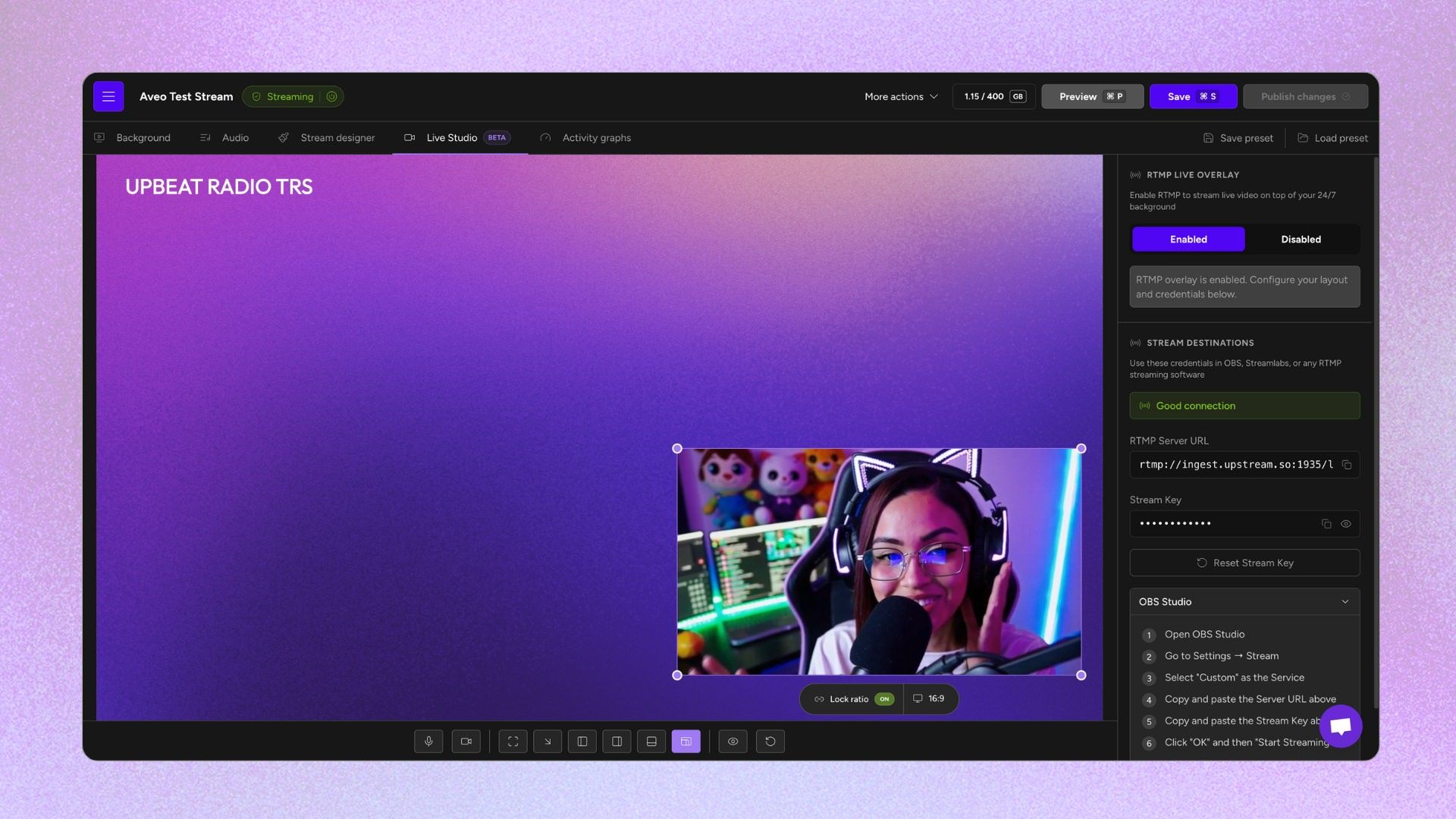
Choose how and where you appear on screen. Corner overlay, full screen, side-by-side, or bottom bar. Position yourself with drag-and-drop and click-and-drag.
Enterprise Grade Reliability
Your pre-recorded content keeps streaming seamlessly with multiple redundancies and backups available. Use Upstream Live Studio so your broadcast never stops.
Connect via OBS or Webcam
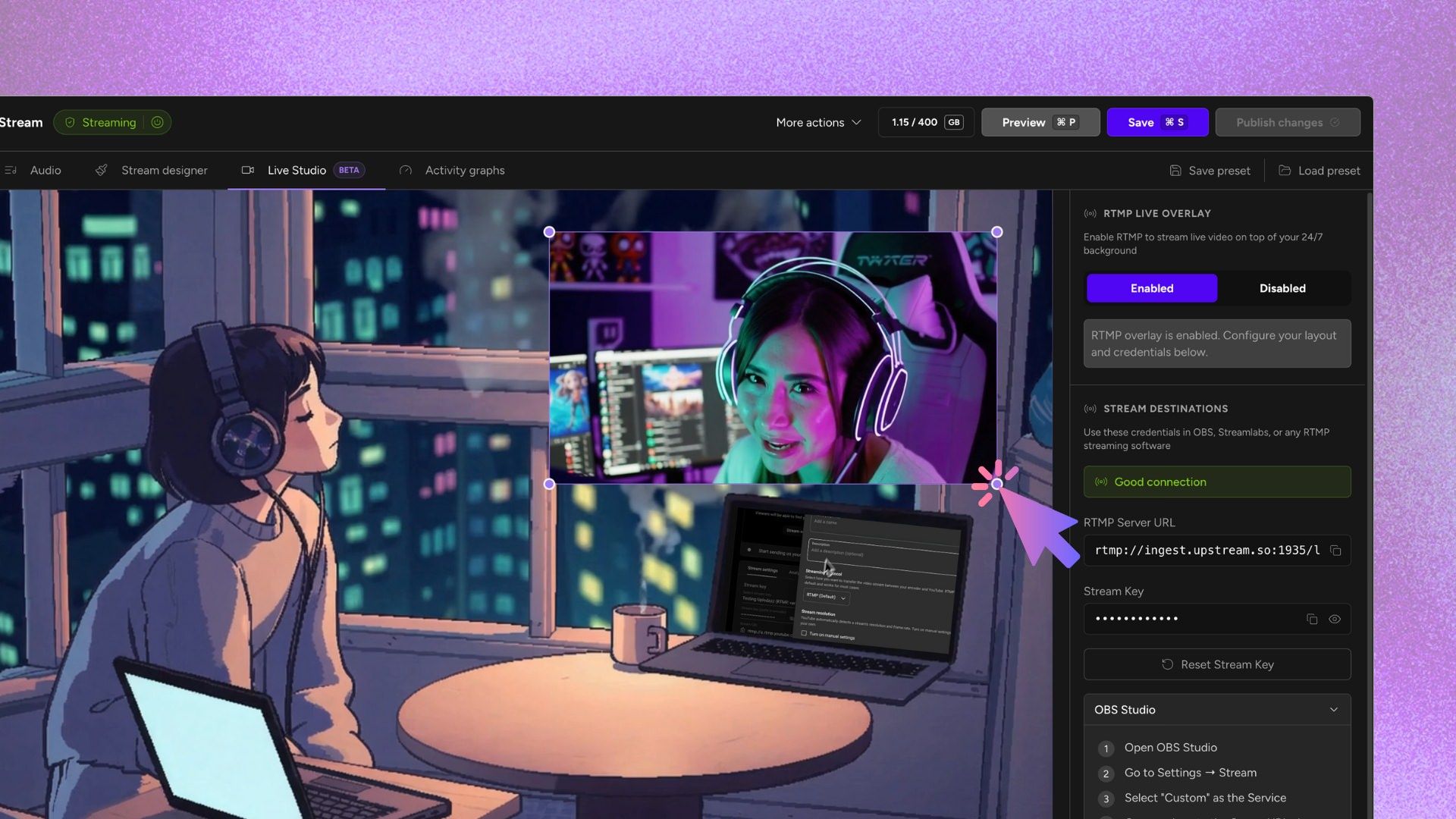
Go Live directly from your Webcam or via OBS. Setting up Live Studio with OBS is straightforward. Get your RTMP credentials from Upstream, paste them into OBS or your preferred streaming software, and start broadcasting live immediately.
- Works with OBS, Streamlabs, and any RTMP software
- Simple copy-paste setup process
- Appear Live from your Webcam
- No complicated configuration of streaming software required
Multiple Display Configurations
Live Studio gives you flexible screen configurations to match your content and current moment. Choose one of our preset display modes or use a custom size and position. Change it up on-the-fly.
- Full Screen - Take over the entire screen with your live signal
- Small Overlay - Appear in any corner while playlists play underneath
- Split Screen - Go side-by-side with your pre-recorded content
- Bottom Bar - Occupy the lower portion of the screen for commentary
- Free Positioning - Drag, resize, and place yourself anywhere on screen
Commentary & Reaction Streams Made Simple
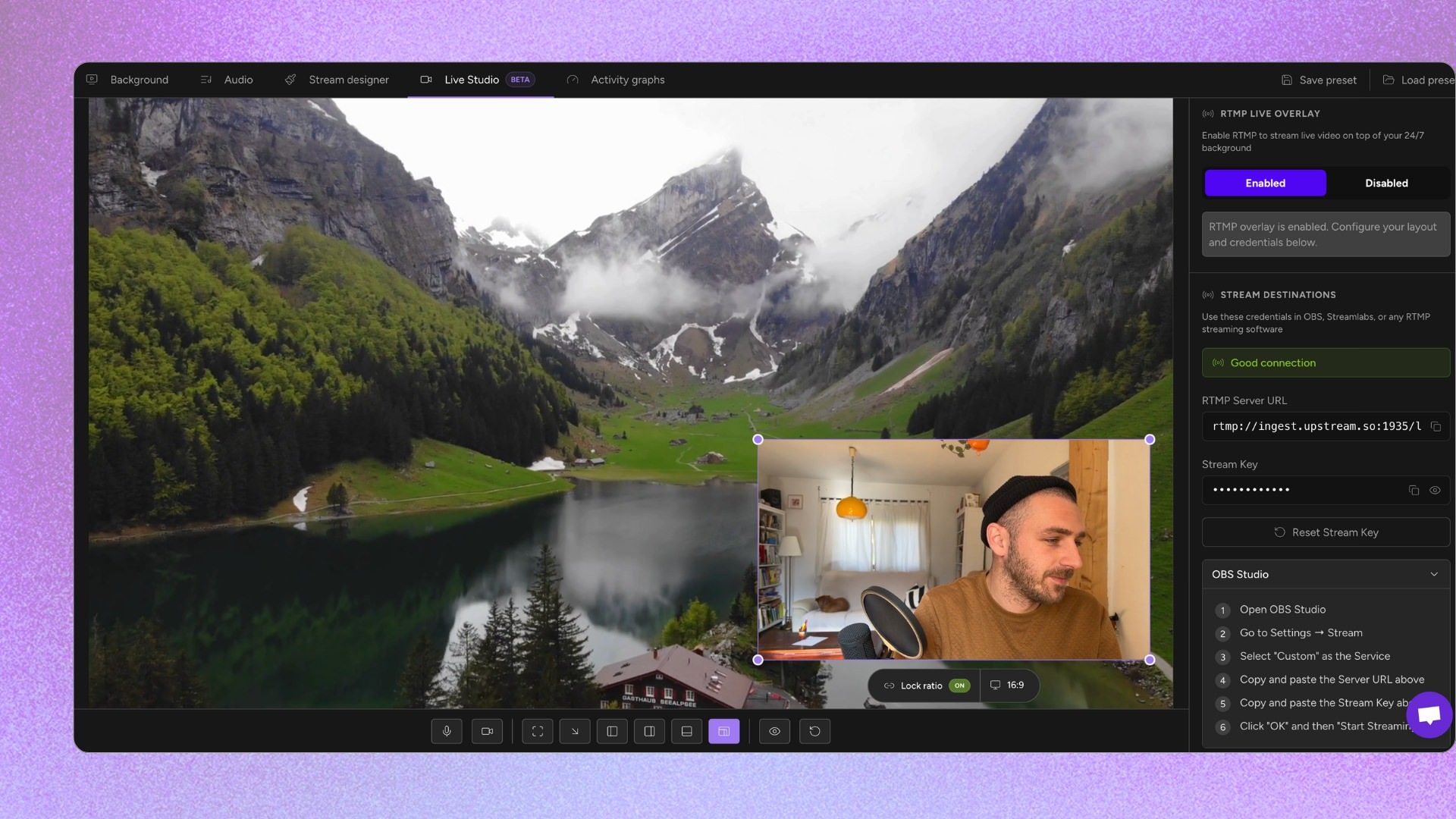
Live Studio is built for creators who want to add a personal touch to their automated streams. React to videos, provide commentary, or simply say hello to your community – all without complex editing or rendering.
- Add live commentary to pre-recorded videos
- Create reaction-style content on the fly
- Say hi to your viewers without stopping the stream
"The value you get per dollar is amazing. Many features are available at no cost when other similar services charge for them or do not have them available at all."
Drag & Resize Your Live Window
Position your live signal exactly where you want it. Drag the window across the screen, resize it to any dimension, and create custom layouts that match your brand and style.
- Free positioning anywhere on screen
- Resize to any dimensions
- Reset to default with one click
- Changes publish when you're ready
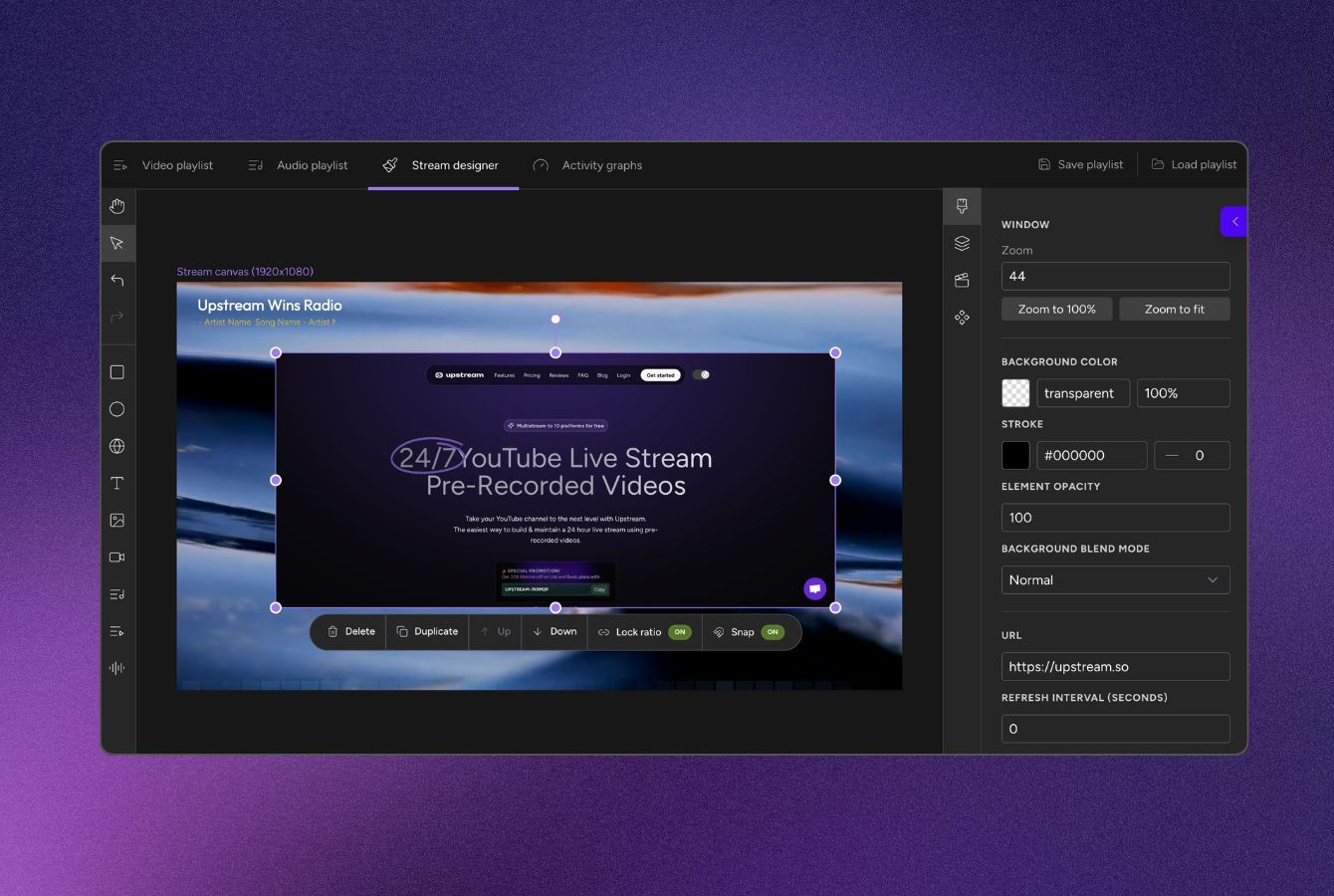
Stream Designer Works with Live Studio
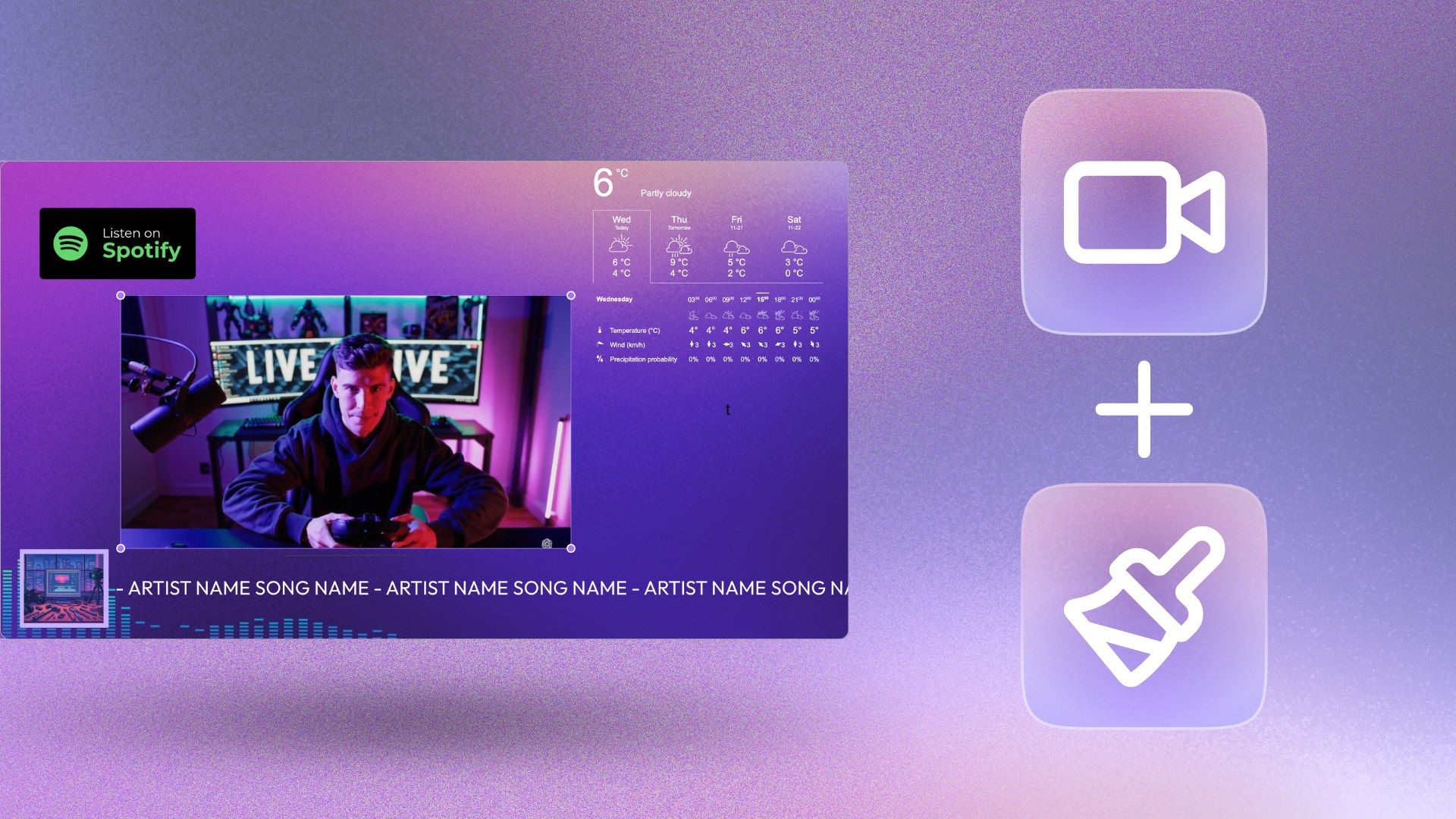
Your Stream Designer overlays and embeds continue working perfectly under the Live Studio overlays. Logos, track names, widgets, and all your branded elements are still there while streaming live – everything layers together seamlessly.
Best 24/7 live streaming tool out there
TedTalks, Eurovision Song Contest, Disney – they all recognized that our Stream Builder is the best out there. Choose the best for your stream, and sign up to Upstream!
Our reviews
Hear first-hand from our incredible community of customers.
Super helpful staff if you have any questions. No issues with the platform so far. All minor issues were resolved within the same hour. Their customer service is top notch
Great Experience. Far better than other streaming services like Go Stream, Live Karo etc. because Upstream provide better bitrate for high quality live streaming for YouTube with pretty budget friendl...
I'm a new customer to upstream, but have been using vps for the past year. I've had numerous problems with my previous provider and decided to change. My first day contacting support I met Sebastian...
I'm completely brand-new to the nature of 24/7 livestreams. I needed something a bit specific, Sebastian and Dom were both HUGE helpers in explaining everything so I could easily understand it. On top...
The upstream is amazing, and the stream designer is a really great tool! I can rest assured that the live stream is performing perfectly 24 hours a day, 7 days a week. We are seriously considering sca...
Just what we needed. AMAZING customer service as well!!
When I decided to run a Stream first I needed to how to do it, and I learned. Then I had to choose a trustworthy platform so I searched many of them, and among all the options I choose Upstream becaus...
Fantastic service, super helpful support team. Would highly recommend.
I love how easy Upstream is to use - especially for someone like me who has no technical knowledge of servers. The whole process of a 24/7 live stream was overwhelming to me until I found upstream. Su...
I am brand new to stream a 24 seven I had the most amazing help from Dom & Mario!!! To be honest, their customer service is just as amazing as Apple! And everyone knows that I love Apple I am now curr...
results speak for themselves. since going live with upstream my stream got 10k views off an account with 900 followers. this tool helped me tap into a livestreaming market without going live by reusin...
I run a small YouTube channel with less than 100 subscribers but just using the free trial of Upstream got me 30 views (more than I normally get) and as subscriber IN ONE DAY. To Make things better I...
Frequently asked questions
Some questions users ask about the Live Studio
Create an interesting and visually stunning stream in minutes
Sign up today and start your free trial - you can switch to a paid plan without interrupting your stream.